EN-5
Configuring Time and Date Settings
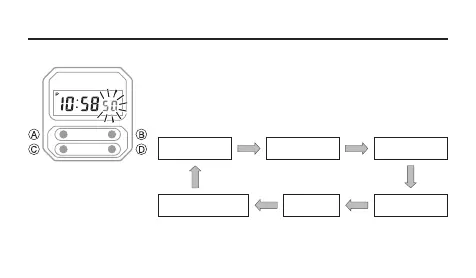
To configure time and date settings
1. In the Timekeeping Mode, press C three times. This
causes the seconds to flash on the display.
2. Press A to move the flashing in the sequence shown
below to select a setting.
Second Hour
Day
Minute
Month
A A
A
A
A
A
2
3
Day of the week
5
1
4



 To Next Page