3.
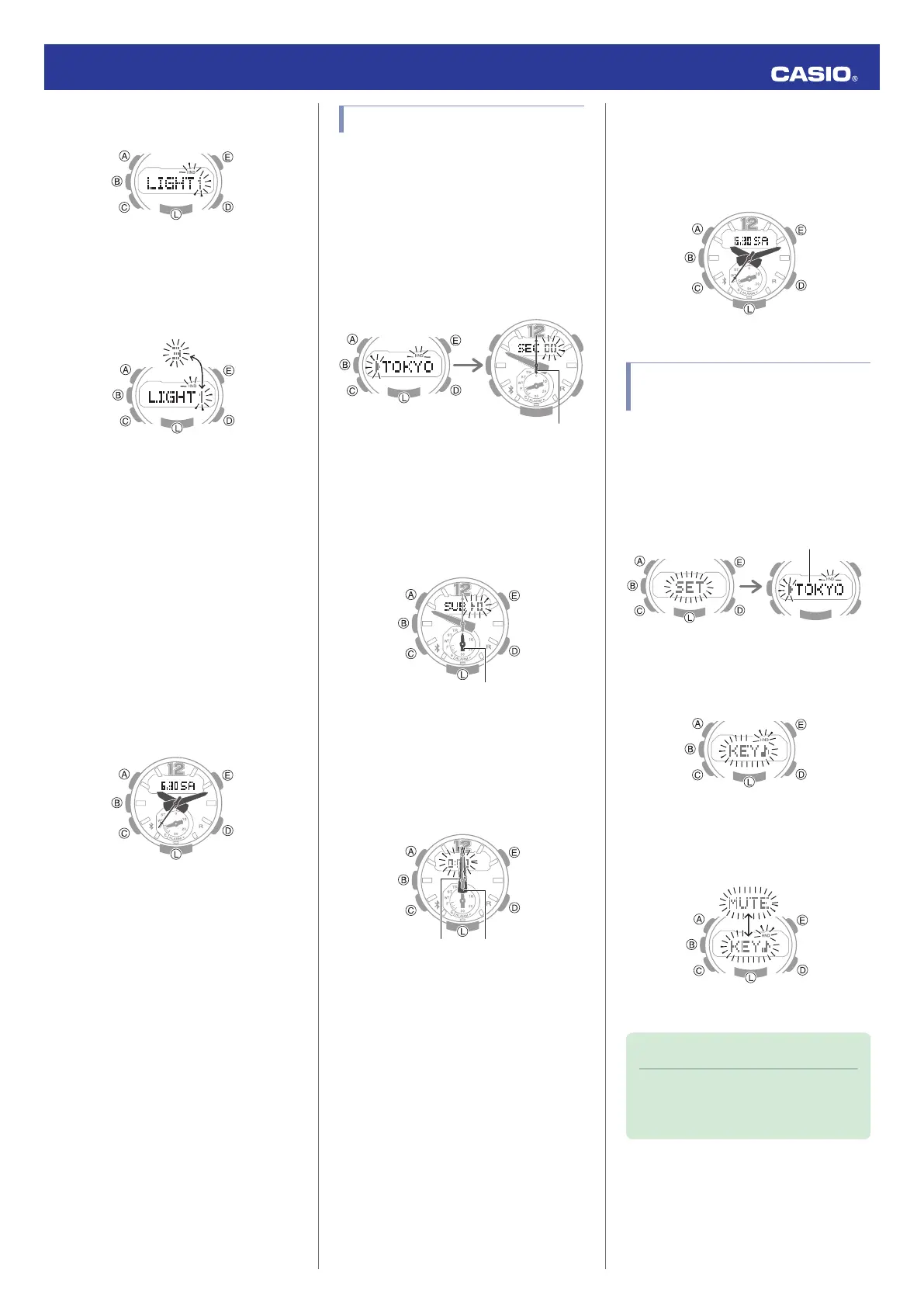
Press (C) 13 times to display [LIGHT].
4.
Press (D) to toggle between the two
illumination duration settings.
[1]: 1.5-second illumination
[3]: 3-second illumination
5.
Press (A) to exit the setting screen.
Hand Alignment
Adjustment
Strong magnetism or impact can cause the
time indicated by the analog hands to become
different from the time on the digital display. If
this happens, adjust hand alignment.
Getting Ready
Enter the Timekeeping Mode.
l
Navigating Between Modes
Adjusting Hand Alignment
1.
Enter the Timekeeping Mode.
l
Navigating Between Modes
2.
Hold down (A) for at least 5 seconds.
Release the button when [00] starts to
flash.
This enables adjustment of second hand
alignment.
Five seconds later
Two seconds later
Second hand
3.
If the second hand is not at 12 o’clock, use
(D) and (E) to align it.
4.
Press (C).
This enables adjustment of mode hand
alignment.
5.
If the mode hand is not at 12 o’clock, use
(D) and (E) to align it.
6.
Press (C).
This enables adjustment of the hour and
minute hands.
7.
If the hour hand and minute hand are not
at 12 o’clock, use (D) and (E) to align them.
8.
Press (A) to exit the setting screen.
Other Settings
Getting Ready
Enter the Timekeeping Mode.
l
Navigating Between Modes
Enabling the Button
Operation Tone
Use the procedure below to enable or disable
the tone that sounds when you press a button.
1.
Hold down (A) for at least two seconds
until the name of the currently selected
Home City is displayed.
2.
Press (C) 11 times.
This causes [KEY♪] or [MUTE] to flash on
the display.
3.
Use (D) to select [KEY♪] or [MUTE].
[KEY♪]: Operation tone enabled.
[MUTE]: Operation tone muted.
4.
Press (A) to exit the setting screen.
Note
●
Note that alarm and timer tones will still
sound even while the operation tone is
muted.
Operation Guide 5536
16



 To Next Page