Q3
Time is not displayed correctly.
If your phone is unable to receive a signal
because you are outside its service range or
for some other reason, the watch may not be
able to display the correct time. If this
happens, connect the phone to its network
and then adjust the time setting.
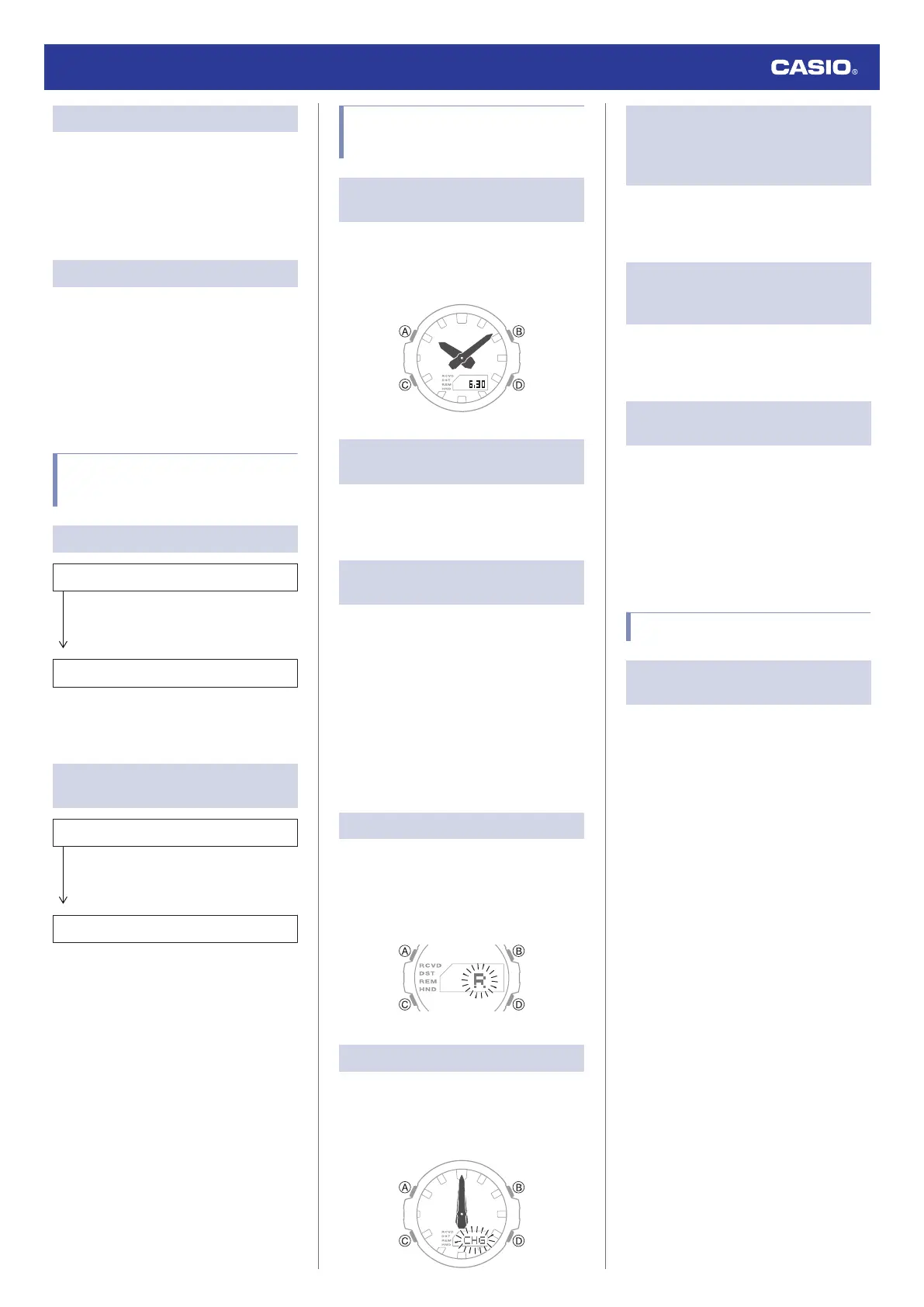
Q4
Hands are out of alignment.
Strong magnetism or impact can cause the
hands to go out of alignment. Adjust hand
alignment.
l
Adjusting Hand Alignment
●
Check the information below to find out how
to align the hands manually.
l
Hand Alignment Adjustment
Alarm and Hourly Time
Signal
Q1
An alarm does not sound.
Is the watch’s battery charged?
Keep the watch exposed to light until it
recharges sufficiently.
l
Charging
Other than the above.
The alarm’s settings may not be
configured. Configure the alarm settings.
l
Configuring Alarm Settings
Q2
The hourly time signal does not
sound.
Is the watch’s battery charged?
Keep the watch exposed to light until it
recharges sufficiently.
l
Charging
Other than the above.
The hourly time signal may be disabled.
Enable the hourly time signal.
l
Enabling the Hourly Time Signal
Hand Movement and
Indications
Q1
I don’t know what mode the watch is
in.
Hold down (C) for at least one second to return
to the Timekeeping Mode. Use (C) to navigate
between modes.
l
Navigating Between Modes
Q2
All hands are stopped and buttons do
not work.
The battery is dead. Keep the watch exposed
to light until it recharges sufficiently.
l
Charging
Q3
The hands suddenly start moving at
high speed.
This is due to the reason (or one of the
reasons) below, and does not indicate
malfunction. Simply wait until normal hand
movement resumes.
●
The watch is recovering from a power
saving state.
l
Power Saving Function
●
Watch is connected with a phone to adjust
its time setting.
l
Auto Time Adjustment
Q4
[R] is flashing on the display.
The watch is in the charge recovery mode.
Wait until the recovery process is complete
(for about 15 minutes). The watch will recover
more quickly if you place it in a brightly lit
location.
Q5
[CHG] is flashing on the display.
The charge level of the watch is extremely low.
Immediately expose the watch to light to
charge it.
l
Low Battery
Q6
Why is the current time indicated by
the watch is off by a certain amount
of time (nine hours, three hours and
15 minutes, etc.)?
The city setting is not correct. Select the
correct setting.
l
Setting a Home City
Q7
The current time indicated by the
watch is off by one hour or 30
minutes.
The summer time setting is not correct. Select
the correct setting.
l
Setting a Home City
Q8
The time indicated by the hands is
different from the digital time.
Strong magnetism or impact can cause the
hands to go out of alignment. Adjust hand
alignment.
l
Adjusting Hand Alignment
●
Check the information below to find out how
to align the hands manually.
l
Hand Alignment Adjustment
Other
Q1
I can’t find the information I need
here.
Visit the website below.
https://world.casio.com/support/
Watch Operation Guide 5724
29



 To Previous Page