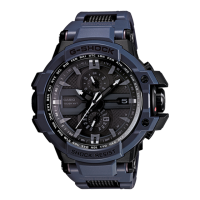
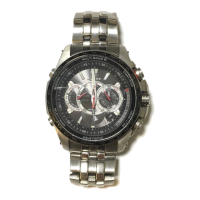
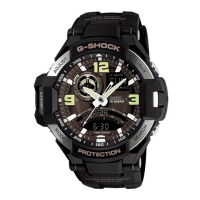
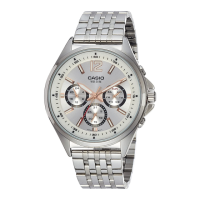
This document is an operation guide for a Casio Watch, model 5728, which features solar charging, Bluetooth connectivity (Mobile Link), and time calibration signal reception.
Function Description
The Casio Watch 5728 is designed for accurate timekeeping and offers several features to ensure precision and convenience.
Time Correction:
The watch can obtain date and time information through two primary methods:
- Time Correction Using a Time Signal: The watch can receive time calibration signals from radio stations in Japan (JJY), China (BPC), United States (WWVB), U.K. (MSF), and Germany (DCF77). This allows for automatic adjustment of time and day settings. The watch performs an automatic receive operation between midnight and 5:00 a.m. daily. If successful, no further auto receive operations are performed that day. Manual time calibration signal receive is also possible by placing the watch near a window and holding down button (A) for at least 0.5 seconds until the second hand points to [RC].
- Auto Time Correction via Bluetooth Connection (Mobile Link): When paired with a smartphone running the "CASIO WATCHES" app, the watch automatically connects at preset times (around 12:30 a.m., 6:30 a.m., 12:30 p.m., and 6:30 p.m.) to adjust its time settings. This connection is automatically terminated after correction. If the watch hasn't connected with a phone for time correction during the previous day, it will automatically attempt to receive a time calibration signal.
- Triggering Immediate Time Correction: A connection can be manually established with a phone by holding down button (A) for at least 0.5 seconds until the second hand points to [C]. This will adjust the watch's time setting and record the current location on the phone.
- Using Watch Operations to Adjust the Time Setting: If phone connection or time signal reception is not possible, the user can manually adjust the time and day settings using the crown and buttons. This involves selecting a Home City, adjusting hour, minute, year (ten's digit and one's digit), month, and day.
Hand and Day Indicator Alignment:
Strong magnetism or impact can cause the hands and/or day indicator to go out of alignment. The watch can perform automatic alignment of the hour, minute, and second hands. Users can also adjust hand and day indicator alignment manually via the "CASIO WATCHES" phone app or by using watch operations (pulling out the crown to the second click and holding button (A) for at least five seconds until the second hand points to 12 o'clock, then pressing (A) to confirm the day indicator).
Phone Finder:
This feature allows the user to trigger a tone on their paired phone, even if it's in vibrate mode, making it easier to locate. This is activated by holding down button (A) for at least 5 seconds until the second hand points to [C].
Configuring Watch Settings:
The "CASIO WATCHES" app allows users to configure various watch settings, including the automatic Bluetooth connection termination time and summer time settings.
Recording Your Current Location (TIME&PLACE):
By holding down button (A) for at least 0.5 seconds until the second hand points to [C], the watch records the current latitude, longitude, date, and time in the phone's memory. This information can be viewed on a map within the "CASIO WATCHES" app.
Summer Time Setting:
The watch supports automatic switching between standard time and summer time ([AT (AUTO)]) for cities that observe summer time. Users can also manually set [STD] (standard time always) or [DST] (summer time always) via watch operations.
Power Saving:
To conserve battery, the watch enters Level 1 power saving (second hand stops) if left in a dark location for about an hour between 10 p.m. and 5:50 a.m. If left for six or seven days, it enters Level 2 power saving (all hands stop, only day indicator operational). Recovery from power saving is achieved by pressing button (A), performing a crown operation, or exposing the watch to light.
Using the Watch in a Medical Facility or Aircraft:
In environments where radio wave emission is restricted, users can disable auto time correction by pulling out the crown to the first click after pressing button (A) to indicate the last receive result, then rotating the crown. Bluetooth connection can be terminated by pressing button (A) when the second hand points to [C].
Important Technical Specifications
Accuracy at Normal Temperature:
±15 seconds per month average when time correction by time calibration signal reception or by communication with a phone is not possible.
Timekeeping:
Hour, minute, second, day (2000 to 2099 full auto calendar).
Signal Receive Functions:
- Auto receive, manual receive.
- Auto transmitter selection (for JJY, MSF/DCF77).
- Receivable Call Signs: JJY (40kHz/60kHz), BPC (68.5kHz), WWVB (60kHz), MSF (60kHz), DCF77 (77.5kHz).
- Automatic and manual switching between standard time and summer time.
- Auto time correction enable/disable switching.
Mobile Link:
- Auto Time Correction: Time setting corrected automatically at preset time.
- One-touch Time Correction: Manual connection and time correction.
- Phone finder: Watch operation sounds the alert sound of the phone.
- Auto summer time setting: Automatic switching between standard time and summer time.
- Hand alignment correction.
- TIME&PLACE: Auto time correction enable/disable switching.
Data Communication Specifications:
- Bluetooth®
- Frequency Band: 2400MHz to 2480MHz.
- Maximum Transmission: 0 dBm (1 mW).
- Communication range: Up to 2 meters (depends on environment).
Power Supply:
- Solar panel and one rechargeable battery.
Approximate Battery Life:
- Approximately 5 months under conditions of no light exposure, with auto time correction by smartphone 4 times/day and hand sleep 6 hours/day.
Water Resistance:
The watch is available with different levels of water resistance (No BAR, 5BAR, 10BAR, 20BAR) indicated on the back cover. Specific usage precautions apply to each level, especially regarding crown/button operation while wet, exposure to hot water, and contact with soaps/detergents.
Usage Features
Crown Operations:
- Pulling Out and Pushing In: The crown can be pulled out to the first or second click for various operations. It should not be pulled with too much force.
- Fast Forward/Fast Reverse: After pulling the crown to the second click, rotating it quickly in succession in either direction initiates fast forward/reverse hand movement.
- Automatic Disablement: If no operation is performed for about two minutes after pulling out the crown, crown operations will automatically disable. The crown must be pushed back in and pulled out again to re-enable.
Charging:
The watch is powered by a rechargeable battery charged by a solar panel integrated into the watch face.
- Charging the Watch: Expose the watch face to bright light. Avoid blocking the solar panel with clothing.
- Charging Time Guidelines: Tables are provided for approximate charging times based on light level (e.g., 8 minutes for 50,000 lux for 1 day of operation) and charge recovery times (e.g., 2 hours from dead battery to medium charge under sunny outdoor conditions).
- Low Battery Power: The second hand jumps at two-second intervals.
- Dead Battery: All hands and the day indicator stop.
Day Indicator Movement:
The day indicator can take 10 to 40 seconds to change after timekeeping reaches midnight. It may not indicate correctly while the crown is pulled out.
Mobile Link Precautions:
- Legal Precautions: Comply with radio laws of various countries. Use in aircraft is restricted.
- Proximity: Keep the watch and phone close (within two meters recommended).
- Interference: Avoid microwave ovens and wireless LAN devices due to potential radio interference.
Maintenance Features
Caring for Your Watch:
- General Cleaning: Regularly wipe the watch and band with a soft cloth to remove dirt, sweat, water, and foreign matter.
- Seawater/Mud Exposure: Rinse with clean fresh water.
- Metal/Resin Bands with Metal Parts: Use a soft toothbrush with a weak solution of water and mild neutral detergent/soapy water. Rinse thoroughly and wipe dry. Wrap the watch case with plastic wrap to avoid contact with detergent/soap.
- Resin Bands: Wash with water and wipe dry. Smudge patterns may appear but do not affect skin or clothing.
- Leather Bands: Wipe water and sweat with a soft cloth.
- Crown/Buttons/Rotary Bezel: Periodically rotate the crown and rotary bezel, and press buttons to maintain proper operation.
Dangers of Poor Watch Care:
- Rust: Metal components can rust if not cleaned after exposure to dirt and sweat, leading to sharp areas or band pin failure.
- Premature Wear: Leaving sweat or water on resin bands/bezels, or storing in high moisture, can cause premature wear, cuts, and breaks.
- Skin Irritation: Individuals with sensitive skin may experience irritation. Keep leather/resin bands clean. Remove the watch and contact a skin care professional if a rash occurs.
Battery Maintenance:
- Rechargeable Battery: The special rechargeable battery is not user-removable or replaceable. Use of non-specified batteries can damage the watch.
- Charging Efficiency: Long use or operating conditions can deteriorate battery capacity or charging efficiency. Contact a service center if charging provides insufficient operation.
- Charging Temperature: Avoid charging in environments exceeding 60 °C (140 °F) to prevent burn injury and damage to internal components (e.g., car dashboard in sun, near heat sources).
Water Resistance Maintenance:
- Gasket Replacement: Gaskets should be replaced periodically (every two to three years) to maintain water resistance.
- Battery Replacement: A trained technician should inspect water resistance during battery replacement, which requires special tools.
- Leather Bands: Avoid swimming or washing with water-resistant watches that have leather bands.
Troubleshooting:
The guide includes a comprehensive troubleshooting section addressing common issues such as:
- Signal Reception Problems: Battery charge, auto time correction enablement, Home City setting, reception location, movement during reception, transmitter status, and hand/day indicator alignment.
- Phone Connection Problems: Supported phone model, app installation, Bluetooth settings, Airplane Mode, re-pairing after disconnection, and connecting to a different phone.
- Hand Movement and Indications: Second hand jumping, all hands stopped, hands moving at high speed, charge recovery mode, incorrect time indication (city setting, summer time setting).
- Crown Operations: Nothing happening when rotating the crown (due to automatic disablement).

 Need help?

 To Next Page
 General