Before Getting
Started...
This section provides an overview of the watch
and introduces convenient ways it can be
used.
Watch Features
●
Phone Linking
The watch supports connection and
communication with a Bluetooth capable
phone.
●
Solar Charging
Sunlight and artificial light generate
electricity for watch operation as it charges.
●
Time Signal Reception
The watch receives a radio signal
containing time information and uses it to
keep its time setting accurate.
Note
●
The illustrations included in this
operation guide have been created to
facilitate explanation. An illustration
may differ somewhat from the item it
represents.
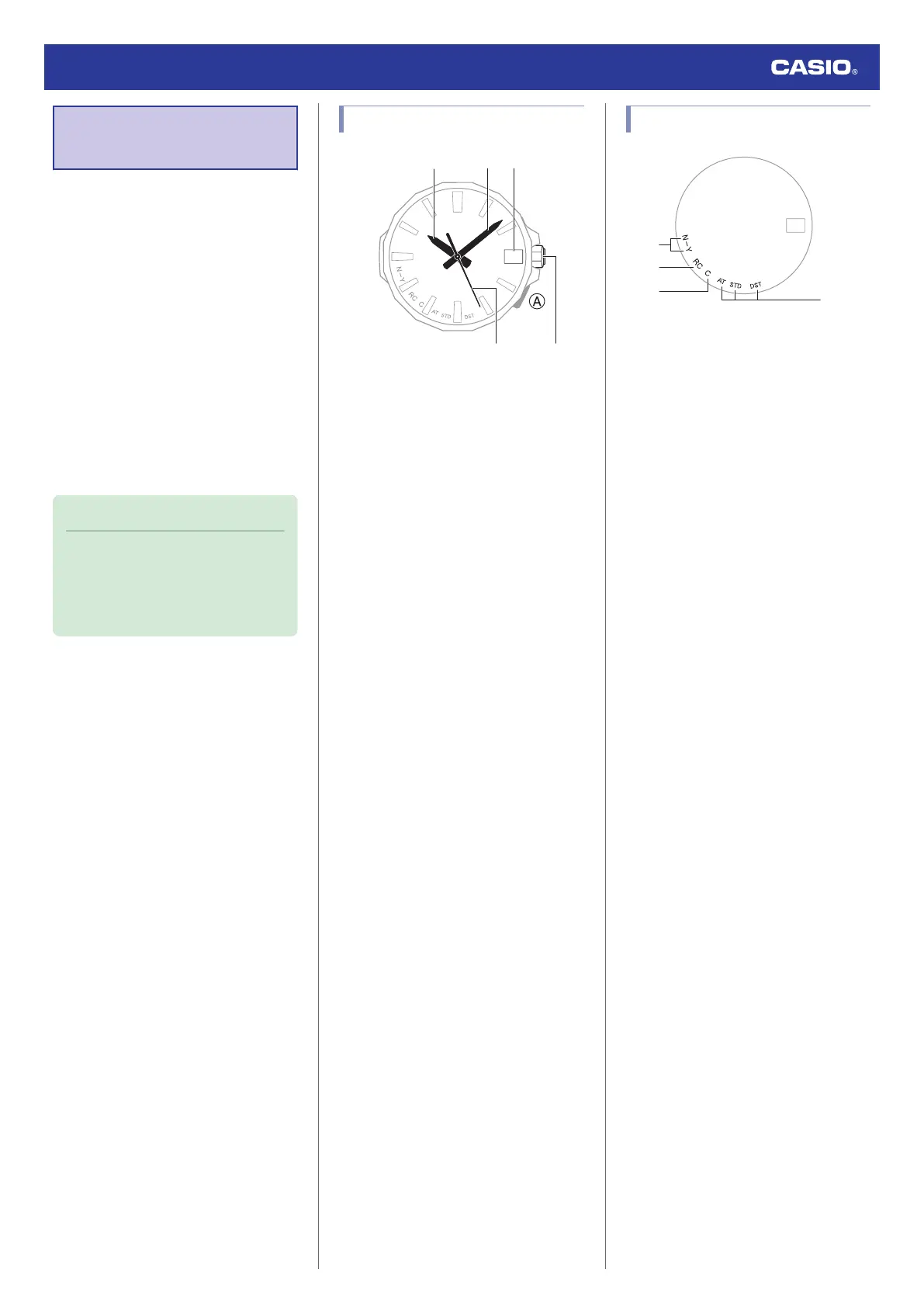
General Guide
A Hour hand
B Minute hand
C Day indicator
D Second hand
E Crown
A button
Hold down to connect the watch with a phone.
Watch Face Items
A Last receive result/Auto time correction
setting
The second hand points to [Y(YES)] or
[N(NO)] to indicate the result of the last
auto time correction operation based on
time signal reception or connection with a
phone.
[Y(YES)]: Auto time correction successful
[N(NO)]: Auto time correction failed
The second hand indicates whether auto
time correction is enabled or disabled.
[Y(YES)]: Auto time correction enabled
[N(NO)]: Auto time correction disabled
B [RC]
The second hand points to this mark while
calibration signal reception is in progress.
C [C]
The second hand points to this mark while
there is a connection between the watch
and a phone.
D Summer time setting
The second hand points to the current
summer time setting.
Watch Operation Guide 5728
6



 To Next Page