20
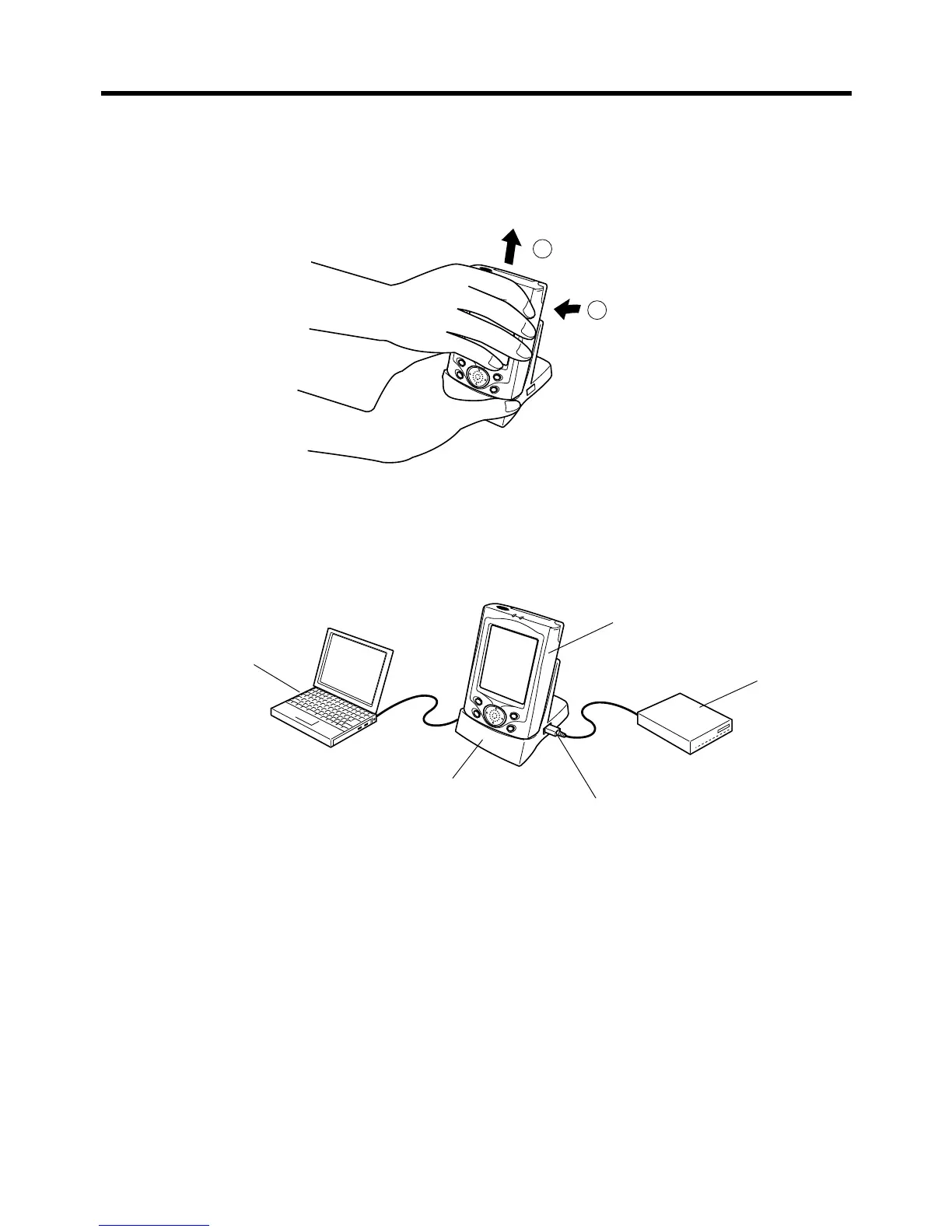
To remove the CASSIOPEIA from the cradle
Pull up on the CASSIOPEIA so the recess on its back disengages from the raised part
of the cradle, and then lift the CASSIOPEIA straight up from the cradle.
2
1
To connect another USB device to the cradle
The cradle is equipped with a USB-A connector that can be used to connect another
USB device, as shown below.
• When using any USB device, make sure you install the applicable USB driver on
your CASSIOPEIA.
USB device
Computer
CASSIOPEIA
Cradle
USB-A connector














 To Next Page