EasyManua.ls Logo

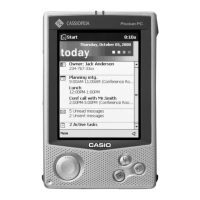
Casio Cassiopeia E-200 - User Manual

Casio Cassiopeia E-200
50 pages
Print Icon
To Next Page IconTo Next Page
Loading...
Pocket PC
E-200
R
DEC. 2001
(without price)
E-200
Ver.1 MARCH/ 2002
INDEX

Other manuals for Casio Cassiopeia E-200

Questions and Answers

  • S
    Scott RobinsonAug 14, 2025
    Why does nothing happen when I press the power button on my Casio Cassiopeia E-200 Handhelds?
    • S
      Susan GarciaAug 14, 2025
      This issue may occur if the main battery is weak, in which case you should charge the battery pack. Alternatively, there may be an internal malfunction. Try resetting the unit. If resetting doesn't fix the problem, perform a full reset (memory initialize).
  • M
    moniquehouseAug 18, 2025
    What to do if the screen is locked up on Casio Cassiopeia E-200?
    • K
      Kim AlexanderAug 18, 2025
      If the screen is locked up, it may be due to an internal malfunction. Try resetting the unit. If resetting the unit does not correct the problem, perform a full reset (memory initialize).
  • M
    Michael GonzalezAug 20, 2025
    What to do if nothing happens when the touch screen is touched on Casio Cassiopeia E-200?
    • J
      Jill CrossAug 21, 2025
      If nothing happens when you touch the screen, it could be that the touch screen is out of calibration, so recalibrate the touch screen. Alternatively, static electricity or another issue may have caused the touch screen to malfunction; in this case, reset the unit. If the touch screen is damaged, contact your original dealer or an authorized CASIO service provider.
  • M
    Mary PageAug 25, 2025
    Why is operation disabled when the AC adapter is connected to Casio Cassiopeia E-200?
    • T
      Tracy WoodsAug 25, 2025
      Operation may be disabled when the AC adapter is connected if the main battery is weak; in this case, charge the battery pack. It may also happen if the unit is not mounted on the cradle correctly. Mount the unit on the cradle correctly.
  • S
    Steven MorganAug 27, 2025
    Why does the low backup battery message continue to appear on Casio Cassiopeia E-200 even after I replaced the backup battery?
    • S
      Sheila HawkinsAug 28, 2025
      The low backup battery message might persist even after replacement if the backup battery is upside down. Remove the backup battery, turn it over, and reload it. It can also happen if the backup battery was loaded before the main battery; in this case, remove the backup battery and reload it. The message can also appear if the power was left on while the battery pack was replaced, so turn the power off and then back on again.
  • D
    Devin HowardAug 30, 2025
    Why did replacing the main battery cause malfunction in my Casio Cassiopeia E-200 Handhelds?
    • S
      Sean HuffmanAug 30, 2025
      Replacing the main battery might cause a malfunction if the main battery is not loaded correctly. Remove and then reload the main battery, making sure the positive (+) and negative (–) poles are oriented correctly. It can also happen if the battery replacement procedure was not followed correctly. Perform a full reset (memory initialize). If the above action does not solve the problem, remove the main battery and contact your original dealer or an authorized CASIO service provider.
  • J
    Jacob ShawSep 3, 2025
    Why is the rechargeable battery pack life very short after each charge on my Casio Handhelds?
    • T
      Thomas LynchSep 3, 2025
      A short rechargeable battery pack life after each charge suggests that the battery pack is damaged or has reached the end of its service life. Purchase a new battery pack.
  • T
    Tracy SmithSep 6, 2025
    What does a message about a data error on the screen of Casio Cassiopeia E-200 mean?
    • B
      Becky HoodSep 6, 2025
      If you see a message about a data error on the screen, it indicates an internal malfunction. Follow the instructions that appear on the screen.
  • M
    Morgan FloresSep 10, 2025
    What does some other warning message on the screen of Casio Cassiopeia E-200 mean?
    • C
      Christina NobleSep 10, 2025
      If some other warning message is on the screen, it indicates an internal malfunction. Follow the instructions that appear on the screen.

Summary

Specifications

System Requirements

General Guide

Initial Setup Procedure

Step-by-step guide for setting up the device for the first time after unpacking.

Battery and Reset

Battery Management

Details on the main and backup batteries, charging, and handling precautions.

Device Reset Procedures

Explanation of soft reset and full reset (memory initialize) operations.

Full Reset and Memory Initialization

Steps and conditions for performing a full reset to restore factory defaults.

Operation Check

Operation Check Preparation

List of required items for performing operational checks and diagnostics.

Adjustment

Troubleshooting

Hardware Troubleshooting Guide

Diagnosing and resolving hardware-related issues like no power, no display, or poor sound.

Software Troubleshooting

Diagnosing and resolving software issues like lock-ups, data corruption, and application errors.

Disassembly and Assembly Procedure

Device Disassembly Steps

Detailed instructions for taking the unit apart, including removing covers and batteries.

Device Assembly Steps

Instructions for reassembling the unit after repair or component replacement.

Casio Cassiopeia E-200 Specifications

General IconGeneral
Display TypeTFT LCD
Display Resolution240 x 320 pixels
Processor Speed131 MHz
RAM32 MB
ROM16 MB
Operating SystemWindows CE 3.0
BatteryRechargeable Lithium-ion
Expansion SlotsCompactFlash Type II
Display Size3.5 inches
Input MethodTouchscreen, stylus
Display Colors65, 536 colors
ConnectivityInfrared

Related product manuals