— 36 —
12. DISASSEMBLY/ASSEMBLY PROCEDURE
12-1. DISASSEMBLY
Disassembly the unit according to the following procedure.
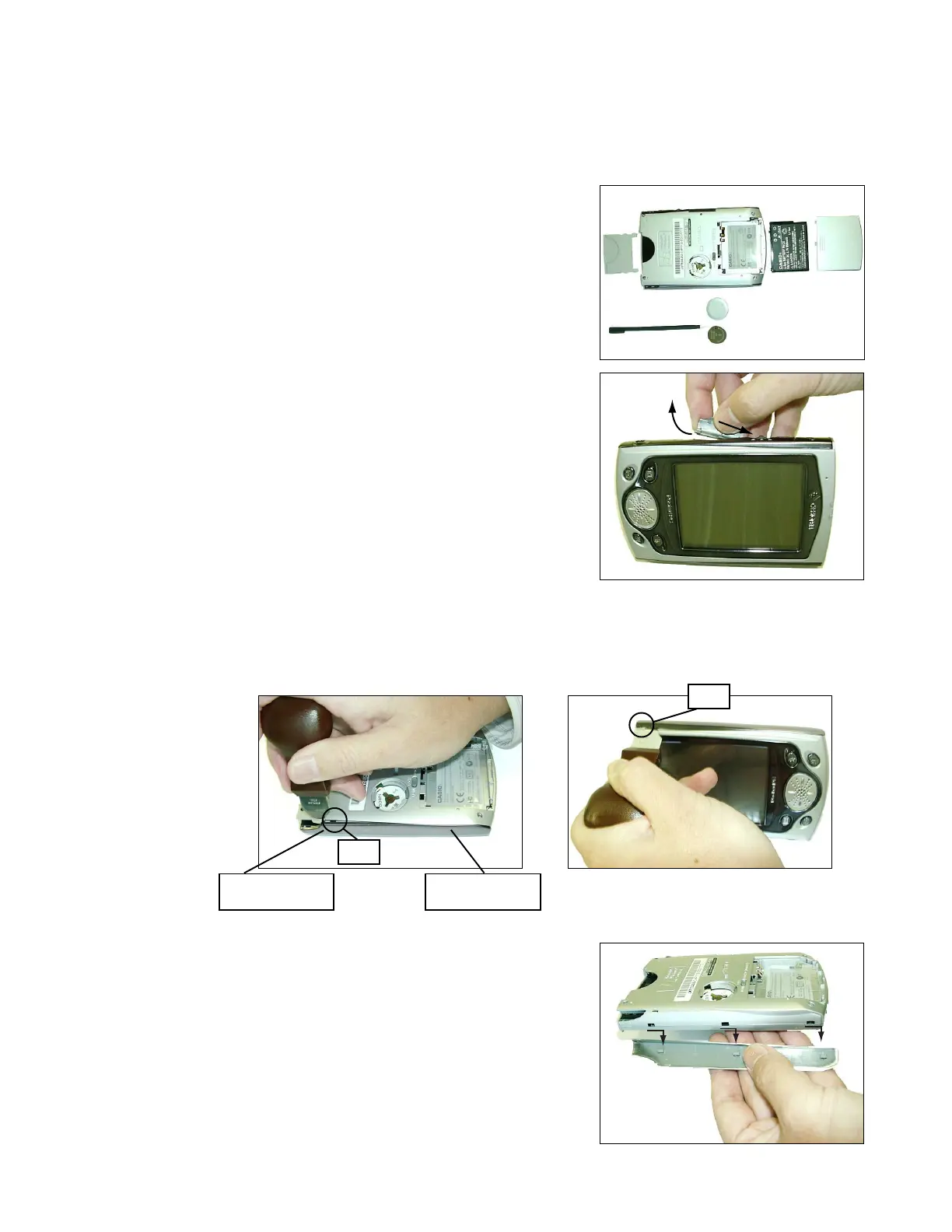
1. Remove CF dummy card, Stylus pen. After sliding the battery
cover switch to left and right, remove the battery covers, lithium
battery and rechargeable battery in order.
2. By inserting the stylus pen into the hole on the side cover, open
SD cover. Then take the SD cover as shown figure, and remove
it.
3. Unhook and lift up the cover (panel) as shown figure carefully by using case opener. But do not remove at
once, unhook the other side as well. (Refer to other figure) Be careful the double adhesive tape at oposite
side of the side cover.
As these covers may be damaged during disasembling. It is recommended to prepare the replace side
covers beforehand.
4. By sliding the side cover as shown arrow, remove the side cover carefully.
1
2
Adhesive tape at
oposite side
Adhesive tape at
oposite side
Hook
Hook














 To Next Page