— 27 —
8. ADJUSTMENT
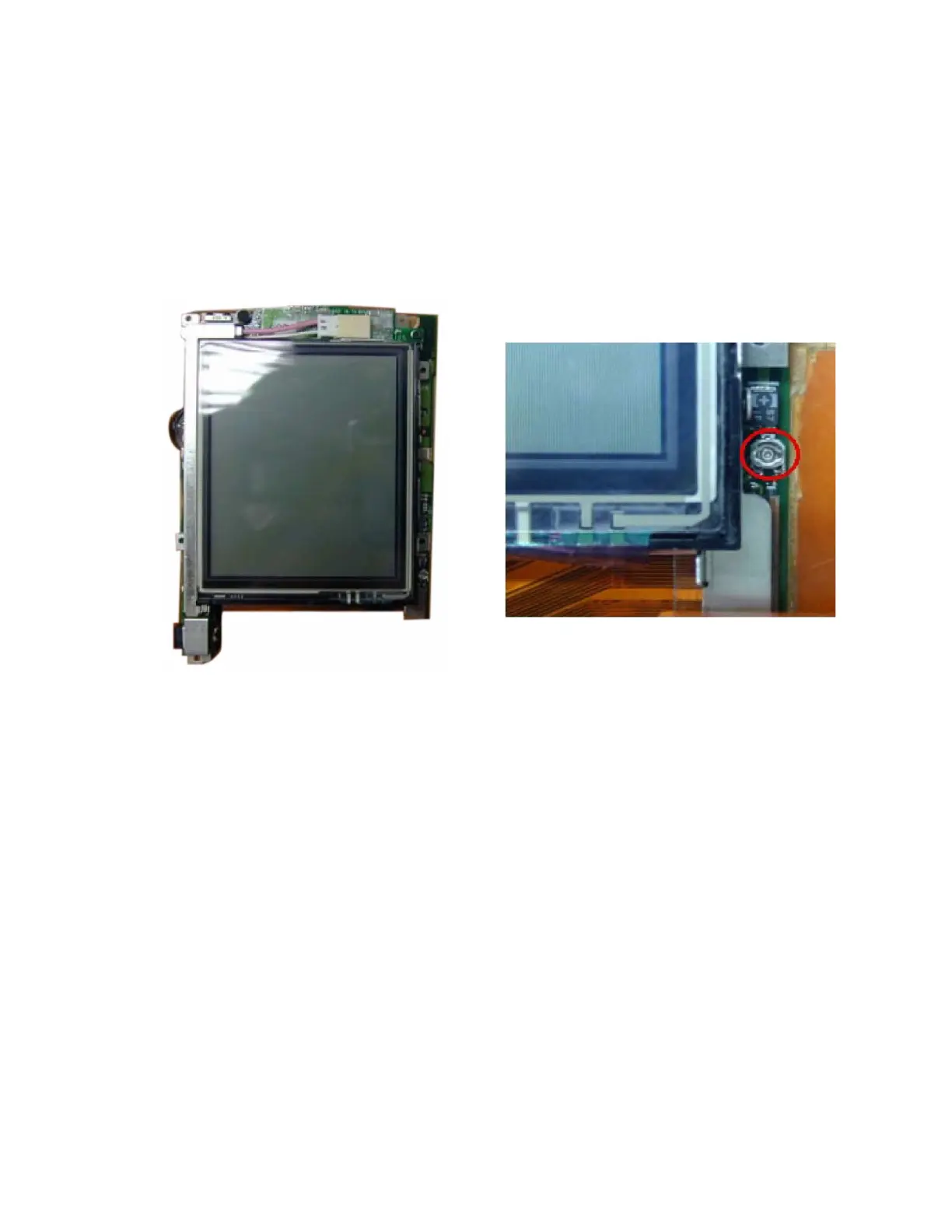
■ Display quality adjustment
When flickers and vertical stripes appear in the screen, perform this adjustment according to the following
procedure.
1. Disassemble side panel and upper case in accordance with DISSASSEMBLY PROCEDURE of this
manual.
2. Put the main PCB as shown below finger, and confirm the position of adjustment volume.
3. Turn on the power switch.
4. Insert a CF card with diagnosis program.
5. Test menu comes up automatically. (Refer to OPERATION CHECK)
6. Check the box only "Display test" in the test menu, and tap "Start".
7. Check the only "Flickers Test", and tap "Start".
8. Confirm the Flickers Test Display.
9. Adjust the volume to minimize flicking.














 To Next Page