EasyManua.ls Logo

Casio CFX-9800G - Page 111

Casio CFX-9800G
206 pages
Print Icon
To Next Page IconTo Next Page
To Previous Page IconTo Previous Page
Loading...
Pressing
FO),
causes
the
following
menu
to
appear
on
the
display.
FG)
[ecafe-calird.
Ye
BB
“Press
the
function
key
below
the
operation
you
want
to
specify.
(F)(Y-CA)
y-coordinate
value
for
a
given
x-coordinate
*
A(KCA)
coordinate
value
for
a
given
y-coordinate
\(d/dx)
Derivative
for
a
given
point
Except
for
the
intersection
of
two
graphs,
all
of
the
following
operations
are
performed
after
drawing
of
the
following:
function
graphs.
Memory
Area
¥1:
Memory
Area
Y2:
y
x+1
X
(x,
+
2)
(x
~
2)
ot
The
range
parameter
settings
shown
here
are
also
used.
CREP),
*For
details
on
drawing
graphs,
see
section
“8-10
Storing
Functions
in
Memory”
starting
on
page
176.
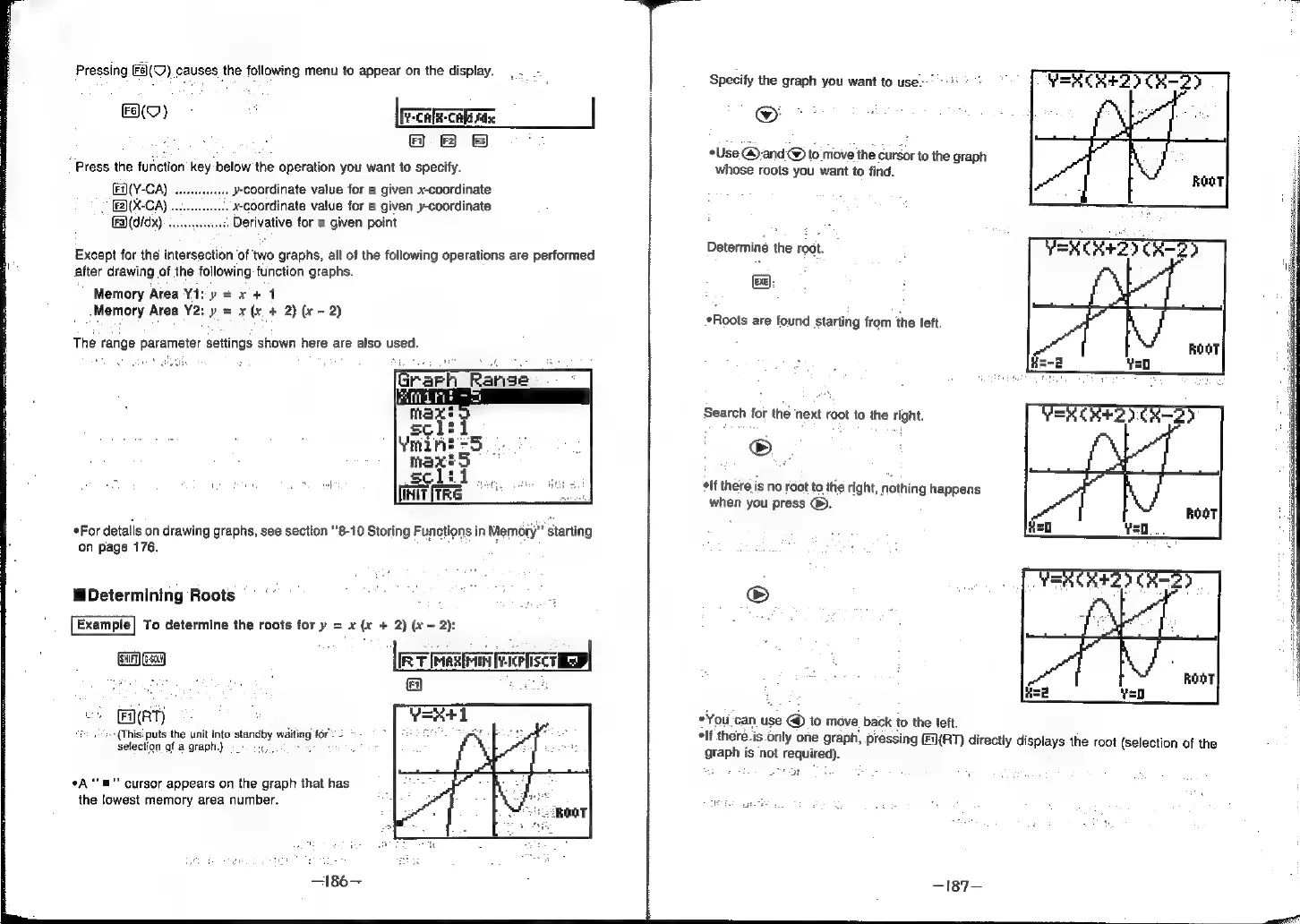
Determining
Roots
Example]
To
determine
the
roots
for
y
=
x
(x
+
2) (x
-
2):
Fi}(RT)
»-+{Thisi
puts
the
unit
into
standby
wattod
fore
2
*
selection
af
a
graph.)
+.
2.
®
°A
‘“‘m"'
cursor
appears
on the
graph
that
has
the
lowest
memory
area
number.
Specify
the
graph
you
want
to
use--'
*Use
@and@
to
move
the
cursor
to
the
graph
whose
roots
you
want
to
find.
Determine
the
root.
(exe)
*Roots
are
found
starting
from
the
left.
Search
for
the
‘next
root
to
the
right.
elf
there.
is
no
root
to
the
right,
nothing
happens
when
you
press
@.
*You
can
use
@
to
move
back
to
the
left.
elf
there.is-only
one
graph,
pressing
Fi(RT)
directly
displays
the
root
(selection
of
the
graph
is
not
required).
BOOY
wa
i