EasyManua.ls Logo

Casio CFX-9800G - Page 121

Casio CFX-9800G
206 pages
Print Icon
To Next Page IconTo Next Page
To Previous Page IconTo Previous Page
Loading...
@To
draw
lines
in
the
GRAPH
or
TABLE
Mode
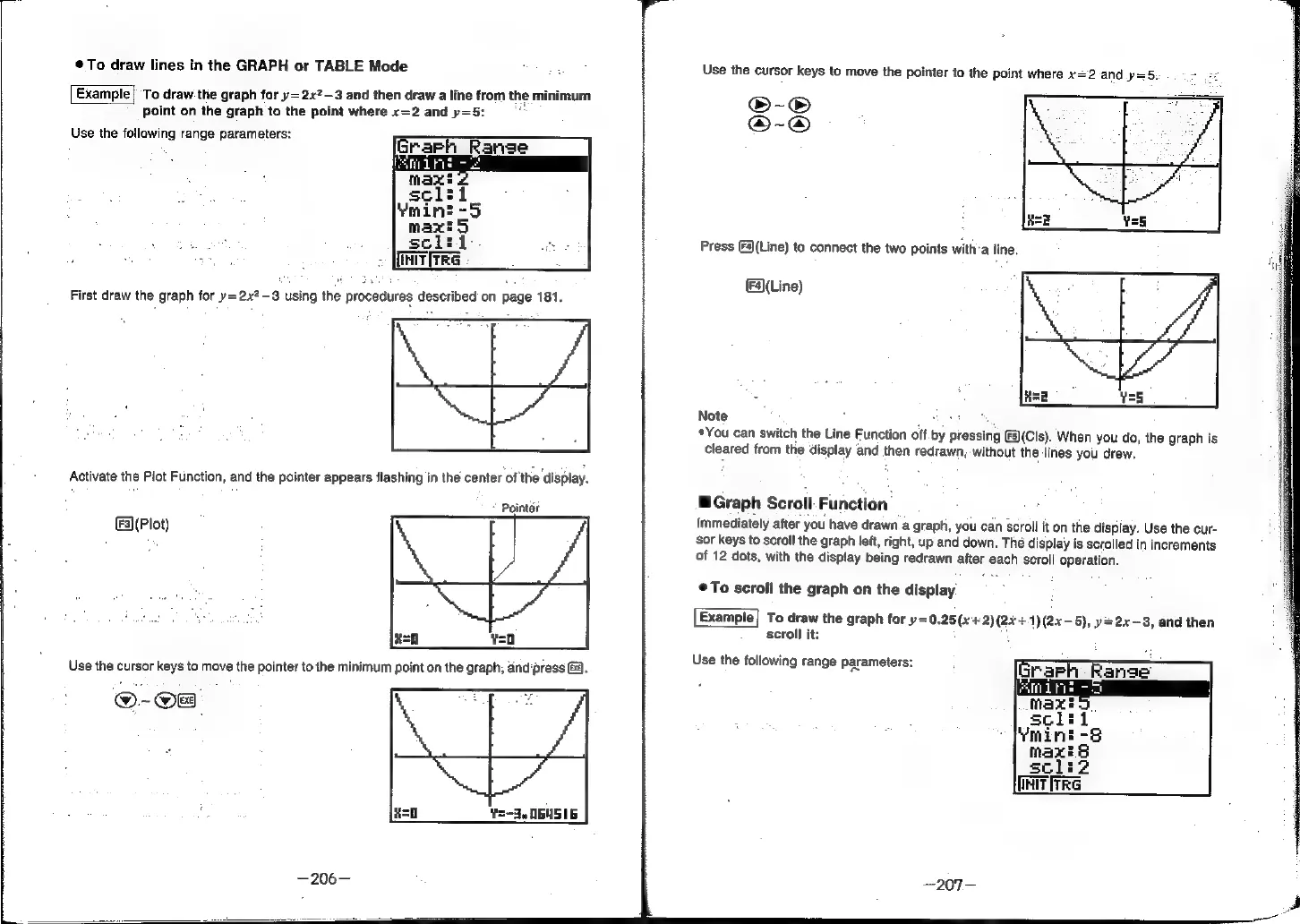
Example]
To
draw
the
graph
for
y=2x2-3
and
then
draw
a
line
from
the
minimum
point
on
the
graph
to
the
point
where
x=2
and
y=5:
Use
the
following
range
parameters:
Es
tga
sai
sclii-
ee
>
[MITITRG
Activate
the
Plot
Function,
and
the
pointer
appears
flashing
in
the
center
of
the
‘display.
Pointer
F3]
(Plot)
Use
the
cursor
keys
to
move
the
pointer
to
the
point
where
x=2
and
.p=5.
Press
(4)(Line)
to
connect
the
two
points
with’a
line,
(F4)(Line)
Note
*You
can
switch
the
Line
Function
off.by
pressing
3)(Cls).
When
you
do,
the
graph
is
cleared
from
the
display
and
then
redrawn,
without
the
lines
you
drew,
™Graph
Scroll:
Function’
Immediately
after
you
have
drawn
a
graph,
you
can
scroll
it
on
the
display.
Use
the
cur-
sor
keys
to
scroll
the
graph
left,
right,
up
and
down.
The
display
is
scrolled
in
increments
of
12
dots,
with
the
display
being
redrawn
after
each
scroll
operation.
To
scroll
the
graph
on
the
display
:
To
draw
the
graph
for
y=0.25(x+2)(2x+1)(2x-5),
y=2x—3,
and
then
scroll
it:
,
Use
the
following
range
parameters:
[HiT
irre