EasyManua.ls Logo

Casio CFX-9800G - Page 122

Casio CFX-9800G
206 pages
Print Icon
To Next Page IconTo Next Page
To Previous Page IconTo Previous Page
Loading...
Fe(SET)F(REC)ED
;
Sp.
eae
Es
GHA}
FS}(CLS)
Ee)
rr
OOABOAM2Ib
a
oe
(a2
ec]
+
|
ew
|
Ce)
|
is
O&A)
*
:
RMA)
.
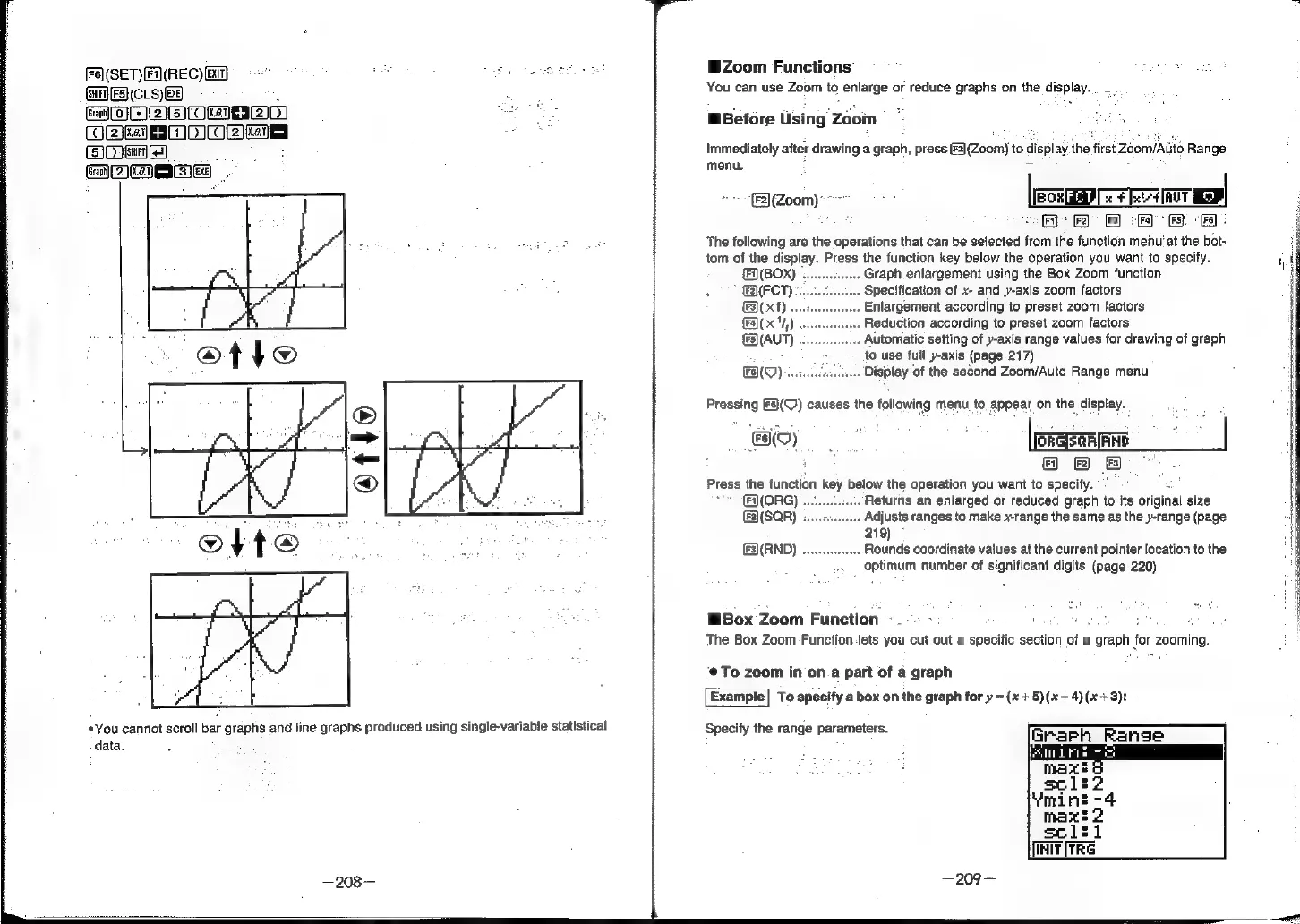
You
cannot
scroll
bar
graphs
and
line
graphs
produced
using
single-variable
statistical
:
data.
Zoom
Functions
ce
us
You
can
use
Zoom
to
enlarge
or
reduce
graphs
on
the
display...
-
.
MBefore
Using
Zoom
*
Immediately
after
drawing
a
graph,
press
2](Zoom)
to
display
the
first
ZoomiAiito
Range
menu.
=
-
(2)(Zoom)
~~
.
[Eox
x
¥
xt
inv
Mo
Fi}
*
[Fz]
Fa)
<
(Fa)
(Fs).
[Fa]:
The
following
are
the
operations
that
can
be
selected
from
the
function
menu’
at
the
bot-
tom
of
the
display.
Press
the
function
key
below
the
operation
you
want
to
specify.
(F\(BOX)
...
Graph
enlargement
using
the
Box
Zoom
function
2(FCT)
Specification
of
x-
and
y-axis
zoom
factors
(F3)(
x
f)
Enlargement
according
to
preset
zoom
factors
Fa](x
14.)
Reduction
according
to
preset
zoom
factors
{3)(AUT)
Automatic
setting
of
y-axis
range
values
for
drawing
of
graph
to
use
full
y-axis
(page
217)
Display
of
the
second
Zoom/Auto
Range
menu
(UO)
Pressing
F§}(Q)
causes
the
following
menu
to
appear
on
the
display.
FO)
|
kere
|
i
©8BB
”.
Press
the
function
key
below
the
operation
you
want
to
specify.
“3
(ORG)
Returns
an
enlarged
or
reduced
graph
to
its
original
size
(F2)(SQR)
Adjusts
ranges
to
make
x-range
the
same
as
the
y-range
(page
219)
F3)(RND)
.......seeseeee
Rounds
coordinate
values
at
the
current
pointer
location
to
the
optimum
number
of
significant
digits
(page
220)
Box
Zoom
Function
-_-..
-
'
:
a
5
The
Box
Zoom
Function-lets
you
cut
out
a
specific
section
of
a
graph
for
zooming.
To
zoom
in
on.a
part
of
a
graph
Example|
To
specify
a
box
on
the
graph
for
y
=(x+5)(x+4)(x+3):
Specify
the
range
parameters.
GrarPh
Range
sclti
Tait
irs