EasyManua.ls Logo

Casio CFX-9800G - Page 124

Casio CFX-9800G
206 pages
Print Icon
To Next Page IconTo Next Page
To Previous Page IconTo Previous Page
Loading...
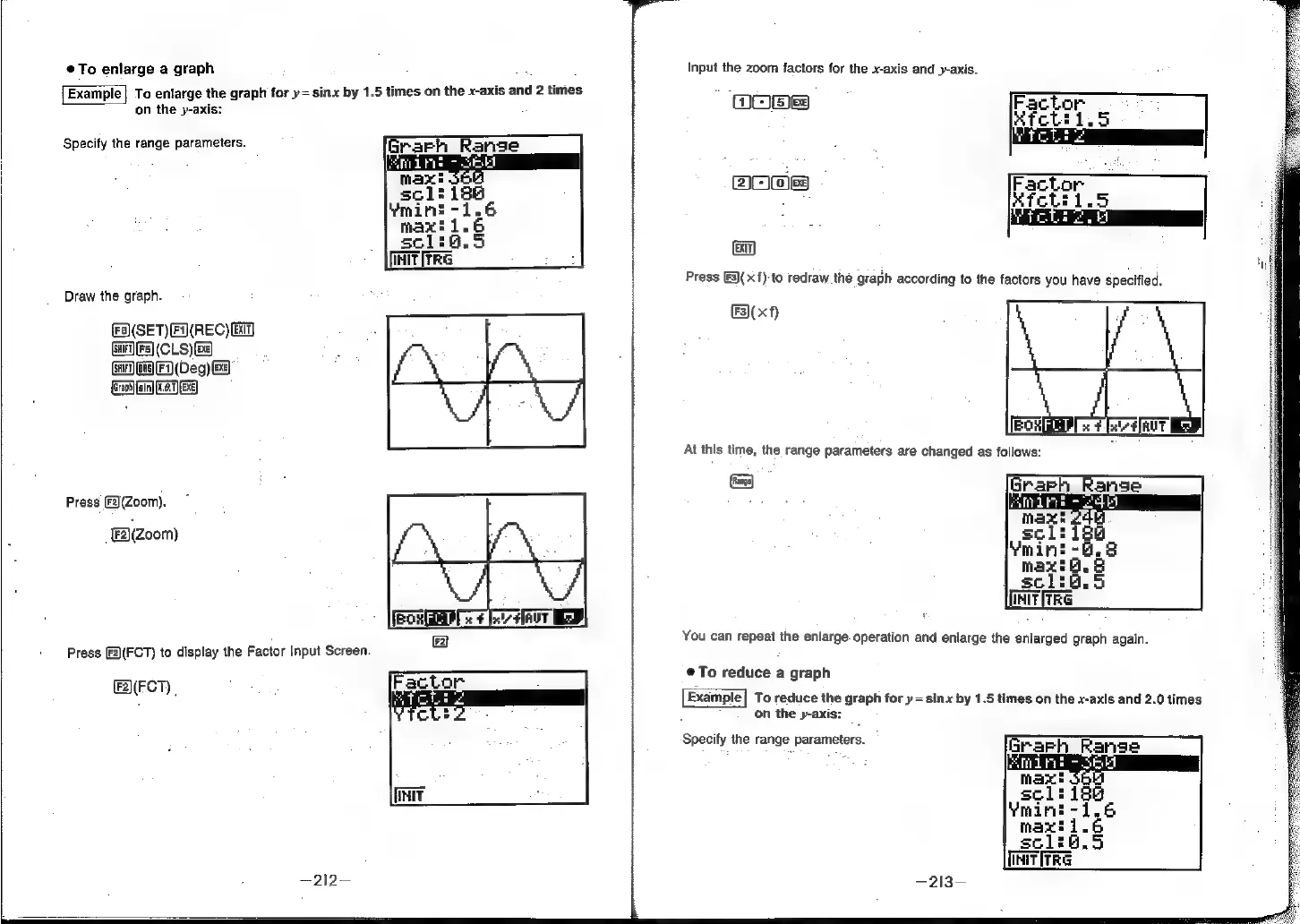
To
enlarge
a
graph
Example|
To
enlarge
the
graph
for
y=sinx
by
1.5
times
on
the
x-axis
and
2
times
on
the
y-axis:
Specify
the
range
parameters.
Draw
the
graph.
(F)(SET)(F(REC)
Ei)
GHFTFS]
(CLS)
SHIFT)
fois]
[F}
(Deg)
Ee
(craph)
(sin)
(6.1) (Exe)
Press
[F2)(Zoom).
FA(zoom)
Press
[2)(FCT)
to
display
the
Factor
Input
Screen.
F2)(FCT)
|
—212—
Input
the
zoom
factors
for
the
x-axis
and
y-axis.
G
es)
EXIT)
Press
[F3)(x{):to
redraw
the
graph
according
to
the
factors
you
have
specified.
&3)(xf)
parties
You
can
repeat
the
enlarge.
operation
and
enlarge
the
enlarged
graph
again.
@To
reduce
a
graph
Example|
To
reduce
the
graph
for
y=sinx
by
1.5
times
on
the
x-axis
and
2.0
times
on
the
y-axis:
Specify
the
range
parameters.
realness
~213-