EasyManua.ls Logo

Casio CFX-9800G - Page 79

Casio CFX-9800G
206 pages
Print Icon
To Next Page IconTo Next Page
To Previous Page IconTo Previous Page
Loading...
Note
that
if
you
input
data
into
a
matrix
that
already
contains
data,
the
previous
data
is
replaced
with
the
new
data.
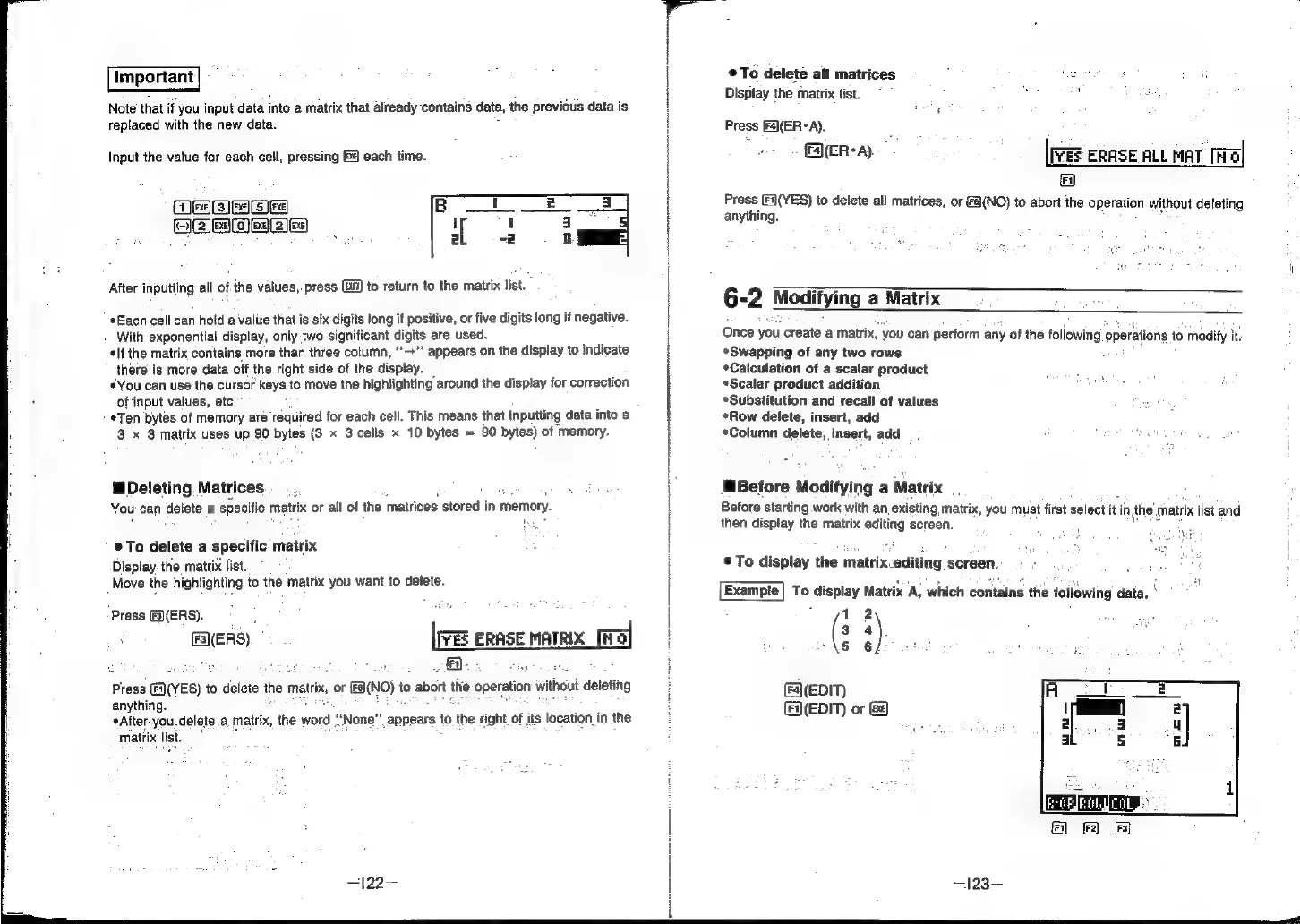
Input
the
value
for
each
cell,
pressing
&@
each
time.
OBIE
FEES
b82)e:
After
inputting
all
of.the
values,
press
(i)
to
return
to
the
matrix
list.
Each
cell
can
hold
a
value
that
is
six
digits
long
if
positive,
or
five
digits
long
if
negative.
With
exponential
display,
only
two
significant
digits
are
used.
lf
the
matrix
contains
more
than
three
column,
“>”
appears
on
the
display
to
indicate
there
is
more
data
off
the
right
side
of
the
display.
*You
can
use
the
cursor
keys
to
move
the
highlighting
around
the
display
for
correction
of
input
values,
etc.”
*Ten
bytes
of
memory
are
required
for
each
cell.
This
means
that
inputting
data
into
a
3
x
3
matrix
uses
up
90
ue
(3
x
3cells
x
10
bytes
=
90
bytes)
of
memory.
Deleting
Matrices
You
can
dace
a
a
specific
matrix
or
all
of
the
matrices
stored
in
memory.
©
To
delete
a
specific
matrix
Display:
the
matrix
list.
Move
the
highlighting
to
the
matrix
you
want
to
delete.
|
pre
ERASE
MATRIX
ira
a
Press
&3)(ERS).
F3}(ERS)
Press
(VES)
to
delete
the
matrix,
or
Ea\NO)
tc
to
abort
the
Operation
without
deleting
anything.
*After-you.delete
a,
matrix,
thes
wor
matrix
list."
None"
appears
to
the
right
of
its
location
in
the
—122—
®
To
delete
all
matrices
;
Display
the
matrix
list.
o
4
:
:
|[vES
ERASE
ALL
maT
[Wa]
FA
bed
Fi](YES)
to
delete
all
matrices,
or
(NO)
to
abort
the
operation
without
deleting
anything.
Press
[F4)(ER°A).
(ER*A).
6-2
Modifying
a
Matrix
Once
you
create
a
matrix,
you
can
perform
any
of
the
following
‘operations
fo
modify
it.
Swapping
of
any
two
rows
-
*Calculation
of
a
scalar
product
*Scalar
product
addition
*Substitution
and
recall
of
values
Row
delete,
insert,
add
«Column
delete,
insert,
add
Before
Modifying
a
Matrix
Before
starting
work
with
an,
existing
matrix,
you
must
first
select
it
in,
nthe
matrix
list
‘and
then
display
the
matrix
editing
screen.
:
2
®To
display
the
matrix.editing
screen,
Example]
To
display
Matrix
A,
which
contains
the
following
data.
:
1
2
(:
4
“AS
6fo0
bs
by
at
Fa](EDIT)
(F(EDIT)
or
&
—123—-