EasyManua.ls Logo

Casio CFX-9800G - Page 80

Casio CFX-9800G
206 pages
Print Icon
To Next Page IconTo Next Page
To Previous Page IconTo Previous Page
Loading...
;
aa
The
following
are
the
operations
that
can
be
selected
from
the
function
menu
at
the
bot-
tom
of
the
display.
Press
the
function
key
below
the
operation
you
want
to
select.
__
FI(R
OP)
cece
Display
of
menu
for
swapping
of
rows,
scalar
products
and
ad-
dition
e
F2)(ROW)
.
Display
of
menu
for
deleting,
inserting,
and
adding
rows
Fa\(COL)
.
.
Display
of
menu
for
deleting,
inserting,
and
adding
columns
Row
Operations
The
row
operations
menu
lets
you
swap
any
two
rows,
calculate
scalar
products,
add
scalar
products
to
another
row,
and
add
rows
together.
Use
the
following
procedure
to
display
the
row
operation
menu.
©To
display
the
row
operation
menu
: :
In
the
Matrix
Made,
display
the
matrix
list
and
select
the
matrix
you
want
to
work
with.
FAEDIN®D
Display
the
matrix
editing
screen.
EQ(EDIT)
Display
the
row
operation
menu.
(N(R-OP)
oR
RETRT
|
Be
8
4
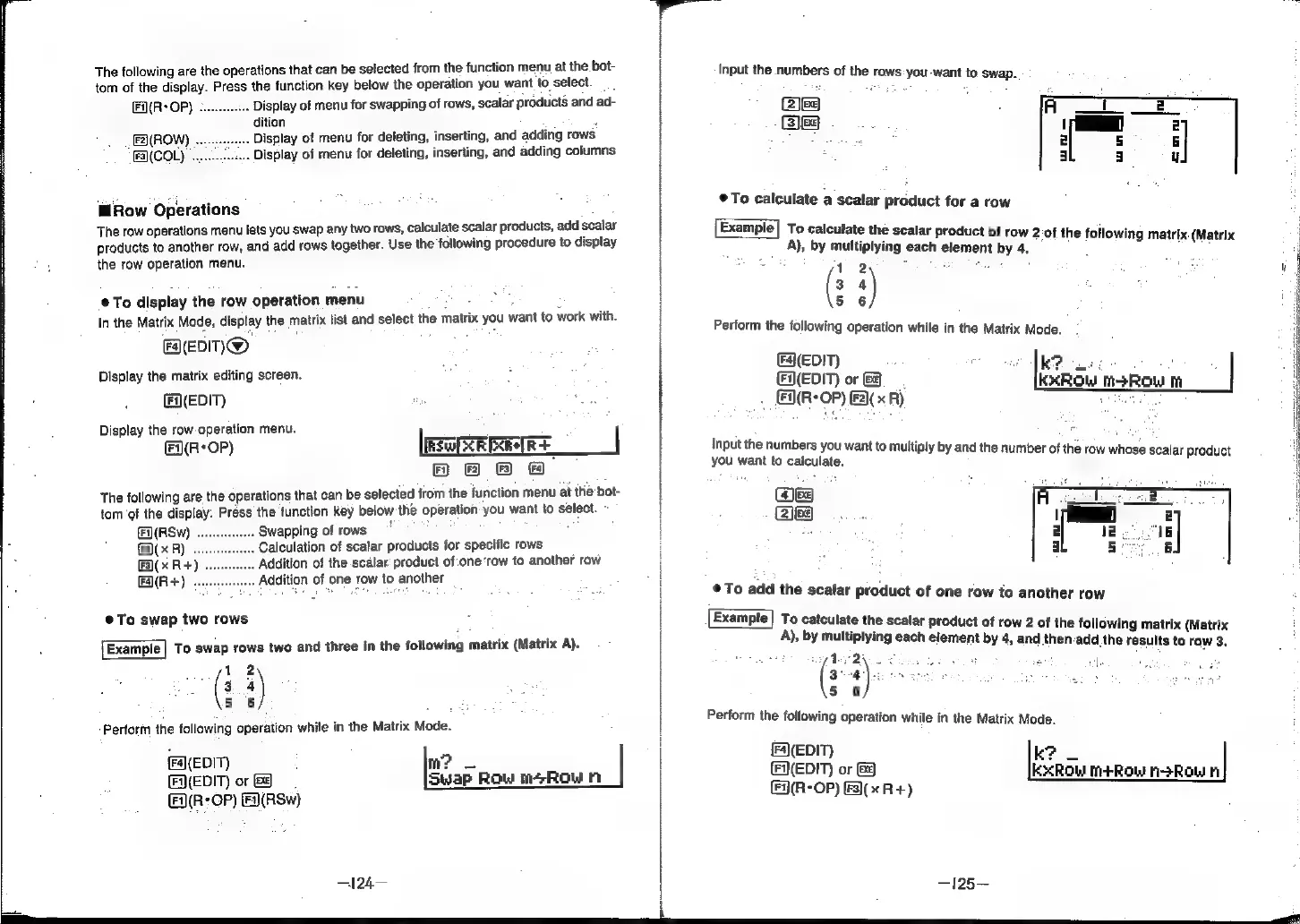
The
following
are
the
operations
that
can
be
selected
from
the
function
menu
at
the
bot-
tom
of
the
display.
Press
the
function
key
below
the
operation
you
want
to
select.
FAURSW)
oeeeeecesseees
Swapping
of
rows
:
|
F2)(
x
R)
Calculation
of
scalar
products
for
specific
rows
|
Fa)(x
R+)
Addition
of
the
scalar:
product
of:one
‘row
to
another
row
|
FaA(R+)
.
Addition
of
one
row
to
another
|
@To
swap
two
rows
Example
|
To
swap
rows
two
and
three
in
the
following
matrix
(Matrix
A).
12
(3
a
5 6
Perform
the
following
operation
while
in
the
Matrix
Mode.
{
(EDM)
m?
|
(EQ(EDIT)
or
&
Swap
Row
m+Row
a(R:
OP)
Fa(RSw)
—=124—
Input
the
numbers
of
the
rows:
you-want
to
swap.
@)ee
SEs
To
calculate
a
scalar
product
for
a
row
Example|
To
calculate
the
scalar
product
of
row
2:of
the
followin:
i:
i
A),
by
multiplying
each
element
by
4.
|
a
e
12
:
od
er
hag
es
(3
4
ss
5
5
6
;
Perform
the
following
operation
while
in
the
Matrix
Mode.
(F](EDIT)
k?
:
FN(EDIT)
or
&
kKxXROW
M3ROW
mM
(&9(R-
OP)
(F2)(
x
R)
Input
the
numbers
you
want
to
multiply
by
and
e
oe
thi
you
want
to
calculate.
ply
by
@
number
of
the
row
whose
scalar
product
weg
Zea
®@
To
add
the
scalar
product
of
one
row
to
another
row
Example|
To
calculate
the
scalar
product
of
row
2
of
the
following
matrix
(Matrix
A),
by
multiplying
each
element
by
4,
and
then-add
the
results
to
row
3.
wy
der
2\c
Chea
bs
elu
-
5
6
Perform
the
following
operation
while
in
the
Matrix
Mode.
(F4)(EDIT)
k?
(Q(EDIT)
or
&)
KxRow
m+R
a.
|
old
H-ROW
al
—125—
BE
"TE
i
i
ea