EasyManua.ls Logo

Casio CFX-9800G - Page 85

Casio CFX-9800G
206 pages
Print Icon
To Next Page IconTo Next Page
To Previous Page IconTo Previous Page
Loading...
*The
dimensions
(sizes)
of
the
two
matrices
being“added
must
be
identical.
If
you
try
to
add
matrices
of-different
dimensions,.a
‘Dim
£RROR”™.
will
occur.
:
@
To.
subtract
matrices...
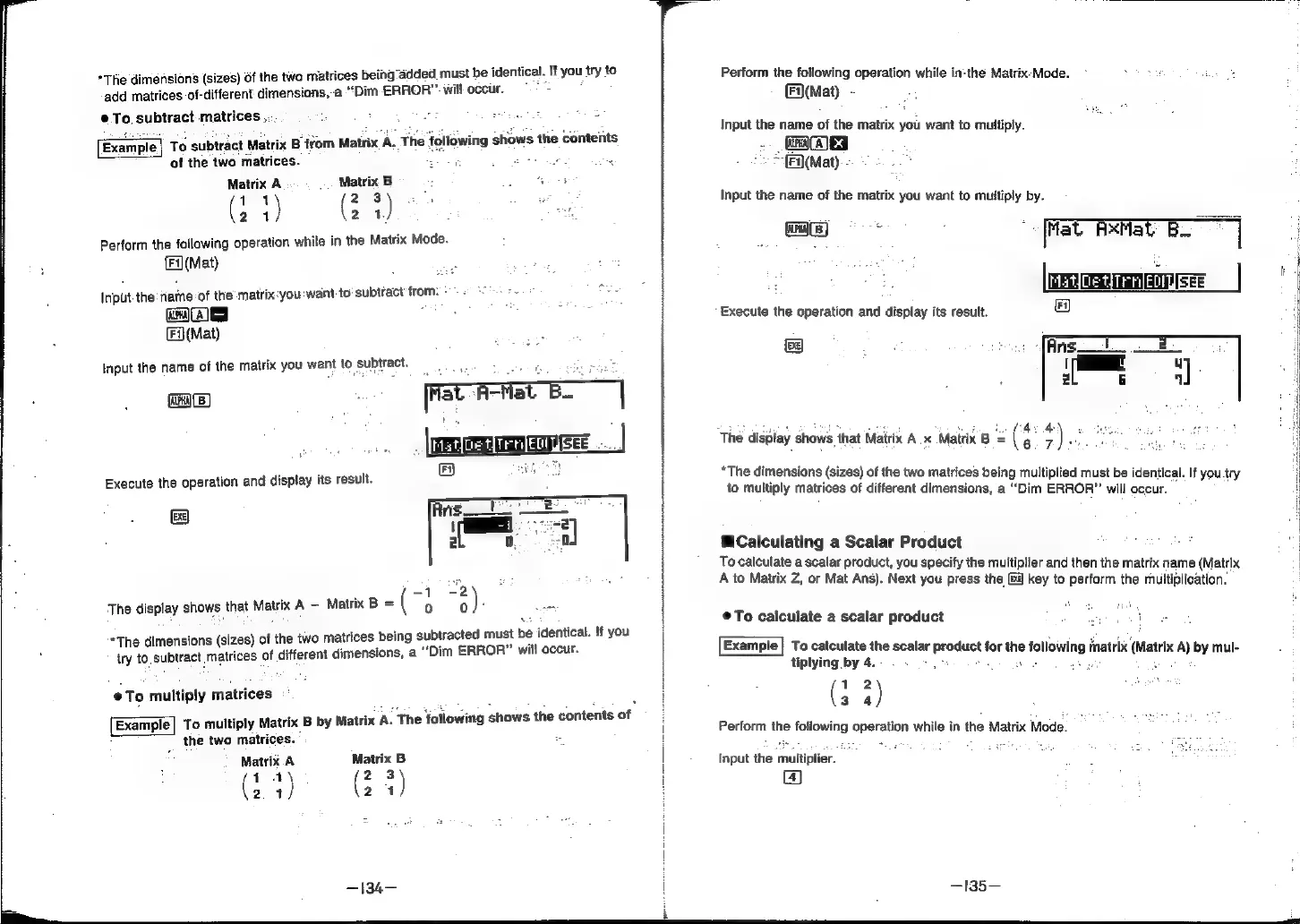
Example|
To
subtract
Matrix
B
from
Matrix
A.
The
|
lowing
shows
the
contents
of
the
two
matrices.
ae
We
F
Matrix
A
.
..
Matrix
B
.
F
Hey
(eal
Aan
es
Perform
the
following
operation
while
in
the
Matrix
Mode.
Fi](Mat)
Input.
the
fiame:of
the’
matrix:you:want
to:
subtract
frome
+
=
(cn)
ea]
J
:
=
(Fi)
(Mat)
Input
the
name
of
the
matrix
you
want
to
subtract.
ices
ee
a
a
Execute
the
operation
and
display
its
result.
&
:
-1
-2
The
display
shows
that
Matrix
A
-
Matrix
B
=
(
0
0
)
.
ed
*The
dimensions
(sizes)
of
the
two
matrices
being
subtracted
must
be
identical.
!f
you
try
to.subtract
matrices
of
different
dimensions,
a
“Dim
ERROR”
will
occur.
To
multiply
matrices
:
Example]
To
multiply
Matrix
B
by
Matrix
A.
The
following
shows
the
contents
of
the
two
matrices.
©
Matrix.A
Matrix
B
Ga)
Wee)
24
24
—134—
Perform
the
following
operation
while
in:the
Matrix.-Mode.
(F(Mat)
-
Input
the
name
of
the
matrix
you
want
to
multiply.
we
*
(Fi](Mat)
Input
the
name
of
the
matrix
you
want
to
multiply
by.
ORAL
RE
at
Feat
BS]
FA)
€xecute
the
operation
and
display
its
result.
The
display
shows
that
Matrix
A
x
Matrix
B
=
(
.
+)
3
*The
dimensions
(sizes)
of
the
two
matrices
bein:
ipli
i
n
f
9
multiplied
must
be
identical.
to
multiply
matrices
of
different
dimensions,
a
“Dim
ERROR”
will
peas
cats
Calculating
a
Scalar
Product
ny
calculate
ascalar
product,
you
specify
the
multiplier
and
then
the
matrix
name
(Matrix
to
Matrix
Z,
or
Mat
Ans).
Next
you
press
the
&i
key
to
perform
the
multiplication.
©@To
calculate
a
scalar
product
ane
a
Example}
To
calculate
the
scalar
product
for
the
following
matri
‘i
Jo
tiplying
by
4.
sce
i
a
ses
matrix
(Matrix
A)
by
mul-
(3
4)
Perform
the
fotiowing
operation
while
in
the
Matrix
Mode.
Input
the
multiplier.
Ea)
—135—