EasyManua.ls Logo

Casio CFX-9800G - Page 98

Casio CFX-9800G
206 pages
Print Icon
To Next Page IconTo Next Page
To Previous Page IconTo Previous Page
Loading...
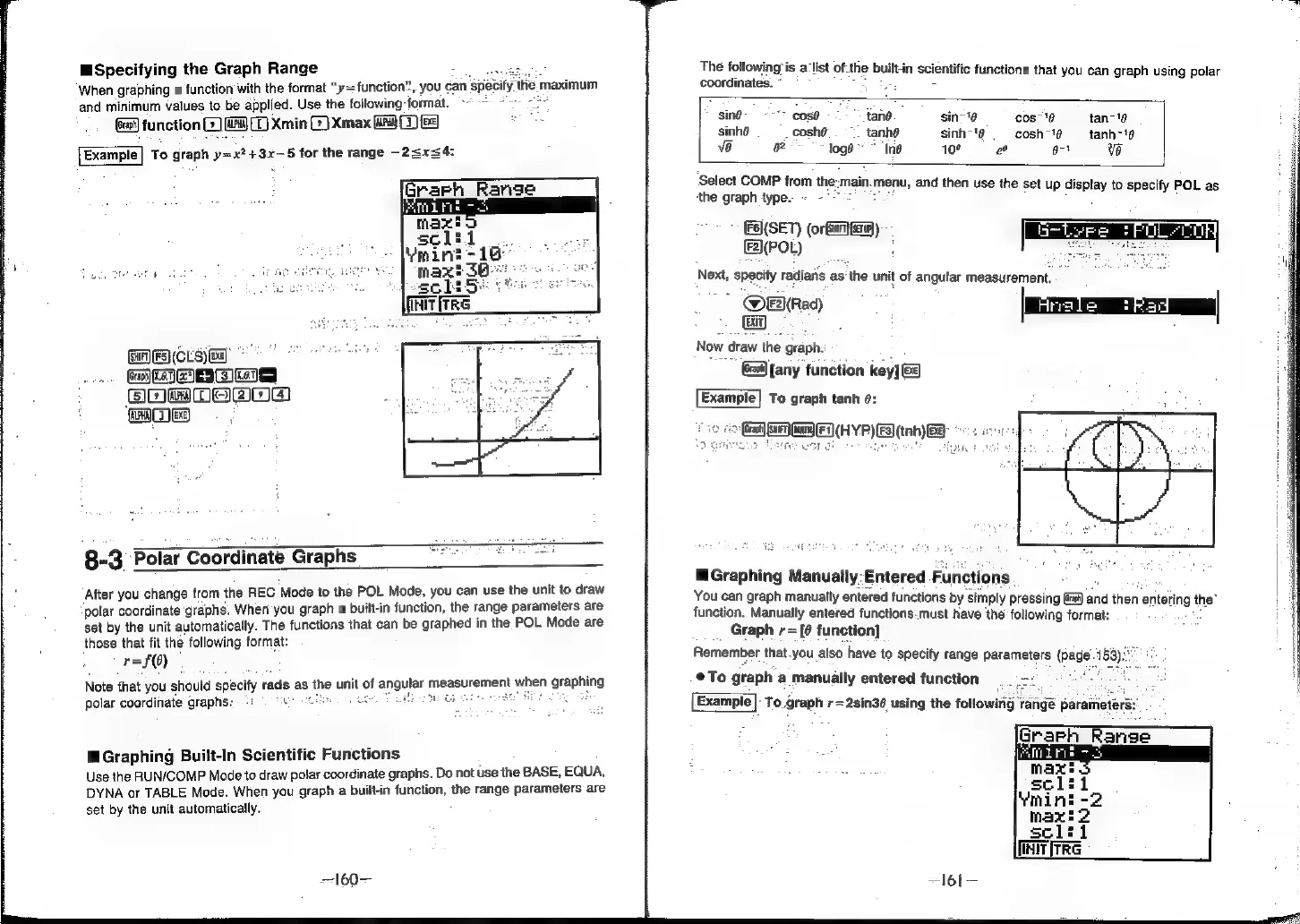
Specifying
the
Graph
Range
4
When
graphing
a
function
with
the
format
“y=
function”.
you
can
specity
ie
maximum
and
minimum
values
to
be
applied.
Use
the
following-format.
~~
(at)
function
G)
9
(D
Xmin
CG)
Xmax
GG)
fe
wn
Example|
To
graph
y=x?+3x—5
for
the
range
-2<xs4:
8-3
Polar
Coordinate
Graphs
After
you
change
from
the
REC
‘Mode
to
the
POL
Mode,
you
can use
the
unit
to
draw
polar
coordinate
graphs.
When
you
graph
a
built-in
function,
the
range
parameters
are
set
by
the
unit
automatically.
The
functions
that
can
be
graphed
in
the
POL
Mode
are
those
that
fit
the
following
format:
r=f()
Note
that
you
should
spacity
rads
as
the
unit
of
angular
measurement
when
germs
polar
coordinate
graphs:
-
=).
ou
4
ue
u
,
BE
WW
Ge
Graphing
Built-In
Scientific
Functions
Use
the
RUN/COMP
Mode
to
draw
polar
coordinate
graphs.
Do
not
use
the
BASE,
EQUA,
DYNA
or
TABLE
Mode.
When
you
graph
a
built-in
function,
the
range
parameters
are
set
by
the
unit
automatically.
=
160—
The
following
is
alist
of
the
built-in
scientific
function’
is
that
coordinates.
you
can
graph
using
polar
"sing
“>
cosé
iano.
sin-'6
cos-18
tan-"8
sinhé
4
coshé
tanhe
sinh-'¢
cosh-1¢
tanh-'¢
ve
a
loge
“Ine
10°
e
674
ve
Select
COMP
from
the:
main.
menu,
and
then
use
the
set
u;
d
moctue
ip
isplay
to
specify
POL
as
(5)(SET)
ee):
fF2(POL)
Next,
specify
radians
as
the
unit
of
angular
measurement.
@E\(Rad)
|
Gy)
:
:
Now
draw
the
graph.
Crest]
[any
function
key]
(Exe)
Example]
To
graph
tanh
@:
ED
(HYP)
ES)
inh)
EB:
ed
iS
wT
&
u
'
fu!
Graphing
Manually:Entered
Functi
ions.
You
can
graph
manually
entered
functions
by
‘simply
pressing
Gam)
and
then
entering
t
the’
function,
Manually
entered
functions.
must
have
the
following format:
Graph
r=
[@
function]
Remember
that.you
also
have
to
specify
fange
parameters
(page
.153)
@To
graph
a
manually
entered
function
To.graph
r=2sin36
using
the
following
range
parameters:
[NT
iTtrRG
—l6l—