EN-3
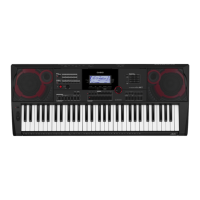
General Guide
■ Back
1 P(Power) button ☞EN-7
2 VOLUME knob ☞EN-7
3 INTRO, REPEAT button ☞EN-17, 28
4 NORMAL FILL-IN, A-B button ☞EN-27
5 VAR. FILL-IN, sREW button ☞EN-17, 27
6 ENDING/SYNCHRO START, dFF button
☞EN-17, 28
7 SYNCHRO STOP, kPAUSE button ☞EN-17, 29
8 START/STOP, PLAY/STOP button ☞EN-8, 24
9 [ACCOMP], PART SELECT, $MUSIC PRESET
button ☞EN-19, 24, 30
bk PIANO/ORGAN, $TOUCH button ☞EN-8, 10
bl TONE button ☞EN-10
bm RHYTHM button ☞EN-24
bn SONG BANK button ☞EN-16
bo CATEGORY button ☞EN-5
bp RECORD/STOP button ☞EN-36
bq CHORD MODE, $CHORD BOOK button
☞EN-32
br A.HAR./ARPEG., $TYPE button ☞EN-30, 31
bs EASY MODE, BANK, $FREEZE button
☞EN-19, 34, 35
bt Area1, LISTEN button ☞EN-20, 34
ck Area2, WATCH button ☞EN-20, 34
cl Area3, REMEMBER button ☞EN-21, 34
cm Area4, PHRASE button ☞EN-21, 34
cn STORE button ☞EN-34
co SPLIT, $POINT button ☞EN-12
cp LAYER, $OCTAVE button ☞EN-11, 15
cq METRONOME, $BEAT button ☞EN-8
cr TEMPO/TAP button ☞EN-9
cs FUNCTION button ☞EN-40
ct Number keys ☞EN-4
dk [–] and [+] keys ☞EN-4
dl Speakers
dm Song Bank list
dn Rhythm list
do Tone list
dp Display
dq Tray
• The tray is angled slightly. Take care so items placed on
it do not slide off.
• Do not place cups or any other liquid containers on the
tray.
dr CHORD root names ☞EN-25
ds Percussion instrument list ☞EN-10
dt
ek el em en
dt USB port ☞EN-45 ek PEDAL jack ☞EN-14
el AUDIO IN jack ☞EN-47
em DC 9.5V terminal ☞EN-6
en PHONES/OUTPUT jack ☞EN-7, 47
CTX700-ES-1A.indd 5 2017/10/05 11:03:14



 To Next Page
