EasyManua.ls Logo

Casio CTK-230 - User Manual

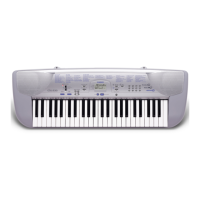
Casio CTK-230
51 pages
Print Icon
To Next Page IconTo Next Page
Loading...
USERS GUIDE
GUÍA DEL USUARIO
CTK230-ES-1
ES
CTK230_ES_cover1.p65 03.10.7, 2:02 PM1

Questions and Answers

  • C
    collinskimberlyJul 25, 2025
    What to do if my Casio Electronic Keyboard has no sound?
    • E
      Emily SmithJul 26, 2025
      If your Casio Electronic Keyboard isn't producing any sound, there might be a few reasons. First, ensure the AC adapter is correctly attached, the batteries are properly inserted with the correct polarity (+/–), and that the batteries aren't dead. Also, check that the POWER/MODE switch is set to the NORMAL position and not CASIO CHORD or FINGERED. Finally, the volume might be too low, so use the MAIN VOLUME buttons to increase it.
  • J
    Jeremy CarrAug 1, 2025
    What to do if Casio Electronic Keyboard auto accompaniment does not sound?
    • C
      Chad RojasAug 1, 2025
      If the auto accompaniment on your Casio Electronic Keyboard isn't working, the auto accompaniment volume might be set to 0. To fix this, use the ACCOMP VOLUME button to increase the volume.
  • E
    eramosAug 6, 2025
    Why does my Casio Electronic Keyboard have sound issues when using batteries?
    • B
      brandonmckenzieAug 6, 2025
      If you are experiencing a dim power indicator, the instrument doesn't turn on, the display is flickering, dim, or hard to read, abnormally low speaker/headphone volume, distortion of sound output, occasional interruption of sound when playing at high volume, sudden power failure when playing at high volume, flickering or dimming of the display when playing at high volume, continued sound output even after you release a key, a tone that is totally different from the one that is selected, or abnormal rhythm pattern and Song Bank play on your Casio Electronic Keyboard while using battery power, it likely means the batteries are low. Replace them with a fresh set or use the AC adapter.
  • C
    Christopher McmillanAug 13, 2025
    How to fix key or tuning mismatch on Casio Electronic Keyboard?
    • C
      Christine LopezAug 13, 2025
      If the key or tuning doesn't match when playing your Casio Electronic Keyboard along with another instrument, it might be because the tuning or transpose parameter is set to a value other than 0 or 00. To resolve this, change the transpose or tuning parameter value to 0 or 00.
  • V
    Vickie EdwardsAug 18, 2025
    What to do if a Song Bank tune is missing on Casio Electronic Keyboard?
    • K
      Kara ThorntonAug 19, 2025
      If a Song Bank tune is missing on your Casio Electronic Keyboard, the melody part may be turned off. Press the MELODY ON/OFF button to turn the melody part on.

Summary

Important Product Information

Safety Precautions

Electrical and Battery Safety

Covers AC adaptor, battery handling, and electrical hazards.

Product Handling, Operation, and Environment

Guidelines for safe product handling, placement, operation, and environmental hazards.

Song Bank Operations

Song Bank Quick Reference and Playback

Step-by-step guide to playing a Song Bank tune and playback controls.

Power Supply and Connections

Using Batteries and AC Adaptor

Instructions for using batteries and AC adaptor safely.

Basic Operations

Playing the Keyboard and Selecting Tones

Basic steps for playing notes and choosing instrument tones.

Auto Accompaniment

Keyboard Settings and Troubleshooting

Troubleshooting Common Issues

Solutions for sound, battery, tuning, transpose, and song playback problems.

Casio CTK-230 Specifications

General IconGeneral
MIDI-keyboard number of keys49 keys
Interface-
DC-in jackYes
Dimensions (WxDxH)875 x 300 x 100 mm
Product colorSilver
Weight and Dimensions IconWeight and Dimensions
Weight3200 g

Related product manuals