EasyManua.ls Logo

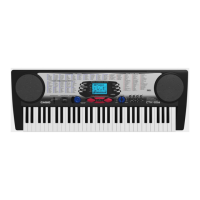
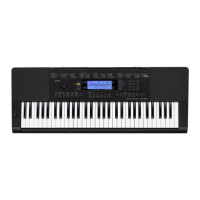
Casio CTK-860in - User Manual

Casio CTK-860in
82 pages
Print Icon
To Next Page IconTo Next Page
Loading...
USER’S GUIDE
EN
CTK860IN-E-1B
Please keep all information for future reference.
Safety Precautions
Before trying to use the Digital Keyboard, be sure to
read the separate “Safety Precautions”.
CTK
-
860IN
MA1407-B Printed in China
K
CTK860IN_A5_x1a_EN.indd 1 2014/07/10 18:06:35

Table of Contents

Questions and Answers

  • K
    Kimberly BennettSep 23, 2025
    Why skip operation moves multiple measures on my Casio Synthesizer?
    • B
      Brandon LeeSep 23, 2025
      While song playback is stopped or a Step Up Lesson is in progress on your Casio Synthesizer, skip forward and skip back operations are performed in phrase units.
  • M
    morganrhondaAug 23, 2025
    Why does my Casio Synthesizer suddenly power down after a few minutes?
    • A
      Amanda GomezAug 23, 2025
      If your Casio Synthesizer suddenly powers down after a few minutes, it is likely because the Auto Power Off feature has been triggered.
  • D
    Denise CarrollAug 25, 2025
    Why does my Casio Synthesizer output loud sound and powers down?
    • M
      Mr. Steven BrownAug 26, 2025
      If your Casio Synthesizer outputs a loud sound and then suddenly powers down, replace the batteries with new ones or switch over to AC adapter power.
  • Y
    ynguyenAug 27, 2025
    How to fix Casio Synthesizer power if it will not turn on?
    • A
      Ashlee BentleyAug 27, 2025
      If your Casio Synthesizer power will not turn on, check the AC adapter or make sure that the batteries are facing correctly. Replace the batteries with new ones or switch over to AC adapter power.
  • C
    Christopher LawrenceAug 27, 2025
    Why metronome does not sound on my Casio Synthesizer?
    • B
      Bridget SkinnerAug 27, 2025
      If the metronome on your Casio Synthesizer does not sound, check and adjust the accompaniment volume setting and the song volume. If problems persist, turn the power off and then back on to initialize all Digital Keyboard settings.
  • K
    kelly19Sep 18, 2025
    Why screen contents visible only from straight ahead on Casio Synthesizer?
    • A
      Alex GriffinSep 18, 2025
      The screen contents of your Casio Synthesizer are visible only from straight ahead due to production limitations. It does not indicate malfunction.
  • A
    Adrian MartinezSep 15, 2025
    How to find something that should be in the box of Casio Synthesizer?
    • A
      Andre LopezSep 15, 2025
      Carefully check inside all of the packing materials to find the missing item for your Casio Synthesizer.
  • R
    Ryan BerrySep 16, 2025
    Why on-screen keys remain on the display of my Casio Synthesizer?
    • S
      Shelia CookSep 16, 2025
      If on-screen keyboard keys or notes remain on the display of your Casio Synthesizer, a Step Up Lesson is in progress and the Digital Keyboard is waiting for you to play the next note in the song. To stop this from happening, cancel the lesson.
  • A
    Amber GarciaSep 6, 2025
    Why does reverb of notes change suddenly on my Casio Synthesizer?
    • K
      kolsonSep 7, 2025
      If the reverb of notes on your Casio Synthesizer seems to change suddenly, check and adjust the VIRTUAL HALL setting and reverb setting. If problems persist, turn the power off and then back on to initialize all Digital Keyboard settings.
  • K
    Kayla HolderSep 3, 2025
    Why is pitch of notes not matching other instruments on my Casio Synthesizer?
    • M
      Matthew CombsSep 3, 2025
      If the pitch of the notes on your Casio Synthesizer doesn't match other accompanying instruments, check and adjust the transpose and tuning settings. If problems persist, turn the power off and then back on to initialize all Digital Keyboard settings.

Summary

General Guide

Using the 10-key Pad

Explains how to use the numeric keypad for input and navigation.

FUNCTION Button Functions

Details the various operations controllable via the FUNCTION button.

Returning to Factory Default Settings

Procedure to reset all stored data and settings to original factory defaults.

Getting Ready to Play

Preparing the Music Stand

Instructions for setting up the included music stand for the keyboard.

Power Supply Options

Describes how to power the keyboard using an AC adaptor or batteries.

Playing the Digital Keyboard

Turning On and Playing

Basic steps to power on the keyboard and start playing.

Using Headphones

Connect headphones for private practice without disturbing others.

Changing Touch Response Sensitivity

Adjusts how key pressure affects volume, mimicking an acoustic piano.

Controlling the Keyboard Sounds

Selecting Instrument Sounds

Choose from a wide variety of instrument sounds for playing.

Layering Two Tones

Combine two different sounds simultaneously for richer tones.

Splitting the Keyboard

Assign different tones to the left and right sections of the keyboard.

Sampling Sounds and Playing Them on the Digital Keyboard

Sampling a Melody Sound

Capture external sounds and play them as keyboard tones.

Applying Effects to Sampled Sounds

Enhance sampled sounds with effects like looping or pitch changes.

Playing Built-in Songs

Playing the Demo Songs

Listen to or practice along with the keyboard's pre-loaded demonstration songs.

Playing Back a Particular Song

Select and play individual built-in songs, with options for practice.

Using Built-in Songs to Master Keyboard Play

Step Up Lesson Flow

A structured lesson system that breaks down songs into phrases for practice.

Lessons 1, 2, and 3

Detailed guidance on listening, watching, and remembering song passages.

Music Challenge Keyboard Game

Music Challenge Overview

A game testing reaction speed by pressing keys according to on-screen indicators.

Using Auto Accompaniment

Playing the Rhythm Part Only

Play the foundational rhythm patterns of Auto Accompaniment.

Playing All Parts

Combine rhythm, bass, and harmony parts with chord input.

Using Auto Harmonize

Automatically adds harmony notes to your melody for richer performances.

Editing Auto Accompaniment Patterns

Editable Accompaniment Patterns and Instrument Parts

Details which parts of rhythms can be edited and what parameters are available.

To edit and save an Auto Accompaniment

Step-by-step guide to modifying and saving custom Auto Accompaniment patterns.

Saving Keyboard Setups to Registration Memory

To save a setup to registration memory

Instructions for storing your current keyboard settings for quick recall.

To recall a setup from registration memory

How to load previously saved keyboard configurations.

Recording Your Keyboard Play

Recording and Playing Back Keyboard Play

Record your keyboard performances and play them back.

Recording Two or More Songs

Record multiple songs and select one for playback from memory.

Other Useful Digital Keyboard Functions

Changing the Scale of the Keyboard

Select from preset scales to alter the keyboard's tonal characteristics.

Using the Arpeggiator

Automatically play arpeggio patterns to match your music.

Using a Memory Card

Inserting and Removing a Memory Card

Guide on how to properly insert and remove an SD/SDHC memory card.

Formatting a Memory Card

Steps to format a memory card for use with the Digital Keyboard.

Saving Digital Keyboard Data to a Memory Card

Procedure to save various keyboard data types onto a memory card.

Connecting External Devices

Connecting to a Computer

Instructions for connecting the keyboard to a computer via USB for MIDI data exchange.

MIDI Settings

Configure MIDI channels and navigate channel settings for computer connection.

Reference

Troubleshooting

Solutions for common problems encountered while using the Digital Keyboard.

Specifications

Technical details and features of the CTK-860IN Digital Keyboard.

Error Messages

Explanations of error messages and their corresponding solutions.

MIDI Implementation Chart

MIDI Implementation Details

A chart detailing MIDI messages transmitted and recognized by the keyboard.

Casio CTK-860in Specifications

General IconGeneral
BrandCasio
ModelCTK-860in
CategorySynthesizer
LanguageEnglish

Related product manuals