E-18
Polyphony
The term polyphony refers to the maximum number of notes
you can play at the same time. The keyboard has 32-note
polyphony, which includes the notes you play as well as the
rhythms and auto-accompaniment patterns that are played
by the keyboard. This means that when a rhythm or auto-
accompaniment pattern is being played by the keyboard, the
number of notes (polyphony) available for keyboard play is
reduced. Also note that some of the tones offer only 16-note
polyphony.
• When rhythm or auto accompaniment is playing, the
number of sounds simultaneously played is reduced.
Using Tone Effects
Reverb: Makes your notes resonate
Chorus: Adds more breadth to your notes
1
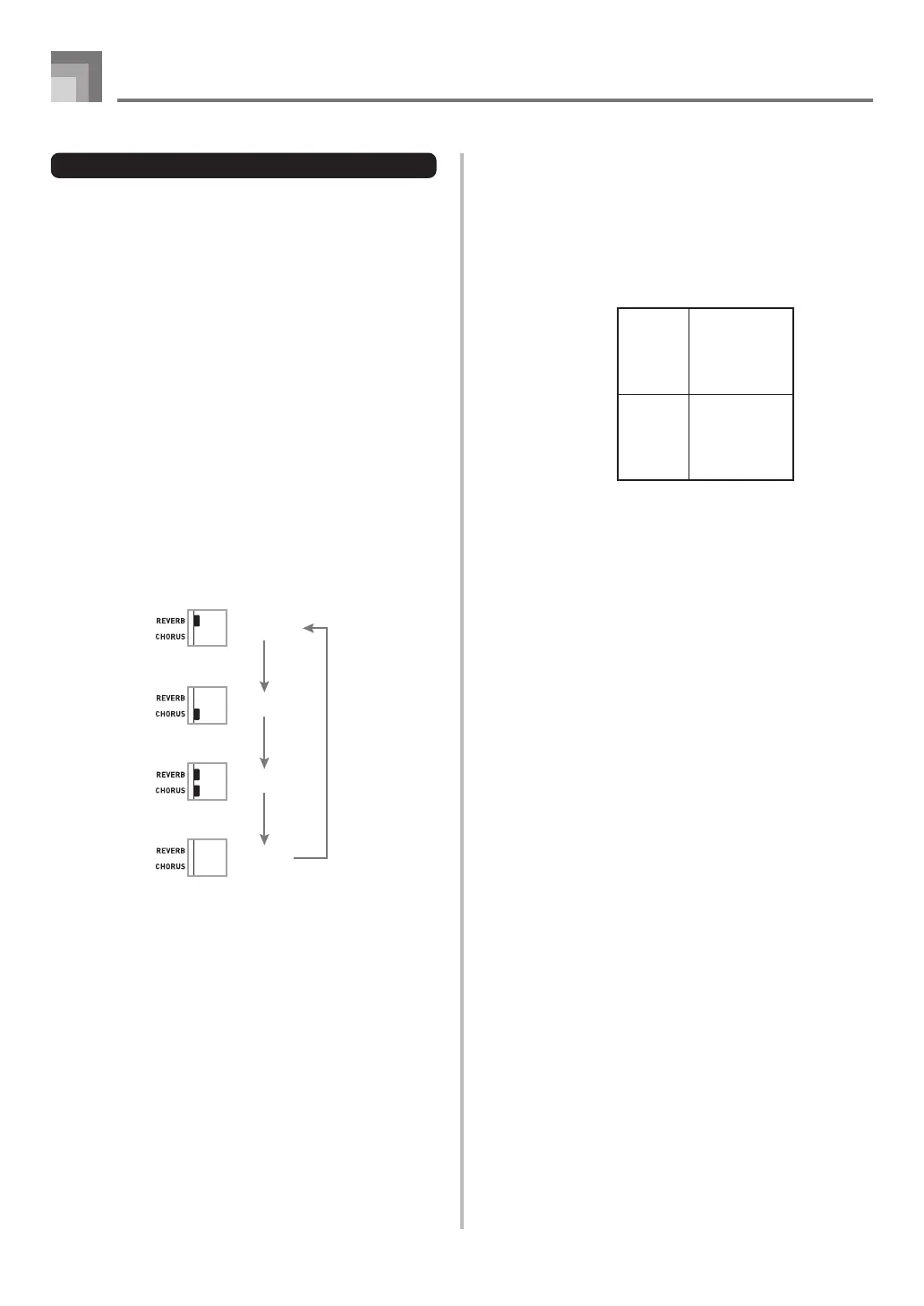
Press the REVERB/CHORUS button to cycle through
the effect settings as shown below.
• You can find out the current effect setting by looking
at the REVERB and CHORUS indicators.
Basic Operations
706A-E-020A
2
After turning on the effect you want, use the number
buttons or the [+]/[–] buttons to select the effect
type you want.
• Note that you need to select an effect type with the
number buttons or the [+]/[–] buttons within a few
seconds after turning on an effect. If you don’t, the
display will exit the setting screen.
Effect List
Reverb 0: Room 1
1: Room 2
2: Hall 1
3: Hall 2
Chorus 0: Chorus 1
1: Chorus 2
2: Chorus 3
3: Chorus 4
Reverb on
Chorus on
Both on
Both off



 To Next Page