— 18 —
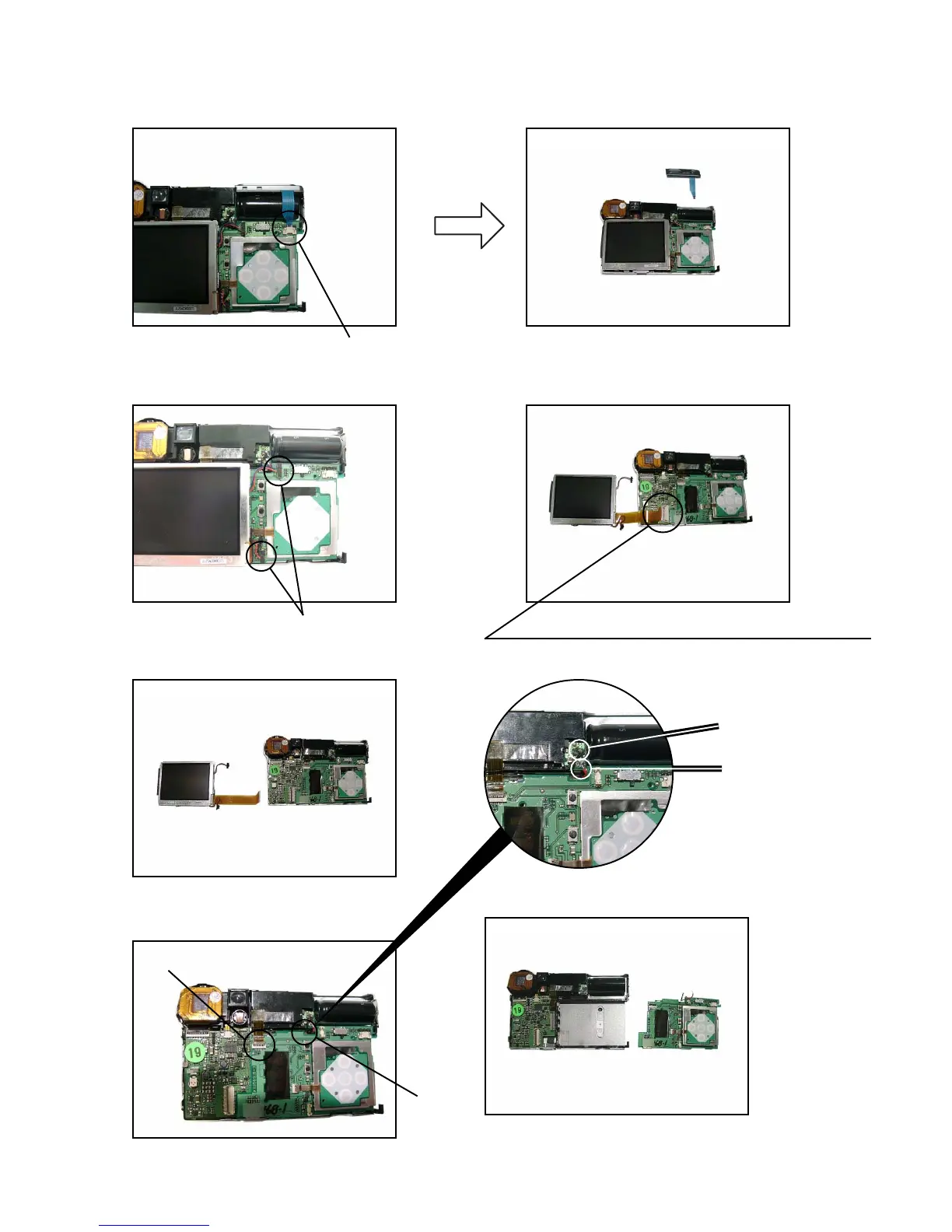
FPC
Lead wire
4. Remove the FPC.
5. Remove the switch unit.
FPC
7. Remove the FPC.
6. Remove two connectors.
connectors
FPC (When assembling, make sure to fix it tightly.)
8. Remove the LCD unit.
9. Remove the FPC and then unsolder the
two lead wires.
10. Remove the sub PCB from the main PCB.
* When assembling, make sure to fix the sub PCB to
the main PCB tightly.
Lead wire (black)
Lead wire (red)














 To Next Page