55
Using BEST SHOT
1. In the REC mode, touch “b” (BEST SHOT).
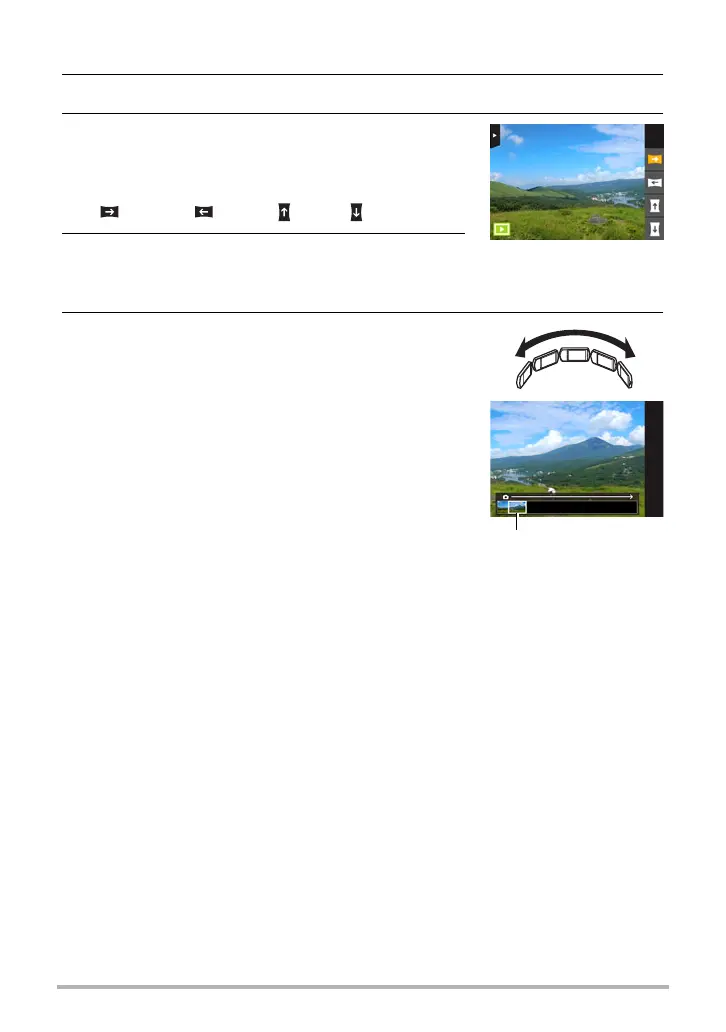
2. Touch “s” (Slide Panorama) scene.
3. Touch the icon for the slide direction (the
direction the camera will move while
shooting).
You can select one of four different slide directions:
“ ” (right), “ ” (left), “ ” (up), “ ” (down).
4. Point the camera at the start of the panorama
and half-press the shutter button to allow the
camera to focus automatically.
5. Press the shutter button the rest of the way
down and a slide cursor will appear on the
monitor screen. Slowly move the camera in
the direction indicated by the arrow on the
screen until the slide cursor reaches the
other end of its movement range (i.e. all the
way to the right when moving the camera to
the right).
• The camera will start composing the panorama
image internally when the slide cursor reached
the other end of the movement range.
• Image composing also will start automatically if
you stop moving the camera during panorama
shooting. After you stop moving the camera, the message “Busy... Please
wait...” appears as the camera processes the image. Wait until this message
disappears before using the camera. Image shooting is disabled while the
message is displayed.
Slide cursor



 To Next Page