97
PLAYING AN AUDIO FILE (EX-M1 Only)
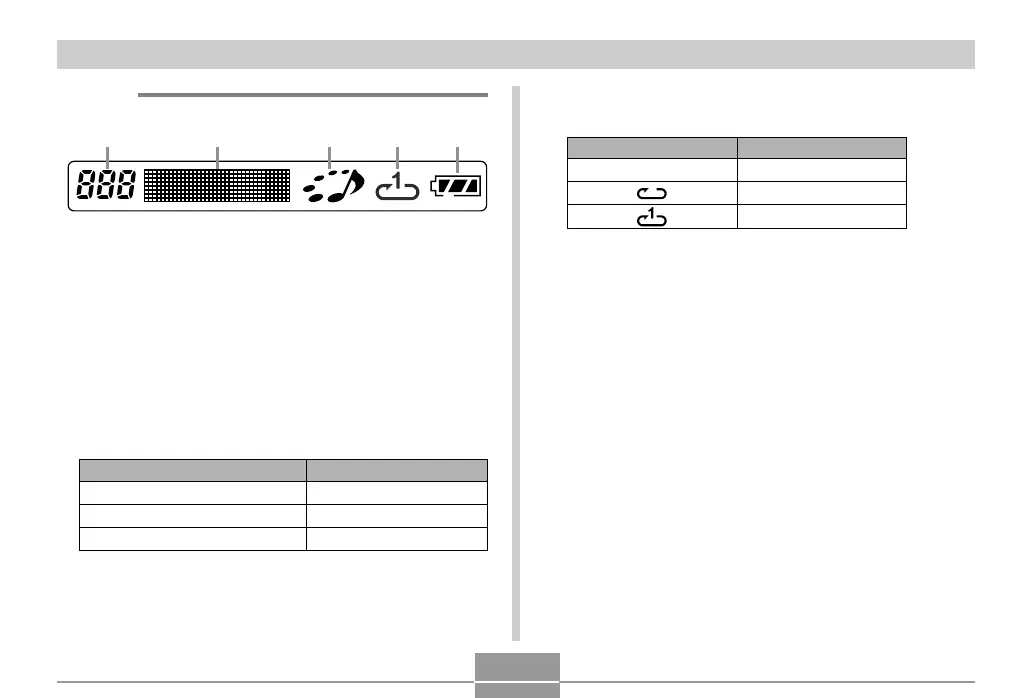
4 Playback mode indicator
This icon indicates the playback mode.
5 Battery level indicator
This type of icon:
Off
Indicates this:
Normal playback
All track repeat
1-track repeat
● Display
1 2 3 45
1 Track number
Shows the track number of the current track.
2 Track name, artist name, volume level
• Shows the ID3 tag (ID3V1), which is the track name and
artist name (alphabetic characters only), contained in the
file.
• During volume level adjustment, shows the current vol-
ume level.
3 Playback status indicator
This icon indicates the current playback status.
This type of icon:
Rotation clockwise while flashing
Flashing
Steady and unmoving
Indicates this:
Playback is in progress.
Playback is paused.
Playback is stopped.



 To Next Page
 Loading...