EasyManua.ls Logo

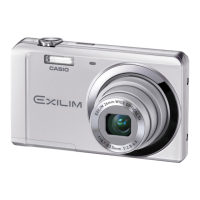
Casio Exilim EX-Z8 - User Manual

Casio Exilim EX-Z8
265 pages
Print Icon
To Next Page IconTo Next Page
Loading...
1
E
Digital Camera
User’s Guide
Thank you for purchasing this CASIO product.
Before using it, be sure to read the precautions
contained in this User’s Guide.
Keep the User’s Guide in a safe place for future
reference.
For the most up-to-date information about this
product, visit the official EXILIM
Website at http://www.exilim.com/
EX-Z8
K839PCM2DMX

Table of Contents

Questions and Answers

  • K
    Kimberly GalvanAug 20, 2025
    How to turn on Casio Exilim EX-Z8 if it doesn't power on?
    • J
      Jose ZunigaAug 20, 2025
      If your Casio Digital Camera is not turning on, it might be due to the battery not being oriented correctly or the battery being dead. Charge the battery. If the battery still goes dead soon after being charged, it needs to be replaced. Purchase a separately available CASIO NP-20 rechargeable lithium ion battery.
  • G
    George MurphyAug 22, 2025
    Why does my Casio Digital Camera suddenly power down?
    • T
      Tyler MartinezAug 22, 2025
      Your Casio Digital Camera might be powering down suddenly due to a few reasons. Auto Power Off may have activated, so turn the power back on. The battery may be dead, so charge the battery. The camera’s protection function may have activated because camera temperature is too high, so turn off the camera and wait until it cools down before trying to use it again.
  • J
    Jessica FordAug 25, 2025
    How to focus my Casio Exilim EX-Z8 screen?
    • W
      Wendy BlackAug 25, 2025
      If the monitor screen image on your Casio Digital Camera is out of focus: * You may be using Manual Focus and have not focused the image, so focus the image. * You may be using the macro mode for scenery or portraits, so use Auto Focus for scenery and portrait shots. * You may be trying to use Auto Focus or the Infinity mode when shooting a close-up shot, so use the Macro mode for close ups.
  • J
    John HamptonAug 26, 2025
    Why does my Casio Exilim EX-Z8 turn off during self-timer?
    • T
      Tammy McmahonAug 26, 2025
      If your Casio Digital Camera powers down during self-timer countdown, the battery may be dead. Charge the battery.
  • M
    Michael BrownAug 27, 2025
    How to change language on Casio Exilim EX-Z8 Digital Camera?
    • J
      Jordan FinleyAug 28, 2025
      If the messages on the display of your Casio Digital Camera are in the wrong language, it means that the wrong display language is selected. Change the display language setting.
  • J
    Jason JohnsonAug 29, 2025
    What to do if Casio Exilim EX-Z8 Digital Camera doesn't record image when pressing shutter button?
    • K
      Kimberly YangAug 29, 2025
      If your Casio Digital Camera is not recording images when you press the shutter button, it could be due to several reasons: * If the camera is in PLAY mode, press the REC button to enter REC mode. * If the flash is charging, wait until the charging is finished. * If the message 'Memory Full' appears, transfer images to your computer, delete images you no longer need, or use a different memory card.
  • E
    Emily JohnsonAug 31, 2025
    How to fix Casio Exilim EX-Z8 Digital Camera flash not working?
    • R
      Rebecca SmithAug 31, 2025
      If the flash on your Casio Digital Camera isn't firing, it could be because 'Flash Off' is selected as the flash mode, so change to another mode. It may also be caused by a dead battery, so charge it. Another reason may be because a BEST SHOT scene that uses the 'Flash Off' flash mode is selected, so change to a different flash mode or select a different BEST SHOT scene.
  • B
    bhaleySep 2, 2025
    Why can't I transfer images from my Casio Exilim EX-Z8 Digital Camera via USB?
    • T
      Timothy SwansonSep 2, 2025
      If you're having trouble transferring images from your Casio Digital Camera via USB, it could be due to the following reasons: * The USB cable may not be connected securely, so check all connections. * The wrong USB communication protocol may be selected, so select the correct USB communication protocol in accordance with the type of device you are connecting. * If the camera is not turned on, turn it on.
  • J
    Jillian GrossSep 4, 2025
    How to reduce digital noise in Casio Exilim EX-Z8 images?
    • E
      Elizabeth WadeSep 4, 2025
      Digital noise in images from your Casio Digital Camera can occur due to a few reasons. Sensitivity may have been increased automatically for a dark subject, so use a light or some other means to illuminate the subject. You may be attempting to shoot in a dark location while 'Flash Off' is selected as the flash mode, so change to a different flash mode or use lights for illumination. Flash assist may be enabled for snapshots, which can cause an increase in digital noise, so use a light or some other means to illuminate the subject.
  • A
    Andrea JohnsonSep 6, 2025
    What to do if my Casio Digital Camera won't turn off?
    • S
      Sandra WhiteSep 6, 2025
      To turn off your Casio Digital Camera, remove the battery from the camera and then reinsert it.

Summary

UNPACKING

QUICK START BASICS

First, charge the battery

Steps to charge the camera's rechargeable lithium ion battery.

INTRODUCTION

Precautions during Use

Essential safety guidelines and warnings for operating the camera.

GETTING READY

Charging the Battery

Instructions for charging the camera's battery.

Turning Power On and Off

Procedures for powering the camera on and off.

Using a Memory Card

Instructions for loading, replacing, and formatting memory cards.

Using On-screen Menus

Guide to navigating and using the camera's menu system.

SHOOTING A SNAPSHOT

Shooting a Snapshot

Detailed steps for capturing still images using the camera.

Using Flash

Explains different flash modes and their usage.

SHOOTING A MOVIE

Shooting a Movie

Step-by-step guide to recording video with the camera.

USING BEST SHOT

ADVANCED SETTINGS

Changing the Focus Mode

Explanation of different focus modes like AF, Macro, Pan, Infinity, Manual.

EDITING IMAGES

Editing a Movie on the Camera

Performing cut operations on recorded movie clips.

USING AUDIO

Recording Audio Only (Voice Recording)

Recording audio without capturing a snapshot or movie.

MANAGING YOUR FILES

Protecting a File Against Deletion

Preventing accidental deletion of important image files.

DELETING FILES

Deleting a Specific File

Removing individual image or movie files from the camera.

Deleting All Files

Erasing all files stored in the camera's memory.

PRINTING

USING THE CAMERA WITH A COMPUTER

Using the Camera with a Windows Computer

Instructions for connecting and using the camera with Windows PCs.

Using the Camera with a Macintosh

Instructions for connecting and using the camera with Macintosh computers.

APPENDIX

Troubleshooting Guide

Solutions for common problems encountered with the camera.

Casio Exilim EX-Z8 Specifications

General IconGeneral
ModelCasio Exilim EX-Z8
Megapixels8.1
Image Sensor TypeCCD
Image Sensor Size1/2.5 inch
Optical Zoom3x
Digital Zoom4x
Focal Length6.3 - 18.9 mm
Internal Memory11.4 MB
Video FormatAVI (Motion JPEG)
Movie RecordingYes
Effective Pixels8.1 MP
Image ProcessorEXILIM Engine
ApertureF3.1 - F5.9
LCD Screen TypeTFT
ISO SensitivityAuto, 100, 200, 400, 800
Storage MediaSD, SDHC
Video Resolution640 x 480
Battery TypeLithium-ion

Related product manuals