EasyManua.ls Logo

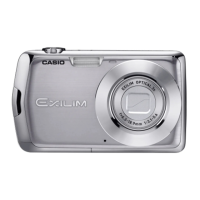
Casio EXILIM EX-Z19 - User Manual

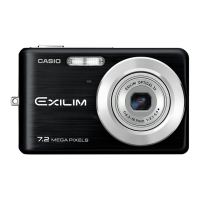
Casio EXILIM EX-Z19
139 pages
Print Icon
To Next Page IconTo Next Page
Loading...
1
E
Thank you for purchasing this CASIO product.
Before using it, be sure to read the precautions contained in this User’s Guide.
Keep the User’s Guide in a safe place for future reference.
For the most up-to-date information about this product, visit the official EXILIM
Website at http://www.exilim.com/
K1191PCM2DMX
Digital Camera
User’s Guide

Table of Contents

Questions and Answers

  • H
    holsonAug 20, 2025
    How to fix Casio EXILIM EX-Z19 that won't turn on?
    • A
      Audrey MendezAug 20, 2025
      If your Casio Digital Camera does not turn on, ensure the battery is loaded correctly. Try charging the battery. If the battery drains quickly after being charged, it likely needs replacement. Consider purchasing a CASIO NP-60 rechargeable lithium ion battery.
  • E
    Emily PalmerAug 22, 2025
    Why is the auto focus not working on my Casio Digital Camera?
    • H
      Howard EdwardsAug 22, 2025
      If the auto focus on your Casio Digital Camera isn't focusing properly, try the following: * Clean the lens if it's dirty. * If the subject isn't compatible with Auto Focus, use manual focus. * If you're moving the camera, try shooting with Anti Shake or use a tripod.
  • M
    Margaret HallAug 25, 2025
    Why is my Casio EXILIM EX-Z19 Digital Camera image out of focus during movie recording?
    • T
      Tammy CameronAug 25, 2025
      If the image on your Casio Digital Camera is out of focus during movie recording: * Ensure the subject is within the focus range. * Clean the lens.
  • R
    rpatelAug 26, 2025
    Why is my Casio EXILIM EX-Z19 monitor screen image out of focus?
    • M
      Michelle UnderwoodAug 26, 2025
      If the monitor screen image on your Casio Digital Camera is out of focus: * If you're using Manual Focus, focus the image. * If you're using Macro Mode for scenery or portraits, use Auto Focus instead. * If you're using Auto Focus or Infinity Mode for close-up shots, use Macro Mode.
  • D
    Daniel JohnsonAug 28, 2025
    Why is the subject out of focus in my Casio Digital Camera image?
    • R
      Ryan Callahan Jr.Aug 28, 2025
      If the subject is out of focus in the recorded image with your Casio Digital Camera, ensure the subject is located inside the focus frame when composing the image.
  • M
    Mrs. Vanessa TorresAug 30, 2025
    Why doesn't the flash fire on my Casio EXILIM EX-Z19?
    • H
      hamiltonthomasAug 30, 2025
      If the flash on your Casio Digital Camera isn't firing, first check if the flash mode is set to Flash Off. If it is, change to another mode. Also, a dead battery can prevent the flash from firing, so charge it. Lastly, if a BEST SHOT scene using Flash Off is selected, change to a different flash mode or select another BEST SHOT scene.
  • A
    alexandermarshallAug 31, 2025
    What to do if my Casio EXILIM EX-Z19 Digital Camera won't record images?
    • M
      Mary ReynoldsSep 1, 2025
      If your Casio Digital Camera is not recording images when you press the shutter button, ensure the camera is in REC mode by pressing the REC button. If the flash is charging, wait until it finishes. If a “Memory Full” message appears, transfer images to your computer, delete unnecessary images, or use a different memory card.
  • T
    thomas80Sep 2, 2025
    Why are my subjects too dark in seashore or ski area photos with my Casio Digital Camera?
    • S
      strongtonyaSep 2, 2025
      If subjects appear too dark when shooting images in a seashore or ski area with your Casio Digital Camera, it may be due to sunlight reflected by water, sand, or snow causing underexposure. To correct this, change the flash mode setting to Flash On for daylight synchro flash, or adjust EV shift to the + side.
  • A
    alexisallenSep 4, 2025
    Why are faces dark in bright lighting with my Casio EXILIM EX-Z19 Digital Camera?
    • J
      juanburnsSep 4, 2025
      If faces appear dark in your Casio Digital Camera images despite bright lighting, it means not enough light is reaching the subjects. Change the flash mode setting to Flash On for daylight synchro flash, or adjust EV shift to the + side.
  • M
    michael98Sep 6, 2025
    Why is the color off on my Casio EXILIM EX-Z19 Digital Camera playback images?
    • T
      Tiffany RollinsSep 6, 2025
      If the color of the playback image on your Casio Digital Camera differs from what you saw on the monitor screen while shooting, it could be due to sunlight shining directly into the lens. Reposition the camera to prevent direct sunlight from entering the lens.

Casio EXILIM EX-Z19 Specifications

General IconGeneral
Image SensorCCD
Optical Zoom3x
Screen Size2.7 inches
Video Resolution640 x 480 pixels
Battery LifeApprox. 220 shots
Camera typeCompact
Digital zoom4x
Sensor size1/2.3 inch
Image stabilizationDigital
Video recordingYes
ISO Range64 - 1600

Related product manuals