EasyManua.ls Logo

Casio EXILIM EX-Z35 - User Manual

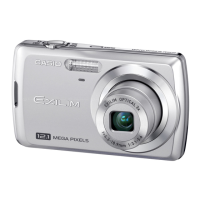
Casio EXILIM EX-Z35
143 pages
Print Icon
To Next Page IconTo Next Page
Loading...
1
E
Thank you for purchasing this CASIO product.
Before using it, be sure to read the precautions contained in this User’s Guide.
Keep the User’s Guide in a safe place for future reference.
For the most up-to-date information about this product, visit the official EXILIM
Website at http://www.exilim.com/
Digital Camera
User’s Guide

Table of Contents

Questions and Answers

  • J
    John MoodyAug 13, 2025
    Why does my Casio Digital Camera not turn on?
    • R
      Rachel JohnsonAug 14, 2025
      Your Casio Digital Camera might not be turning on because the battery is either not loaded correctly or completely dead. Ensure the battery is correctly inserted. Try charging the battery. If the battery quickly loses charge after being charged, it likely needs to be replaced. Consider purchasing a CASIO NP-80 rechargeable lithium ion battery.
  • D
    Darin HunterAug 17, 2025
    What to do if my Casio EXILIM EX-Z35 suddenly powers down?
    • T
      teresagallowayAug 17, 2025
      If your Casio Digital Camera suddenly powers down, it could be due to a few reasons. Auto Power Off might have activated, so try turning the power back on. Alternatively, the battery may be dead, so try charging it. Lastly, the camera's protection function might have activated due to high temperature; in this case, turn off the camera and wait for it to cool down before using it again.
  • S
    Sarah MeadowsAug 21, 2025
    How to fix Casio EXILIM EX-Z35 auto focus?
    • V
      Vincent MartinezAug 21, 2025
      If the auto focus on your Casio Digital Camera isn't working properly, start by cleaning the lens if it's dirty. Ensure that the subject is in the center of the focus frame. If the subject isn't compatible with Auto Focus, use manual focus. If you're moving the camera, try using Anti Shake or a tripod.
  • P
    Priscilla WhiteAug 25, 2025
    Why is digital zoom not working on my Casio Digital Camera?
    • R
      rebecca70Aug 26, 2025
      If digital zoom isn't working on your Casio Digital Camera, check if the digital zoom setting is turned on. Also, date stamping might be enabled, which disables digital zoom, so turn off date stamping.
  • P
    Phillip GuerraAug 28, 2025
    What to do if my Casio Digital Camera doesn't record images when I press the shutter?
    • M
      Maria WaltonAug 29, 2025
      If your Casio Digital Camera isn't recording images when you press the shutter button, make sure the camera is in REC mode by pressing the [r] (REC) button. If the flash is charging, wait for it to finish. Also, if the message “Memory Full” appears, transfer images to your computer, delete unnecessary images, or use a different memory card.
  • C
    Christopher RobertsonSep 1, 2025
    Why can't I transfer images from my Casio EXILIM EX-Z35 via USB?
    • A
      Andrew WilliamsSep 1, 2025
      If you're having trouble transferring images from your Casio Digital Camera via USB, first check all USB connections to ensure they are secure. Make sure that you've selected the correct USB communication protocol for your device. Also, ensure the camera is turned on. Finally, connect the camera directly to your computer’s USB port instead of using a USB hub.
  • J
    Joseph WardSep 5, 2025
    Why are faces dark in bright light with my Casio EXILIM EX-Z35 Digital Camera?
    • E
      Edward ConleySep 5, 2025
      If faces appear dark even in bright light with your Casio Digital Camera, it means not enough light is reaching the subjects. To fix this, change the flash mode setting to Flash On for daylight synchro flash, or adjust EV shift to the + side.
  • B
    Brianna AvilaSep 9, 2025
    Why are my subjects too dark in seashore or ski area photos with my Casio EXILIM EX-Z35?
    • H
      Harold MejiaSep 9, 2025
      When shooting in a seashore or ski area, sunlight reflected by water, sand, or snow can cause underexposure. To correct this on your Casio Digital Camera, change the flash mode setting to Flash On for daylight synchro flash, or adjust EV shift to the + side.

Summary

Read this first!

Quick Start Basics

First, charge the battery prior to use.

Details the process of charging the camera's battery before initial use.

Preparing a Memory Card

Guides on selecting, loading, and formatting a memory card for camera use.

To shoot a snapshot

Provides step-by-step instructions on how to capture a still image with the camera.

Snapshot Tutorial

Using the Control Panel

Explains how to use the camera's Control Panel to configure various shooting settings.

Advanced Settings

Using the Camera with a Computer

Save images to a computer and view them there

Instructions on transferring and viewing images on a computer.

Other Settings (Set Up)

Setting the Camera’s Clock (Adjust)

Procedure for setting the camera's internal date and time accurately.

Appendix

Precautions during Use

General safety guidelines and warnings for using the camera.

Casio EXILIM EX-Z35 Specifications

General IconGeneral
Image Sensor1/2.3-inch CCD
Effective Pixels12.1 Megapixels
Optical Zoom3x
Digital Zoom4x
LCD Screen Resolution230, 000 dots
Storage MediaSD/SDHC memory card
Focal Length6.3 - 18.9 mm
ISO Sensitivity100 / 200 / 400 / 800 / 1600
Display2.5-inch LCD
Video Recording640 x 480 (30 fps)
Shutter Speed1/2 to 1/2000 second (Auto), 4 to 1/2000 second (Night Scene)

Related product manuals