EasyManua.ls Logo

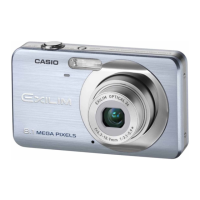
Casio Exilim EX-Z330 - User Manual

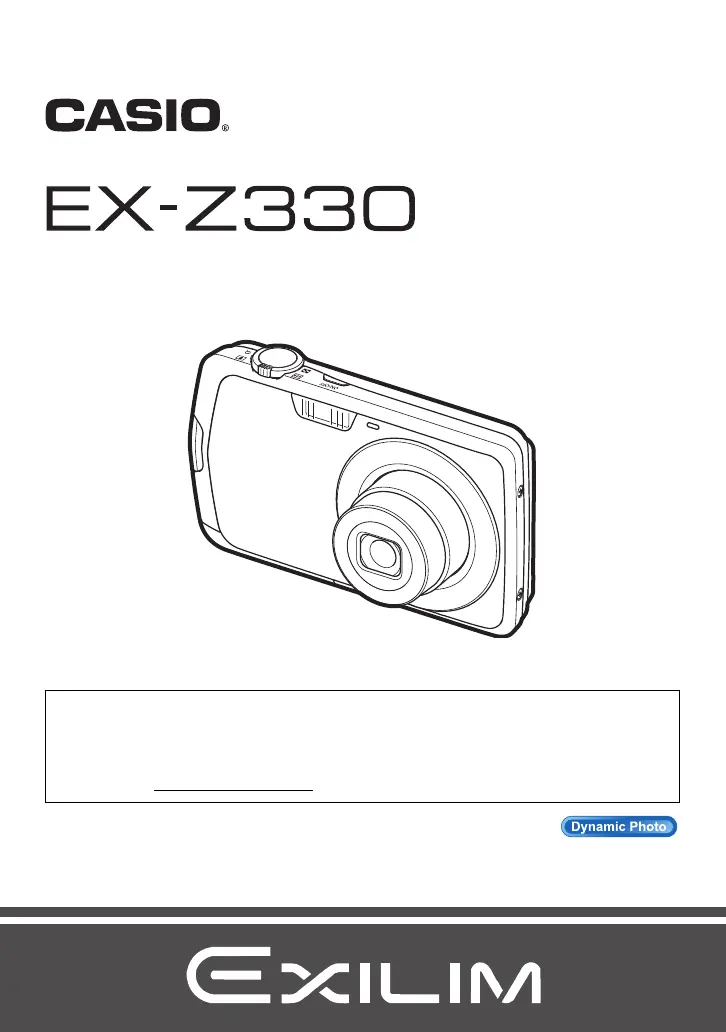
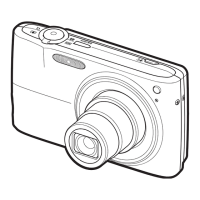
Casio Exilim EX-Z330
194 pages
Print Icon
To Next Page IconTo Next Page
Loading...
1
E
To go to “Getting the Most Out of Dynamic Photo” click here!
Thank you for purchasing this CASIO product.
Before using it, be sure to read the precautions contained in this User’s Guide.
Keep the User’s Guide in a safe place for future reference.
For the most up-to-date information about this product, visit the official EXILIM
Website at http://www.exilim.com/
Digital Camera
User’s Guide

Table of Contents

Questions and Answers

  • S
    shannonsalazarAug 18, 2025
    How to fix power if my Casio Exilim EX-Z330 Digital Camera does not turn on?
    • A
      Aaron BlackburnAug 18, 2025
      If the power does not turn on, it could be due to the following reasons: 1. The battery may not be loaded correctly. 2. The battery may be dead. To solve these issues: * Charge the battery. If the battery drains quickly after being charged, it may need to be replaced. Purchase a separately available CASIO NP-80 rechargeable lithium ion battery.
  • J
    Jonathan TorresAug 20, 2025
    What to do if my Casio Exilim EX-Z330 suddenly powers down?
    • T
      traceymillerAug 21, 2025
      If the camera suddenly powers down, it could be due to: 1. Auto Power Off being activated. Turn the power back on. 2. The battery being dead. Charge the battery. 3. The camera’s protection function activating because the camera temperature is too high. Turn off the camera and wait until it cools down before trying to use it again.
  • N
    nichole87Aug 23, 2025
    Why is auto focus not working on Casio Digital Camera?
    • N
      Nancy DanielAug 23, 2025
      If the Auto Focus on your Casio Digital Camera does not focus properly, consider the following: 1. If the lens is dirty, clean it off. 2. The subject may not be a type that is compatible with Auto Focus. Use manual focus. 3. You may be moving the camera when shooting. Try shooting with Anti Shake or use a tripod. 4. You may be pressing the shutter button all the way without waiting for Auto Focus. Half-press the shutter button and allow enough time for Auto Focus to focus.
  • K
    katherinesantosAug 26, 2025
    How to fix wrong date and time on Casio Digital Camera?
    • E
      Elizabeth HallAug 26, 2025
      If the date and time setting is incorrect, the wrong date and time may be displayed or stored with your images. To resolve this, set the correct date and time using the setting function.
  • T
    Tabitha WilsonAug 27, 2025
    Why my Casio Exilim EX-Z330 images cannot be transferred over USB?
    • S
      Sara GrayAug 28, 2025
      If images cannot be transferred over a USB connection, check these possible causes: 1. Ensure the USB cable is securely connected. 2. Select the correct USB communication protocol for your device. 3. Make sure the camera is turned on. 4. Connect the camera directly to the computer’s USB port, avoiding USB hubs.
  • K
    Kenneth ReillyAug 30, 2025
    Why does the flash not fire on my Casio Digital Camera?
    • M
      Monica MartinAug 31, 2025
      If the flash does not fire, it could be due to these reasons: 1. Flash Off is selected as the flash mode. Change to another mode. 2. The battery is dead. Charge it. 3. A BEST SHOT scene that uses Flash Off is selected. Change to a different flash mode or select a different BEST SHOT scene.
  • A
    ashley60Sep 2, 2025
    How to change language on Casio Exilim EX-Z330 Digital Camera?
    • M
      Mark GarnerSep 2, 2025
      If the messages on the display of your Casio Digital Camera are in the wrong language, it means that the wrong display language is selected. To correct this, change the display language setting.
  • S
    Sheila BeckerSep 4, 2025
    What to do if my Casio Digital Camera doesn't record image when pressing shutter?
    • M
      Michelle FisherSep 4, 2025
      If the image is not recorded when the shutter button is pressed, consider the following: 1. If the camera is in PLAY mode, press the REC button to enter REC mode. 2. If the flash is charging, wait until the charge operation finishes. 3. If the message “Memory Full” appears, transfer images to your computer, delete images you no longer need, or use a different memory card.
  • V
    Vincent GraySep 6, 2025
    Why color of playback image is different on Casio Exilim EX-Z330?
    • J
      Jimmy WiseSep 7, 2025
      If the color of the playback image is different from what appears on the monitor screen when shooting with your Casio Digital Camera, sunlight or light from another source may be shining directly into the lens. Position the camera so sunlight does not shine directly into the lens.
  • B
    Brian OlsonSep 9, 2025
    What does red flash icon mean on Casio Digital Camera?
    • S
      Samantha LaneSep 9, 2025
      If the ? (Flash Off) icon flashes red on the monitor screen and the flash does not fire on your Casio Digital Camera, the flash unit may be malfunctioning. Contact a CASIO authorized service center or your original retailer. Note that though the flash will not fire, you still can use the camera for non-flash shots.

Casio Exilim EX-Z330 Specifications

General IconGeneral
ModelCasio Exilim EX-Z330
Image Sensor1/2.3-inch CCD
Effective Pixels12.1 Megapixels
Optical Zoom3x
Digital Zoom4x
Focal Length6.3 - 18.9 mm
Storage MediaSD/SDHC memory card
ISO RangeISO 1600
Video Resolution640 x 480 pixels
BatteryNP-80 Rechargeable Lithium Ion Battery
Screen Size2.7 inches

Related product manuals