EasyManua.ls Logo

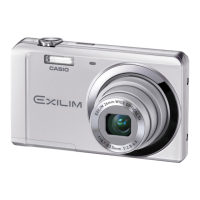
Casio exilim EX-Z80 - User Manual

Casio exilim EX-Z80
165 pages
Print Icon
To Next Page IconTo Next Page
Loading...
1
E
Thank you for purchasing this CASIO product.
Before using it, be sure to read the precautions contained in this User’s Guide.
Keep the User’s Guide in a safe place for future reference.
For the most up-to-date information about this product, visit the official EXILIM
Website at http://www.exilim.com/
K1122PCM1DMX
Digital Camera
User’s Guide

Table of Contents

Questions and Answers

  • K
    Kimberly JimenezAug 19, 2025
    How to fix auto focus on Casio Digital Camera?
    • L
      Lauren BridgesAug 19, 2025
      If your Casio Digital Camera's auto focus isn't working properly, start by cleaning the lens. Ensure the subject is centered in the focus frame. If that doesn't work, try using Anti Shake or a tripod to stabilize the camera. Also, half-press the shutter button and allow time for auto focus to adjust before fully pressing it.
  • L
    Leslie SnyderAug 21, 2025
    How to fix a Casio exilim EX-Z80 that does not turn on?
    • P
      Paige BarkerAug 21, 2025
      If your Casio Digital Camera won't turn on, ensure the battery is loaded correctly and charge it. If the battery dies quickly after charging, it needs to be replaced. Purchase a CASIO NP-60 rechargeable lithium ion battery.
  • H
    Hunter GomezAug 25, 2025
    What to do if Casio exilim EX-Z80 is not recording images?
    • D
      Danielle WheelerAug 25, 2025
      If your Casio Digital Camera is not recording images when you press the shutter, ensure the camera is in REC mode by pressing the REC button. If the flash is charging, wait until it finishes. If you see a “Memory Full” message, transfer images to your computer, delete unnecessary images, or use a different memory card.
  • A
    Angela SchmidtAug 26, 2025
    Why does my Casio exilim EX-Z80 suddenly power down?
    • G
      Gabriela HallAug 26, 2025
      If the Casio Digital Camera powers down suddenly, first, turn the power back on, as Auto Power Off may have activated. If that doesn't work, the battery may be dead, so charge it. Finally, the camera's protection function may have activated due to high temperature; turn off the camera and wait for it to cool down before using it again.
  • K
    Karen ThompsonAug 28, 2025
    Why does the flash not fire on my Casio Digital Camera?
    • L
      Luis EvansAug 28, 2025
      If the flash on your Casio Digital Camera isn't firing, check that you haven't selected the flash off mode. If so, change to another mode. If the battery is dead, charge it. If a BEST SHOT scene that uses flash off is selected, change to a different flash mode or select a different BEST SHOT scene.
  • I
    icoleAug 30, 2025
    Why is the color of the playback image different on my Casio exilim EX-Z80 Digital Camera?
    • K
      Kara BrewerAug 30, 2025
      If the playback image color differs from what you saw on the monitor screen while shooting with your Casio Digital Camera, it may be because sunlight is shining directly into the lens. Reposition the camera to prevent direct sunlight from entering the lens.
  • C
    Craig MontgomerySep 1, 2025
    How to reduce digital noise in images from Casio exilim EX-Z80?
    • D
      David StevensSep 1, 2025
      To resolve digital noise in images from your Casio Digital Camera, illuminate the subject, as sensitivity may have been automatically increased for a dark subject. If shooting in a dark location with flash off, turn on the flash or use lights. Also, avoid using flash assist or dynamic range for snapshots.
  • R
    Ronald HarrisSep 3, 2025
    Why does my Casio Digital Camera power down during Self-timer countdown?
    • S
      Shannon GomezSep 3, 2025
      If your Casio Digital Camera powers down during the self-timer countdown, the battery may be dead. Charge the battery.
  • B
    Brianna WrightSep 5, 2025
    Why are faces dark in my Casio Digital Camera images?
    • M
      Marcia StevensSep 5, 2025
      If faces appear dark in your Casio Digital Camera images despite bright lighting, not enough light may be reaching the subjects. Change the flash mode setting to Flash On for daylight synchro flash, or adjust EV shift to the + side.
  • E
    Eric GonzalezSep 7, 2025
    Why are subjects too dark when shooting in a seashore or ski area with my Casio exilim EX-Z80?
    • P
      Phillip ObrienSep 7, 2025
      If subjects are too dark when shooting in a seashore or ski area with your Casio Digital Camera, it's because sunlight reflected by water, sand, or snow can cause underexposure. Change the flash mode setting to Flash On for daylight synchro flash, or adjust EV shift to the + side.

Summary

Quick Start Basics

Initial Camera Setup and Preparation

Guides on battery charging, loading, and initial language/date configuration.

Memory Card Management

Memory Card Preparation and Handling

Details supported cards, loading, formatting, and precautions.

Basic Snapshot Shooting

Basic Snapshot Shooting Procedure

Step-by-step instructions for taking a photograph.

Snapshot Tutorial

Control Panel and Image Settings

Using the control panel, image size, quality, and flash modes.

Advanced Snapshot Features

Explains Auto Shutter, Face Recognition, and Continuous Shutter.

Recording Movie Images and Audio

Recording Movies and Audio

Guides on recording video, audio, and using BEST SHOT for movies.

Advanced Settings

Printing Snapshots

Appendix

Safety Precautions and Component Handling

General safety, battery, charger, and memory card precautions.

Troubleshooting and Specifications

Solutions for common issues and detailed technical camera specifications.

Casio exilim EX-Z80 Specifications

General IconGeneral
Image Sensor1/2.5-inch CCD
Digital Zoom4x
Movie recordingYes
Internal memory11.4 MB
Dimensions95.7 (W) x 59.8 (H) x 20.0 (D) mm
Effective Pixels8.1 million
Lens3x optical zoom
Screen Size2.6 inches
ISO SensitivityAuto, ISO 64, ISO 100, ISO 200, ISO 400, ISO 800, ISO 1600
Video Recording640 x 480 pixels at 30 fps
StorageSD/SDHC
BatteryRechargeable lithium-ion battery (NP-20)
LCD ScreenTFT color LCD
Storage MediaSD/SDHC
Focus Range40cm to infinity (normal), 10cm to 50cm (macro)

Related product manuals