EasyManua.ls Logo

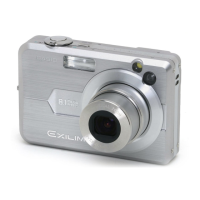
Casio Exilim EX-Z850 - User Manual

Casio Exilim EX-Z850
279 pages
Print Icon
To Next Page IconTo Next Page
Loading...
E
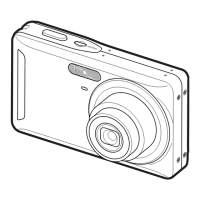
Digital Camera
EX-Z850
User’s Guide
K844FCM1DMX
Thank you for purchasing this CASIO
product.
Before using it, be sure to read the
precautions contained in this User’s Guide.
Keep the User’s Guide in a safe place for
future reference.
For the most up-to-date information about
this product, visit the official EXILIM
Website at http://www.exilim.com/.

Table of Contents

Questions and Answers

  • S
    susan25Sep 10, 2025
    Why are recorded images not being saved on my Casio Exilim EX-Z850?
    • J
      Jill SmithSep 10, 2025
      If recorded images are not being saved in memory on your Casio Digital Camera: * The camera may be powering down before the save operation completes; when the battery indicator shows a low battery, charge it as soon as possible. * You might be removing the memory card before the save operation is complete; do not remove the memory card until saving is done.
  • M
    Matthew PettyAug 22, 2025
    What to do if Casio Exilim EX-Z850 Digital Camera suddenly powers down?
    • M
      Molly ButlerAug 23, 2025
      If your Casio Digital Camera suddenly powers down, it could be because: * Auto Power Off is activated – simply turn the power back on. * The battery is dead – charge it.
  • B
    Brenda MartinAug 25, 2025
    Why does my Casio Digital Camera power down during self-timer countdown?
    • M
      Matthew WilliamsAug 25, 2025
      If your Casio Digital Camera powers down during the self-timer countdown, it's likely because the battery is dead. Charge the battery.
  • S
    Stephanie JacksonAug 27, 2025
    Why is the monitor screen off on my Casio Digital Camera?
    • S
      Sabrina HolmesAug 27, 2025
      If the monitor screen is off on your Casio Digital Camera, it's likely because USB communication is in progress. After confirming that the computer is not accessing camera memory, disconnect the USB cable.
  • A
    Alyssa JonesAug 27, 2025
    Why is the auto focus not working on my Casio Exilim EX-Z850 Digital Camera?
    • R
      Rebecca CampbellAug 27, 2025
      If the auto focus on your Casio Digital Camera isn't working properly, it could be due to: * A dirty lens – clean it. * The subject not being centered in the focus frame – ensure it is. * The subject being incompatible with Auto Focus – use manual focus. * Camera movement – turn on Anti Shake or use a tripod.
  • B
    Brendan WilsonAug 29, 2025
    How to focus the subject in recorded image on Casio Digital Camera?
    • J
      Jonathan GrantAug 29, 2025
      To ensure your subject is in focus in the recorded image with your Casio Digital Camera, when composing the image, make sure the subject on which you want to focus is located inside the focus frame.
  • M
    Marcus RobertsonSep 18, 2025
    Why are images not displayed on my Casio Digital Camera?
    • M
      Michelle ChapmanSep 18, 2025
      If images are not displayed on your Casio Digital Camera, it's likely because a memory card with non-DCF images recorded with another camera is loaded. This camera cannot display non-DCF images recorded onto a memory card using another digital camera.
  • C
    Cory McclainSep 12, 2025
    Why can't I transfer files over USB from my Casio Exilim EX-Z850 Digital Camera?
    • A
      Adam SandersSep 12, 2025
      If you're unable to transfer files via USB from your Casio Digital Camera, check the following: * Ensure the camera is securely set on the USB cradle. * Verify all USB cable connections are secure. * Make sure the USB driver is installed on your computer. * Press the [USB] button on the USB cradle.
  • T
    Tonya RojasSep 8, 2025
    How to brighten faces in bright lighting on Casio Exilim EX-Z850 Digital Camera?
    • C
      Christopher Morales PhDSep 8, 2025
      If faces appear dark even in bright lighting with your Casio Digital Camera, it means not enough light is reaching the subjects. You can: * Change the flash mode setting to flash on for daylight synchro flash. * Increase the EV shift value.
  • D
    Debra FowlerSep 5, 2025
    Why doesn't the flash fire on my Casio Exilim EX-Z850 Digital Camera?
    • C
      Christopher PorterSep 5, 2025
      If the flash on your Casio Digital Camera isn't firing, consider these possibilities: * The flash mode is set to flash off; select a different mode. * The battery is dead; charge it. * The BEST SHOT mode is set to a scene that uses flash off; select a different flash mode or BEST SHOT scene.

Summary

Introduction

Camera Features Overview

Highlights main camera features and specifications.

General Camera Precautions

Lists important safety precautions for camera use.

Quick Start Guide

Charge the Battery

Instructions for loading and charging the camera battery.

Record an Image

Basic steps for composing and recording a still image.

Getting Ready

Camera Power and Settings

Explains how to turn the camera on/off and manage power settings.

Display and Clock Configuration

Steps to set display language, home city, date style, and time.

Basic Image Recording

Recording an Image Overview

Describes the basic procedure for recording an image.

Specifying Recording Mode

Details the eight different recording modes available.

Using the Flash

Provides steps to select and use different flash modes.

Using Zoom Features

Explains the use of optical and digital zoom features.

Other Recording Functions

BEST SHOT Mode Usage

Explains how to use preset scene modes for optimal shooting.

Movie Recording Functions

Explains movie recording capabilities and file formats.

Using a Memory Card

Viewing Images on a Computer

Connecting to Windows Computer

General steps for viewing/copying files on Windows.

Connecting to Macintosh Computer

General steps for viewing/copying files on Macintosh.

Appendix

Troubleshooting Guide

Lists common symptoms, causes, and actions for camera issues.

Casio Exilim EX-Z850 Specifications

General IconGeneral
TypeCompact
Optical Zoom3x
Digital Zoom4x
DisplayLCD
LCD Screen Resolution115, 200 pixels
Battery TypeNP-40
Image Sensor1/2.5 inch CCD
Effective Pixels8.1 megapixels
Maximum aperturef/2.8
Minimum aperturef/8.0
ISO SensitivityAuto, ISO 100, ISO 200, ISO 400, ISO 800
Shutter Speed1/2000 - 4 sec
Video Recording640x480 @ 30fps
StorageSD/SDHC
BatteryRechargeable lithium-ion battery

Related product manuals