EasyManua.ls Logo

Casio fx-6200G - Page 15

Casio fx-6200G
60 pages
Print Icon
To Next Page IconTo Next Page
To Previous Page IconTo Previous Page
Loading...
ee
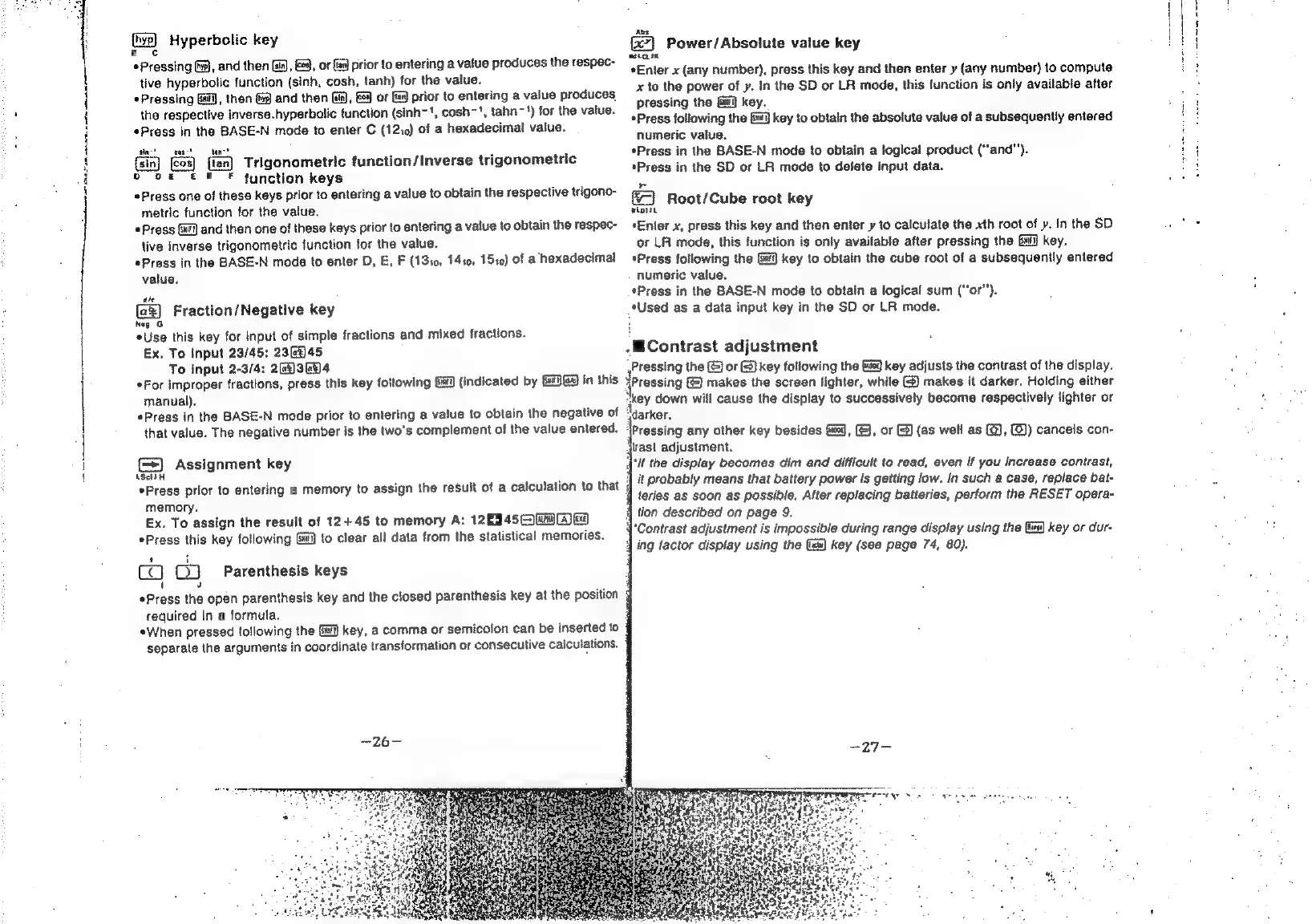
Hyperbolic
key
e
¢
Pressing
Ga),
and
then
Gis),
E29,
or
(a9)
prior
to
entering
a
value
produces
the
respec-
tive
hyperbolic
function
(sinh,
cosh,
tanh)
for
the
value.
*Pressing
Gf],
then
&)
and
then
Ga),
&_
or
{9
prior
to
entering
a
value
produces
the
respective
inverse.hyperbolic
function
(sinh~',
cosh~',
tahn~')
for
the
value.
*Press
in
the
BASE-N
mode
to
enter
C
(1210)
of
a
hexadecimal
value.
tin!
tos!
dat
{tan}
Trigonometric
function/Inverse
trigonometric
po
of
& F F
function
keys
Press
one
of
these
keys
prior
to
entering
a
value
to
obtain
the
respective
trigono-
metric
function
for
the
value.
Press
Gai)
and
then
one
of
these
keys
prior
to
entering
a
value
to
obtain
the
respec-
tive
inverse
trigonometric
function
for
the
value.
Press
in
the
BASE-N
mode
to
enter
D,
E,
F
(13:0,
1410,
1510)
of
a
hexadecimal
value,
the
(2%)
Fraction/Negative
key
Neg
Use
this
key
for
input
of
simple
fractions
and
mixed
fractions.
Ex,
To
Input
23/45:
236945
To
input
2-3/4:
2344
*For
improper
fractions,
press
this
key
following
(indicated
by
G)@4
in
this
manual).
*Press
in
the
BASE-N
mode
prior
to
entering
a
value
to
obtain
the
negative
of
that
value.
The
negative
number
is
the
two's
complement
of
the
value
entered.
(=)
Assignment
key
ASctdH
*Press
prior
to
entering
a
memory
to
assign
the
result
of
a
calculation
to
that
memory.
Ex.
To
assign
the
result
of
12+45
to
memory
A:
12450069
*Press
this
key
following
to
clear
all
data
from
the
statistical
memories.
1
co
09
fi
a
Parenthesis
keys
Press
the
open
parenthesis
key
and
the
closed
parenthesis
key
at
the
position
4
required
in
a
formula.
«When
pressed
following
the
{4
key,
a
comma
or
semicolon
can
be
inserted
to
q
separate
the
arguments
in
coordinate
transformation
or
consecutive
caiculations.
avs
Power/Absolute
value
key
aétcuiK
*Enter
x
(any
number),
press
this
key
and
then
enter
y
(any
number)
to
compute
x
to
the
power
of
y.
In
the
SD
or
LR
mode,
this
function
is
only
available
after
pressing
the
Gi]
key.
*Press
following
the
Gi]
key
to
obtain
the
absolute
value
of
a
subsequently
entered
numeric
value.
*Press
in
the
BASE-N
mode
to
obtain
a
logical
product
(“and"’).
*Press
in
the
SD
or
LA
mode
to
delete
input
data.
a
Root/Cube
root
key
Press
*Enter
x,
press
this
key
and
then
enter
y
to
calculate
the xth
root
of
».
In
the
SD
or
LA
mode,
this
function
is
only
available
after
pressing
the
Gui
key.
*Press
following
the
key
to
obtain
the
cube
root
of
a
subsequently
entered
numeric
value.
*Press
in
the
BASE-N
mode
to
obtain
a
logical
sum
(“‘or’’).
*Used
as
a
data
input
key
in
the
SD
or
LR
mode.
.-
Contrast
adjustment
Pressing
the
(J
or
&)
key
following
the
fg
key
adjusts
the
contrast
of
the
display.
Pressing
makes
the
screen
lighter,
while
(@)
makes
it
darker.
Holding
either
td
down
will
cause
the
display
to
successively
become
respectively
lighter
or
larker,
‘Pressing
any
other
key
besides
f=),
(&},
or
&)
(as
well
as
(@),
(@))
cancels
con-
rast
adjustment.
4'If
the
display
becomes
dim
and
difficult
to
read,
even
if
you
increase
contrast,
it
probably
means
that
battery
power
Is
getting
low.
In
such
a
case,
replace
bat-
teries
as
soon
as
possible,
After
replacing
batteries,
perform
the
RESET
opera-
4
tion
described
on
page
9.
{‘Contrast
adjustment
is
impossible
during
range
display
using
the
{t%)
key
or
dur-
q
ing
factor
display
using
the
(es)
key
(see
page
74,
80).