EasyManua.ls Logo

Casio fx-6200G - Power off Function

Casio fx-6200G
60 pages
Print Icon
To Next Page IconTo Next Page
To Previous Page IconTo Previous Page
Loading...
ete
te
re
ae
ea
dR
ae
A
Sa
dN
nn
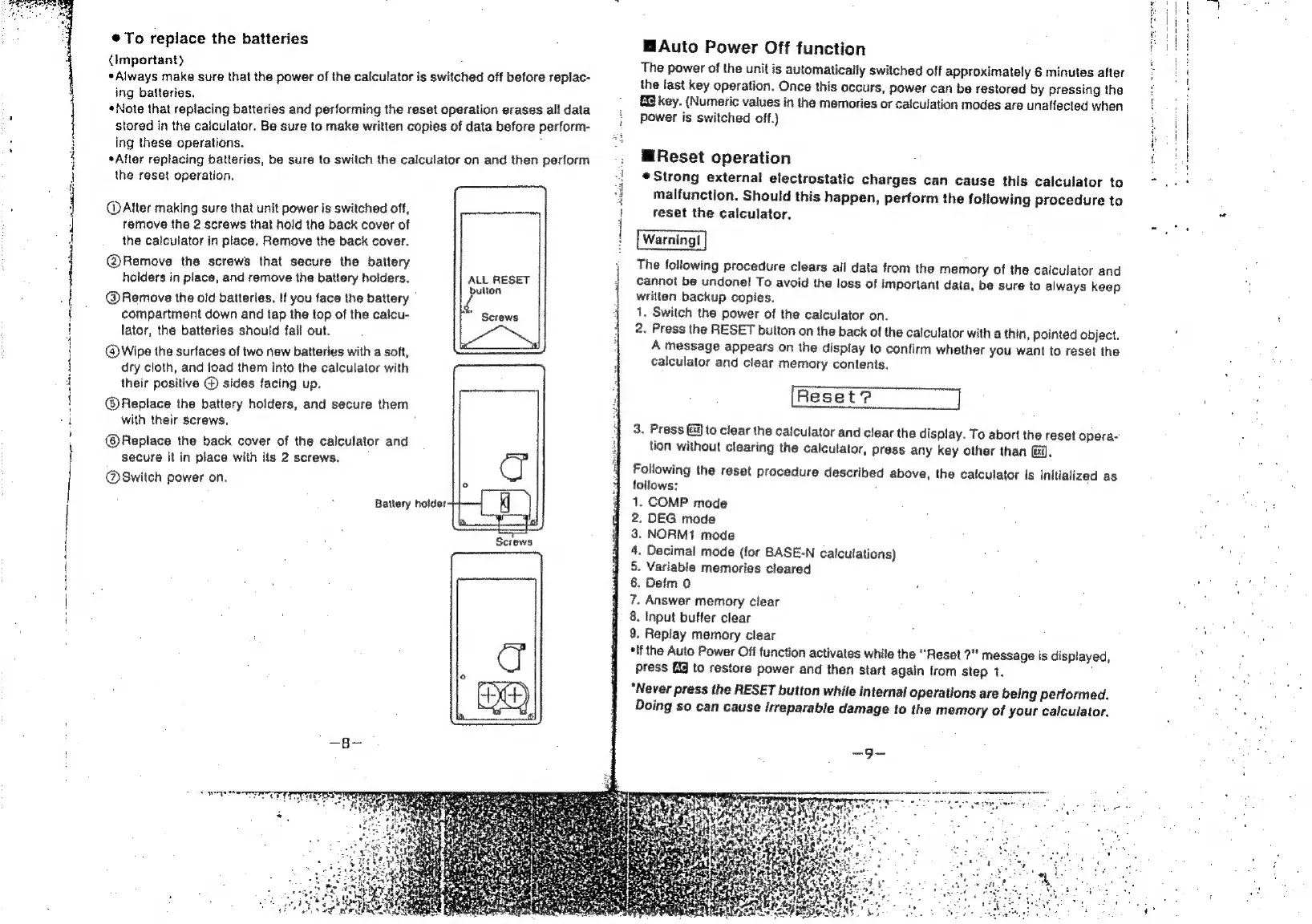
®@To
replace
the
batteries
(Important)
*Always
make
sure
that
the
power
of
the
calculator
is
switched
off
before
repiac-
ing
batteries.
;
«Note
that
replacing
batteries
and
performing
the
reset
operation
erases
all
data
stored
in
the
calculator.
Be
sure
to
make
written
copies
of
data
before
perform-
ing
these
operations.
*After
replacing
batteries,
be
sure
to
switch
the
calculator
on
and
then
perform
the
reset
operation.
@
After
making
sure
that
unit
power
is
switched
off,
remove
the
2
screws
that
hold
the
back
cover
of
the
calculator
in
place.
Remove
the
back
cover.
@Remove
the
screws
that
secure
the
battery
holders
in
place,
and
remove
the
battery
holders.
@Remove
the
old
batteries.
If
you
face
the
battery
compartment
down
and
tap
the
top
of
the
calcu-
rad
lator,
the
batteries
should
fail
out.
@
Wipe
the
surfaces
of
two
new
batteries
with
a
soft,
dry
cloth,
and
load
them
into
the
calculator
with
their
positive
@
sides
facing
up.
@®Replace
the
battery
holders,
and
secure
them
with
their
screws,
@®Replace
the
back
cover
of
the
calculator
and
secure
it
in
place
with
its
2
screws.
@Switch
power
on.
Batlery
holder
Kj
ALL
RESET
bulton
Screws
Screws
PN
ITE
EIT
t
a
|
H
j
i
¥
|
Auto
Power
Off
function
The
power
of
the
unit
is
automatically
switched
off
approximately
6
minutes
after
the
last
key
operation.
Once
this
occurs,
power
can
be
restored
by
pressing
the
key.
(Numeric
values
in
the
memories
or
cafculation
modes
are
unaffected
when
power
is
switched
off.)
WiReset
operation
Strong
external
electrostatic
charges
can
cause
this
calculator
to
malfunction.
Should
this
happen,
perform
the
following
procedure
to
reset
the
calculator.
The
following
procedure
clears
all
data from
the
memory
of
the
calculator
and
cannot
be
undone!
To
avoid
the
loss
of
important
data,
be
sure
to
always
keep
written
backup
copies.
1,
Switch
the
power
of
the
calculator
on.
2.
Press
the
RESET
button
on
the
back
of
the
calculator
with
a
thin,
pointed
object.
A
message
appears
on
the
display
to
confirm
whether
you
want
to
reset
the
calculator
and
clear
memory
contents.
3.
Press
@@
to
clear
the
caiculator
and
clear
the
display.
To
abort
the
reset
opera-
tion
without
clearing
the
calculator,
press
any
key
other
than
@@.
Following
the
reset
procedure
described
above,
the
calculator
is
initialized
as
follows:
.
COMP
mode
.
DEG
mode
NORM1
mode
.
Decimal
mode
(for
BASE-N
calculations)
.
Variable
memories
cleared
.
Defm
0
.
Answer
memory
clear
.
Input
buffer
clear
.
Replay
memory
clear
*lf
the
Auto
Power
Off
function
activates
while
the
“Reset
2”
message
is
displayed,
press
to
restore
power
and
then
start
again
from
step
1.
“Never
press
the
RESET
button
while
internal
operations
are
being
performed.
Doing
so
can
cause
irreparable
damage
to
the
memory
of
your
calculator.
CPOENBOHAPRON—

Related product manuals