2-36
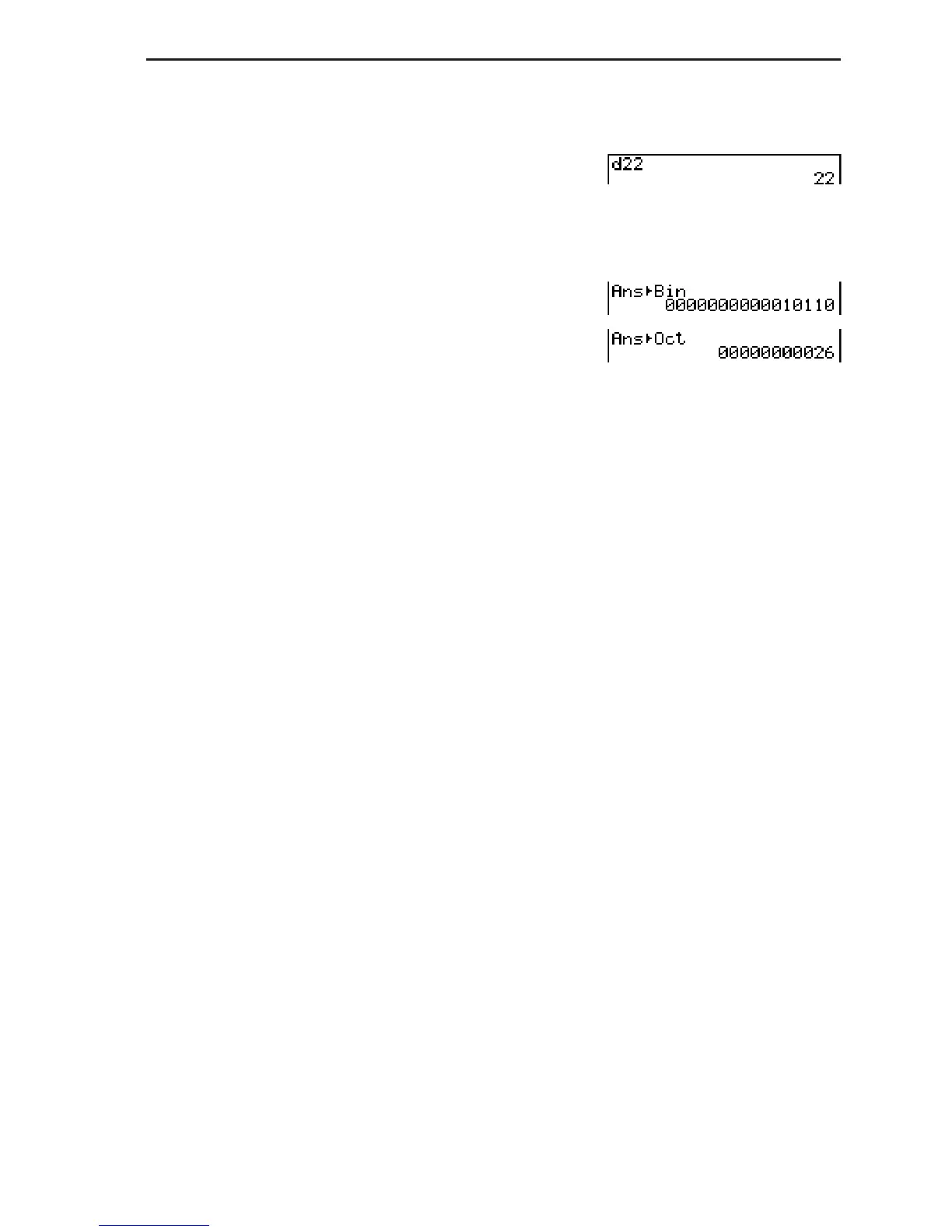
S To convert a displayed value from one number system to another
Example To convert 2210 (default number system) to its binary or octal value
K(SET UP)
Move the highlighting to “Mode”, and then
press (Dec)).
(d~o)(d)AAU
)(DISP)(Bin)U
(Oct)U
8. Matrix Calculations
Important!
• Matrix calculations cannot be performed on the fx-7400GII.
From the Main Menu, enter the RUN • MAT mode, and press (MAT) to perform Matrix
calculations.
26 matrix memories (Mat A through Mat Z) plus a Matrix Answer Memory (MatAns), make it
possible to perform the following matrix operations.
• Addition, subtraction, multiplication, division
• Scalar multiplication calculations
• Determinant calculations
• Matrix transposition
• Matrix inversion
• Matrix squaring
• Raising a matrix to a specific power
• Absolute value, integer part extraction, fractional part extraction, maximum integer
calculations
• Inputting complex numbers in matrix elements and using complex number related functions
• Matrix modification using matrix commands
The maximum number of rows that can be specified for a matrix is 999, and the maximum
number of columns is 999.
About Matrix Answer Memory (MatAns)
• The calculator automatically stores matrix calculation results in Matrix Answer Memory. Note
the following points about Matrix Answer Memory.
• Whenever you perform a matrix calculation, the current Matrix Answer Memory contents are
replaced by the new result. The previous contents are deleted and cannot be recovered.
• Inputting values into a matrix does not affect Matrix Answer Memory contents.


 To Next Page