E-11
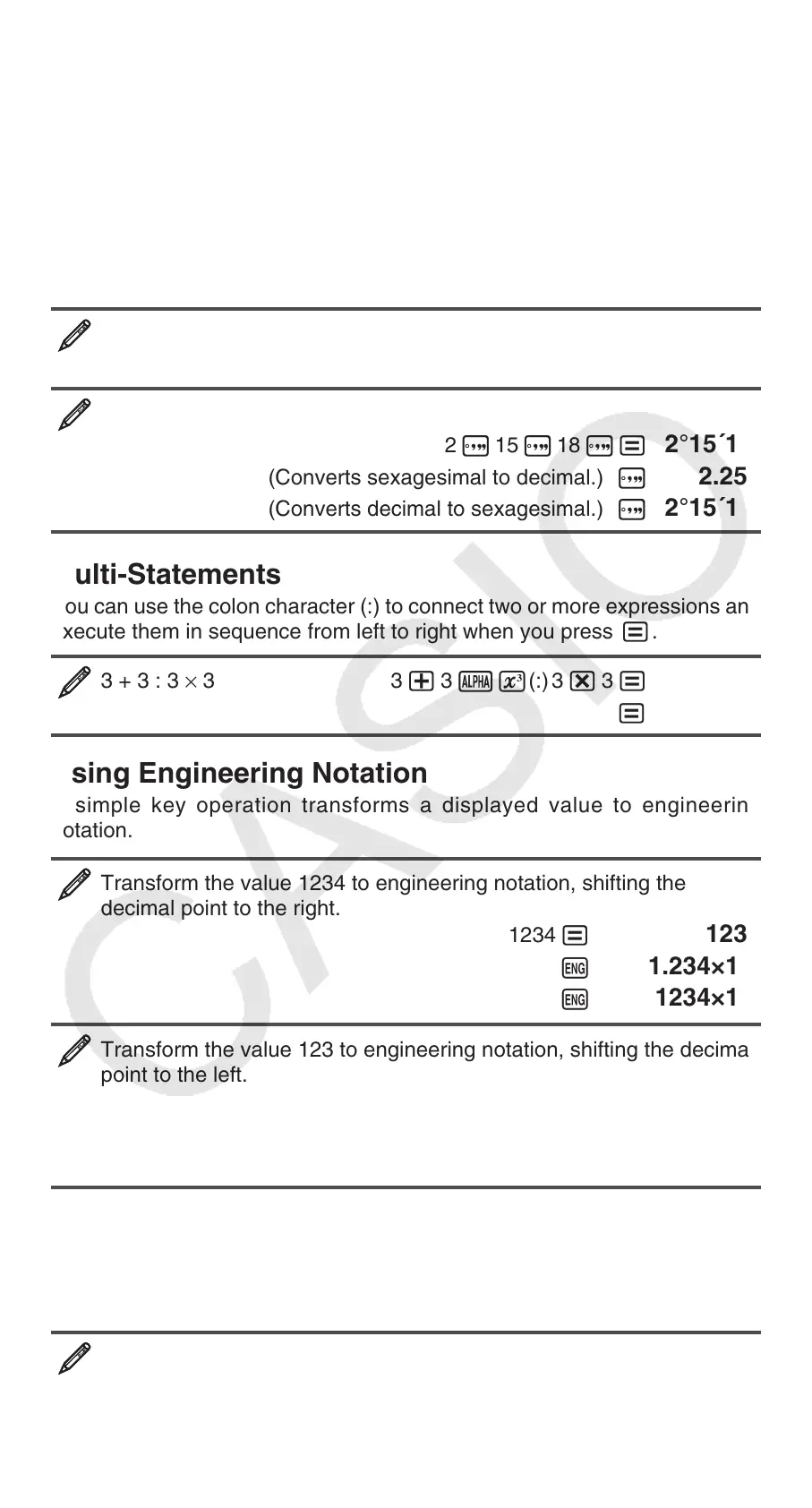
Degree, Minute, Second (Sexagesimal) Calculations
Performing an addition or subtraction operation between sexagesimal values,
or a multiplication or division operation between a sexagesimal value and a
decimal value will cause the result to be displayed as a sexagesimal value.
You also can convert between sexagesimal and decimal. The following
is the input format for a sexagesimal value: {degrees} $ {minutes} $
{seconds} $.
Note: You must always input something for the degrees and minutes, even
if they are zero.
2°20´30˝ + 39´30˝ = 3°00´00˝
2 $ 20 $ 30 $+ 0 $ 39 $ 30 $=
3°0´0˝
Convert 2°15´18˝ to its decimal equivalent.
2 $ 15 $ 18 $=
2°15´18˝
(Converts sexagesimal to decimal.) $ 2.255
(Converts decimal to sexagesimal.) $ 2°15´18˝
Multi-Statements
You can use the colon character (:) to connect two or more expressions and
execute them in sequence from left to right when you press =.
3 + 3 : 3 × 3 3 + 3 SW(:) 3 * 3 = 6
= 9
Using Engineering Notation
A simple key operation transforms a displayed value to engineering
notation.
Transform the value 1234 to engineering notation, shifting the
decimal point to the right.
1234 =
1234
W 1.234×10
3
W 1234×10
0
Transform the value 123 to engineering notation, shifting the decimal
point to the left.
123 =
123
1W( ← ) 0.123×10
3
1W( ← ) 0.000123×10
6
Calculation History
In the COMP Mode, the calculator remembers up to approximately 200 bytes
of data for the newest calculation. You can scroll through calculation history
contents using f and c.
1 + 1 = 2 1 + 1 = 2
2 + 2 = 4 2 + 2 = 4
3 + 3 = 6 3 + 3 = 6


 To Next Page