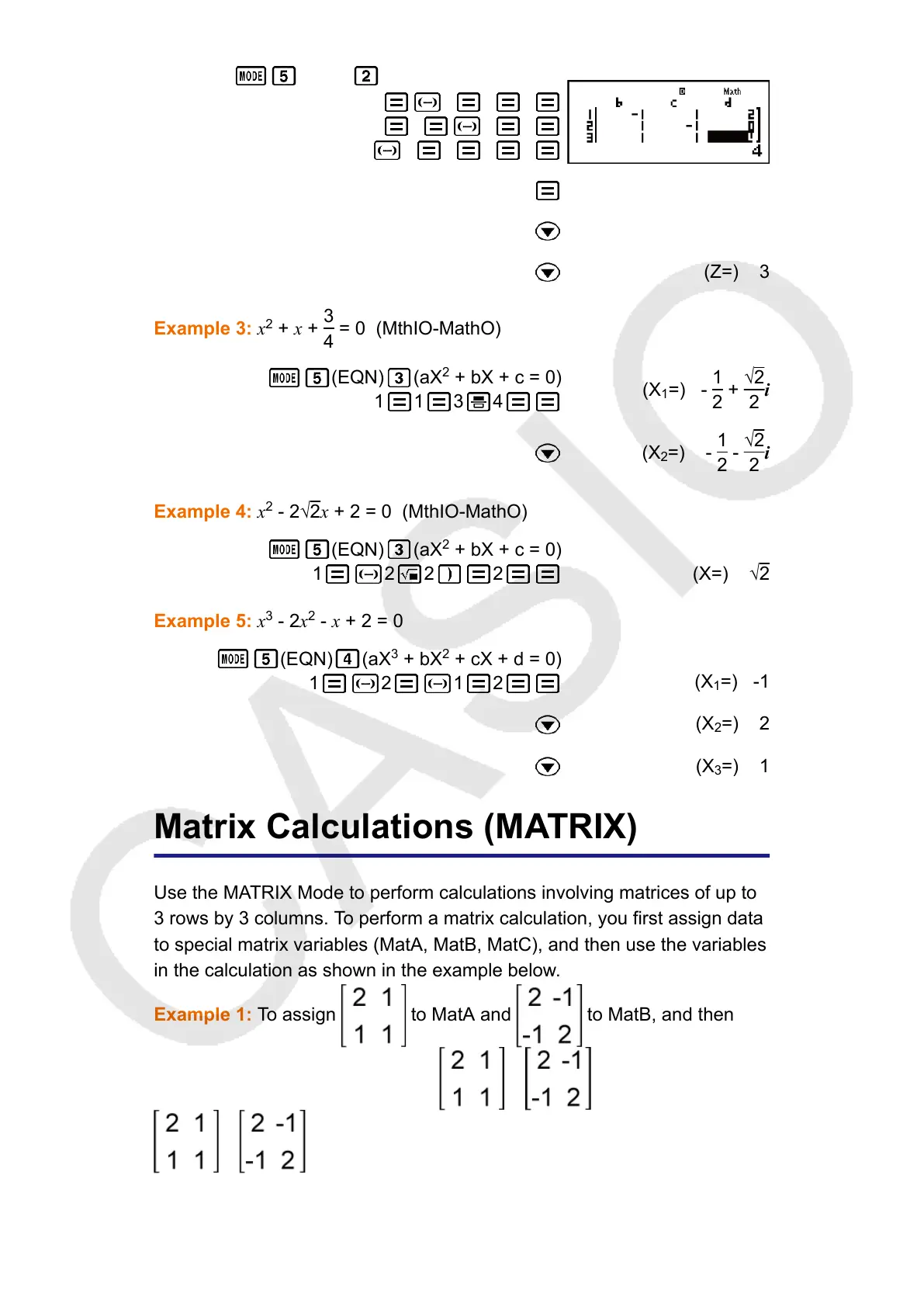
(EQN) (a
n
X + b
n
Y + c
n
Z = d
n
)
1 1 1 2
1 1 1 0
1 1 1 4
(X=) 1
(Y=) 2
(Z=) 3
Example 3: x
2
+ x +
3
4
= 0 (MthIO-MathO)
(EQN) (aX
2
+ bX + c = 0)
1 1 3 4
(X
1
=) -
1
2
+
√2
2
i
(X
2
=) -
1
2
-
√2
2
i
Example 4: x
2
- 2√2x + 2 = 0 (MthIO-MathO)
(EQN) (aX
2
+ bX + c = 0)
1 2 2 2 (X=) √2
Example 5: x
3
- 2x
2
- x + 2 = 0
(EQN) (aX
3
+ bX
2
+ cX + d = 0)
1 2 1 2
(X
1
=) -1
(X
2
=) 2
(X
3
=) 1
Matrix Calculations (MATRIX)
Use the MATRIX Mode to perform calculations involving matrices of up to
3 rows by 3 columns. To perform a matrix calculation, you first assign data
to special matrix variables (MatA, MatB, MatC), and then use the variables
in the calculation as shown in the example below.
Example 1: To assign to MatA and to MatB, and then
perform the following calculations: × (MatA×MatB),
+ (MatA+MatB)
61



 To Next Page