— 30 —
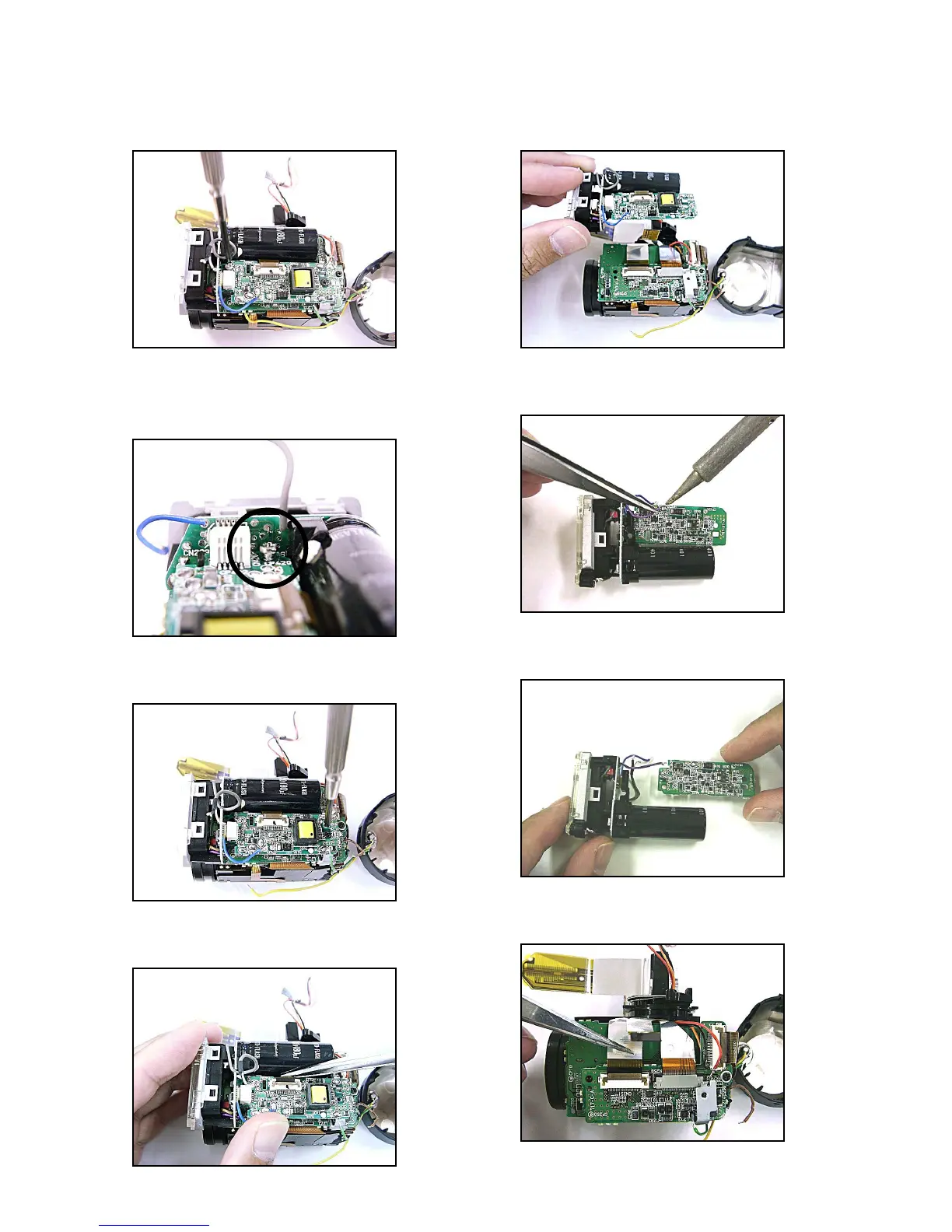
7. Remove the screw. (1.7×12 silver)
✽ tips for the assembly
Tighten the screw as hard as there is a space.
8. Remove the screw.
9. Remove the connector (CN400).
10. Remove the flash block.
11. Unsolder the purple lead wire.
12. Remove the ST-PCB.
13. Remove the connector (CN251).












 To Next Page