EasyManua.ls Logo

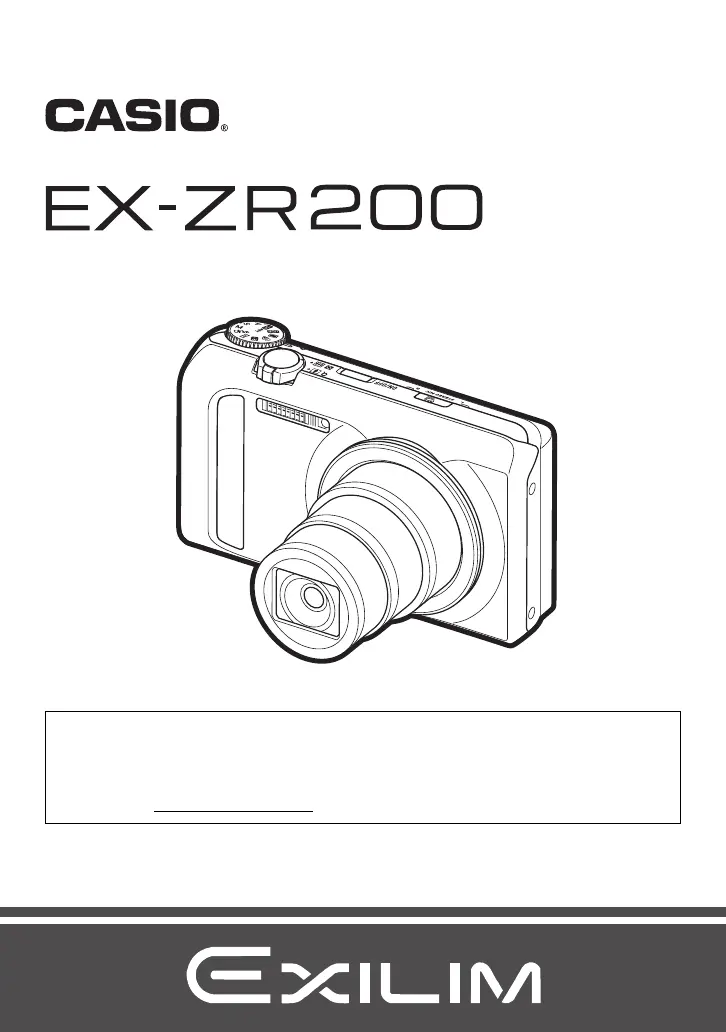
Casio EXILIM EX-ZR200 - User Manual

Casio EXILIM EX-ZR200
201 pages
Print Icon
To Next Page IconTo Next Page
Loading...
Digital Camera
E
User’s Guide
Thank you for purchasing this CASIO product.
Before using it, be sure to read the precautions contained in this User’s Guide.
Keep the User’s Guide in a safe place for future reference.
For the most up-to-date information about this product, visit the official EXILIM
Website at http://www.exilim.com/

Table of Contents

Questions and Answers

  • P
    patricklindaAug 17, 2025
    How to fix Casio Digital Camera if power does not turn on?
    • R
      reesemariaAug 17, 2025
      If your Casio Digital Camera isn't turning on, it could be due to a couple of reasons: * The battery might not be correctly loaded. Ensure it is properly inserted. * The battery may be completely drained. Try charging the battery. If the battery quickly loses its charge after being charged, it likely needs replacing. Consider purchasing a CASIO NP-130 rechargeable lithium ion battery.
  • R
    rcarneyAug 19, 2025
    How to fix Casio Digital Camera auto focus?
    • L
      lealexisAug 20, 2025
      If the auto focus on your Casio Digital Camera isn't working correctly: * Ensure the lens is clean. * Position the subject in the center of the focus frame. * If the subject isn't compatible with Auto Focus, use manual focus. * Avoid moving the camera while shooting, try using Anti Shake or a tripod.
  • J
    Jessica CochranAug 22, 2025
    How to correct date and time on Casio Digital Camera?
    • F
      Faith JonesAug 22, 2025
      If your Casio Digital Camera is displaying or storing the wrong date and time, the date and time setting is off. Set the correct date and time.
  • G
    Gary SullivanAug 25, 2025
    What to do if Casio Digital Camera image is not recorded when shutter button is pressed?
    • M
      milesshannonAug 26, 2025
      If your Casio Digital Camera isn't recording images when you press the shutter button: * Ensure the camera is in REC mode by pressing the REC button. * If the flash is charging, wait for it to finish. * If a “Memory Full” message appears, transfer images to your computer, delete unnecessary ones, or use a different memory card.
  • V
    victornewmanAug 27, 2025
    Why does my Casio EXILIM EX-ZR200 Digital Camera suddenly power down?
    • J
      Jamie DennisAug 27, 2025
      If your Casio Digital Camera is suddenly powering down, here are a few potential causes: 1. The Auto Power Off feature may be enabled. Simply turn the power back on. 2. The battery may be dead. Charge the battery. 3. The camera’s protection function might have activated due to high temperature. Turn off the camera and allow it to cool down before using it again.
  • D
    Donald EdwardsAug 30, 2025
    Why does the flash not fire on my Casio EXILIM EX-ZR200 Digital Camera?
    • B
      brad78Aug 30, 2025
      If the flash on your Casio Digital Camera isn't firing: * Check if the flash mode is set to Flash Off. If it is, change to another mode. * If the battery is low, charge it. * If a BEST SHOT scene using Flash Off is selected, switch to a different flash mode or BEST SHOT scene.
  • M
    Michael RodriguezSep 2, 2025
    What to do if Casio Digital Camera images cannot be transferred over USB?
    • M
      Michael ShahSep 2, 2025
      If you're having trouble transferring images from your Casio Digital Camera via USB: * Ensure the USB cable is securely connected. * Verify that the correct USB communication protocol is selected. * Make sure the camera is turned on. * Connect the camera directly to your computer’s USB port instead of using a USB hub.
  • M
    Mr. Alexander Powell DVMSep 5, 2025
    What to do if Casio EXILIM EX-ZR200 Digital Camera power will not turn off?
    • J
      joseph20Sep 5, 2025
      If your Casio Digital Camera won't turn off and no buttons are responding, remove the battery and then reload it.
  • K
    kosborneSep 7, 2025
    Why does Casio EXILIM EX-ZR200 Digital Camera power down during Self-timer countdown?
    • D
      Dana MercadoSep 8, 2025
      If your Casio Digital Camera powers down during the self-timer countdown, the battery may be low. Charge the battery.
  • S
    Sonya ThompsonSep 10, 2025
    How to change language on Casio EXILIM EX-ZR200 Digital Camera?
    • K
      Kathleen KimSep 10, 2025
      If the messages on your Casio Digital Camera display are in the wrong language, the wrong display language is selected. Change the display language setting.

Summary

Unpacking

Read this first!

LCD Panel

Explains the characteristics of the camera's liquid crystal display panel.

Take test shots

Important shooting advice for ensuring correct image capture.

General Guide

Monitor Screen Contents

Quick Start Basics

What you can do with your CASIO camera

Highlights the camera's main features and functionalities for digital imaging.

First, charge the battery prior to use.

Instructions for powering the camera by charging the battery before initial use.

Configuring Basic Settings the First Time You Turn On the Camera

Guides through initial setup of language, date, and time settings.

Preparing a Memory Card

Instructions for using memory cards with the camera.

Turning the Camera On and Off

Holding the Camera Correctly

To shoot a snapshot

Selecting an Auto Recording Mode

Explains how to choose between automatic shooting modes for snapshots.

Viewing Snapshots

Viewing a Movie

Instructions on how to play back recorded video files on the camera.

Deleting Snapshots and Movies

To delete a single file

Procedure for deleting one specific file from the camera.

Snapshot Shooting Precautions

Snapshot Tutorial

Selecting the Recording Mode

Explains how to choose the appropriate recording mode for different shooting scenarios.

Changing the Image Size (Size)

Specifying ISO Sensitivity (ISO)

Adjusting White Balance (White Balance)

Using Flash (Flash)

Recording Movies

To record a movie

Step-by-step instructions for capturing standard movies.

Using BEST SHOT

What is BEST SHOT?

Explains how to use pre-set shooting modes for optimal results.

To shoot with BEST SHOT

Procedure for selecting and applying BEST SHOT scene modes.

Advanced Settings

Using On-screen Menus

How to navigate and use the camera's menu system for settings.

Reducing the Effects of Camera and Subject Movement (Anti Shake)

Shooting with Face Detection (Face Detection)

Image Quality Settings (Quality)

Viewing Snapshots and Movies

Other Playback Functions (PLAY)

Playing a Slideshow on the Camera (Slideshow)

Playback feature for displaying images in a slideshow format.

Editing a Movie on the Camera (Movie Editing)

Protecting a File Against Deletion (Protect)

Printing

Connecting Directly to a PictBridge Compatible Printer

Instructions for direct printing via PictBridge.

Using the Camera with a Computer

Things you can do using a computer...

Overview of operations possible when the camera is connected to a computer.

To connect the camera to your computer and save files

Procedure for transferring images from the camera to a computer.

Using an Eye-Fi Wireless SD Memory Card to Transfer Images (Eye-Fi)

Other Settings (Set Up)

Adjusting Monitor Screen Brightness (Screen)

How to adjust the brightness of the camera's monitor screen.

Formatting Built-in Memory or a Memory Card (Format)

Resetting the Camera to Factory Defaults (Reset)

Appendix

Precautions during Use

Important safety guidelines and warnings for operating the camera.

Troubleshooting

Display Messages

Specifications

Casio EXILIM EX-ZR200 Specifications

General IconGeneral
BrandCasio
ModelEXILIM EX-ZR200
CategoryDigital Camera
LanguageEnglish

Related product manuals