EasyManua.ls Logo

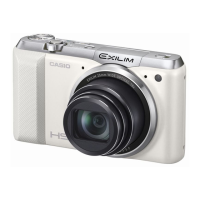
Casio Exilim EX-ZR800 - User Manual

Casio Exilim EX-ZR800
199 pages
Print Icon
To Next Page IconTo Next Page
Loading...
Digital Camera
E
User’s Guide
Thank you for purchasing this CASIO product.
Before using it, be sure to read the precautions contained in this User’s Guide.
Keep the User’s Guide in a safe place for future reference.
For the most up-to-date information about this product, visit the official EXILIM
Website at http://www.exilim.com/

Table of Contents

Questions and Answers

  • J
    jamesprinceAug 9, 2025
    Why won't my Casio Exilim EX-ZR800 turn on?
    • C
      Caroline SmithAug 9, 2025
      If your Casio Digital Camera won't turn on, it could be due to the following reasons: * The battery may not be loaded correctly. Ensure it is properly inserted. * The battery may be discharged. Charge the battery. If the battery dies quickly after charging, it may need to be replaced. Purchase a CASIO NP-130A or NP-130 rechargeable lithium ion battery.
  • H
    Henry BaileyAug 23, 2025
    What to do if my Casio Digital Camera suddenly powers down?
    • B
      Benjamin RuizAug 25, 2025
      If your Casio Digital Camera suddenly powers down, try the following: 1. Turn the power back on, as the Auto Power Off function may have activated. 2. Charge the battery. 3. If the camera's temperature is too high, its protection function may have activated. Turn off the camera and wait until it cools down before trying to use it again.

Casio Exilim EX-ZR800 Specifications

General IconGeneral
TypeCompact
Sensor TypeCMOS
Sensor Resolution16.79 MP
Effective Pixels16.1 MP
Digital Zoom4x
Screen Size3.0 inches
LCD Screen Size3.0 inches
Video Resolution1920 x 1080
Image Sensor1/2.3-inch CMOS
ISO RangeISO 80-3200
ISO SensitivityAuto, 80, 100, 200, 400, 800, 1600, 3200
Maximum ApertureF3.5 (W) - F5.9 (T)
Continuous Shooting Speed30 frames per second
Movie RecordingFull HD (1920 x 1080)
Battery LifeApprox. 470 shots (CIPA standard)

Related product manuals