EasyManua.ls Logo

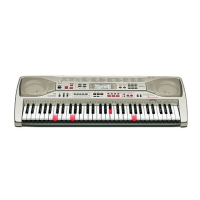
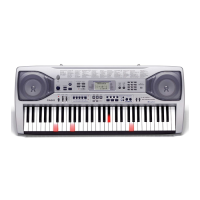
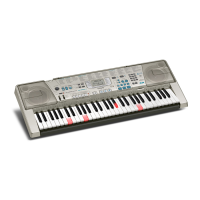
Casio LK-300TV - User Manual

Casio LK-300TV
74 pages
Print Icon
To Next Page IconTo Next Page
Loading...
LK300ES1A
ES
USER’S GUIDE
GUÍA DEL USUARIO

Table of Contents

Other manuals for Casio LK-300TV

Questions and Answers

  • S
    samanthaschultzAug 19, 2025
    Why is there no sound from my Casio Electronic Keyboard?
    • M
      Maureen KaufmanAug 19, 2025
      There might be several reasons for the lack of sound from your Casio Electronic Keyboard: * Check the power supply, ensuring the AC adapter is correctly attached, batteries are correctly oriented (+/–), and batteries are not dead. * Verify that the power is turned on. * Adjust the MAIN VOLUME slider to increase the volume. * Ensure the MODE switch is set to NORMAL, as CASIO CHORD or FINGERED modes prevent normal play. * Confirm that LOCAL CONTROL is turned on.
  • J
    John SnyderAug 21, 2025
    What to do if song play momentarily cuts out during SMF or karaoke play on Casio Electronic Keyboard?
    • S
      Sarah WagnerAug 21, 2025
      If the song play on your Casio Electronic Keyboard cuts out momentarily during SMF or karaoke play, it is likely due to fragmented data. To resolve this: * Save the data under a different name without deleting the original data. * If the data was saved from another location, format the card, save the data again, and try playing it.
  • K
    Kara FosterAug 23, 2025
    What to do if keys are lit but no sound is produced on Casio LK-300TV Electronic Keyboard?
    • P
      Patrick JonesAug 23, 2025
      If the keys are lit on your Casio Electronic Keyboard but no sound is produced, it is likely that the power on alert is reminding you that the power was left on without any operation being performed. Press any button or keyboard key to restore power to normal.
  • R
    Roberta JensenAug 26, 2025
    Why auto accompaniment does not sound on Casio Electronic Keyboard?
    • N
      Nicholas SanchezAug 26, 2025
      The auto accompaniment may not be audible on your Casio Electronic Keyboard because the accompaniment volume is set to 000. To fix this, use the FUNCTION button to increase the volume.
  • L
    longandrewAug 27, 2025
    How to fix static noise when using a microphone with Casio Electronic Keyboard?
    • K
      Kristin WolfeAug 27, 2025
      If you are experiencing static noise when using a microphone with your Casio Electronic Keyboard, it may be due to the microphone's proximity to fluorescent lighting. Move the microphone away from the source of the static.
  • A
    Ashley SchaeferAug 29, 2025
    What to do if Karaoke button does not work on Casio Electronic Keyboard?
    • R
      reginahaasAug 29, 2025
      If the Karaoke button on your Casio Electronic Keyboard does not work, ensure that the keyboard is in Karaoke Mode. Check for the Karaoke icon on the display; if it's absent, use the Song/Piano Bank Controller PLAY/STOP button.
  • B
    Brandon RobertsonSep 1, 2025
    Why auto accompaniment chords do not sound on Casio LK-300TV Electronic Keyboard?
    • O
      Olivia GarciaSep 1, 2025
      If auto accompaniment chords do not sound on your Casio Electronic Keyboard, the keyboard might be in Song Bank mode. Press the RHYTHM button to enter the rhythm mode, indicated by the rhythm indicator on the display.
  • F
    Francis ManningSep 3, 2025
    What to do if I can hear the audio, but the image is unclear on Casio LK-300TV Electronic Keyboard?
    • T
      Tanya HunterSep 3, 2025
      If you can hear the audio but the image is unclear when using your Casio Electronic Keyboard, the keyboard and TV might not be connected correctly. Ensure that you correctly connect the keyboard and TV.
  • A
    Alexander CohenSep 5, 2025
    What to do if sound output does not change when key pressure is varied on Casio LK-300TV Electronic Keyboard?
    • M
      Mindy WestSep 5, 2025
      If the sound output does not change when key pressure is varied on your Casio Electronic Keyboard, the touch response is likely turned off. Press the FUNCTION button to turn it on.
  • R
    Robert GreenSep 7, 2025
    Why I cannot record Auto Accompaniment or rhythm on Casio Electronic Keyboard?
    • S
      Steven SmithSep 7, 2025
      If you cannot record Auto Accompaniment or rhythm on your Casio Electronic Keyboard, the recording track selected might not be Track 1. Use the track select buttons to select Track 1, as Track 2 is the melody track.

Summary

FCC Compliance and Safety Notices

FCC Notice and Declaration of Conformity

Equipment compliance and notice for US usage.

Safety Precautions and Symbol Guide

General Safety Guidelines

Initial safety advice and manual reading.

Understanding Safety Symbols

Explains DANGER, WARNING, CAUTION, and common icons.

Specific Safety Warnings

Battery and AC Adaptor Safety

Precautions for batteries, AC adaptor, and electrical hazards.

Product Handling and Environmental Safety

Physical Safety and Product Placement

Guidelines for handling, placement, and avoiding damage.

Operational Safety Considerations

Usage Environment and Health Precautions

Safe locations, display handling, and health advice.

Main Keyboard Features Overview

Quick Start: Playing the Keyboard

Basic Playback and Step 1 Lesson

Initial steps for playing and starting lessons.

Advanced Lesson and Tune Playback

Power Supply Options

Battery and AC Adaptor Usage

Instructions for powering the keyboard.

Power Management and Memory

Auto Power Off and Power Alerts

Features for managing power and alerts.

Connecting External Devices

Audio Outputs and Pedal Connections

Connecting headphones, audio equipment, and pedals.

Multimedia and Input Connections

Microphone Input and TV Output

Connecting microphones and televisions.

Playing Built-in Song Bank Tunes

Piano Bank Tunes and Tempo Adjustment

Advanced 3-Step Lesson System

Lesson Overview and Interface

Introduction to the lesson system and its display.

Lesson Mechanics and Performance Evaluation

Tempo, Dynamics, and Evaluation Mode

Adjusting tempo, understanding dynamics, and performance assessment.

Lesson Performance and Evaluation Results

Understanding Evaluation Feedback

Interpreting scores and results.

Step-by-Step Lesson Evaluation

Evaluating Step 1 and Step 2 Play

Assessing timing and note accuracy.

Advanced Lesson Practice Modes

Step 3 Play and Phrase Practice

Normal speed play and focusing on difficult sections.

Practice Aids and Tools

Voice Fingering Guide and Metronome

Using vocal cues and the metronome for practice.

Karaoke Microphone Setup

Karaoke Performance Guide

Auto Accompaniment Basics

Auto Accompaniment Playback Controls

Auto Accompaniment Chord Types

Advanced Accompaniment Methods

Song Memory Function Overview

Song Memory Data Management

Recording and Playing Back Lessons

Performance Recording and Data Handling

Advanced Song Memory Recording Techniques

Overdubbing and Data Deletion

Keyboard Layering Tones

Keyboard Split Functionality

Advanced Keyboard Settings

Keyboard Response and Volume Adjustments

Connecting to a Computer via USB

Computer Connection Setup and Data Expansion

MIDI Communication and Channel Settings

MIDI Control and Pedal Assignments

Using Memory Cards

Memory Card Preparation and Formatting

Reading Data from Memory Cards

Troubleshooting Memory Card Errors

Memory Card Error Messages and Solutions

Identifying and resolving common card errors.

Memory Full Error Handling

Managing SMF Data Storage Space

Dealing with full memory and data deletion.

Troubleshooting Common Keyboard Issues

No Sound and Power Problems

Solutions for basic operational problems.

Advanced Troubleshooting Scenarios

Connectivity and Display Issues

Resolving problems with computer connections or TV display.

USB MIDI Message Compatibility

MIDI Control and System Settings

Casio LK-300TV Specifications

General IconGeneral
MIDI-keyboard number of keys61 keys
InterfaceUSB
DC-in jackYes
Dimensions (WxDxH)960 x 375 x 140 mm
Weight and Dimensions IconWeight and Dimensions
Weight5400 g

Related product manuals