EasyManua.ls Logo

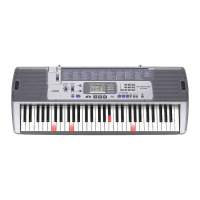
Casio LK-35 - User Manual

Casio LK-35
48 pages
Print Icon
To Next Page IconTo Next Page
Loading...
LK35-ES-1
P
USER’S GUIDE
GUÍA DEL USUARIO
LK35_ES_cover.p65 03.7.4, 11:40 AMPage 1 Adobe PageMaker 6.5J/PPC

Table of Contents

Questions and Answers

  • M
    Monique GutierrezAug 12, 2025
    What to do if Casio LK-35 Electronic Keyboard won't play correctly in Step 1?
    • J
      Joseph McbrideAug 12, 2025
      If you're having trouble playing correctly even when pressing the lit keys in Step 1 on your Casio Electronic Keyboard, it might be because you're pressing multiple keys simultaneously. When using Step 1, ensure you press the keys one at a time.
  • T
    Travis AndersenAug 16, 2025
    How to fix no sound on Casio LK-35 Electronic Keyboard?
    • J
      jessicasmithAug 16, 2025
      If your Casio Electronic Keyboard produces no sound when keys are pressed, several factors could be at play. First, verify the AC adaptor is correctly attached and that batteries are correctly installed and not depleted. Next, ensure the volume isn't set to zero by pressing the VOLUME button. Also, unplug any headphones from the PHONES/OUTPUT jack. If the POWER/MODE selector is set to CASIO CHORD or FINGERED, switch it to NORMAL for regular play. Finally, if Tone “99 PERCUSSION” is selected, remember that only keys to the left of B4, marked with percussion instrument illustrations, will produce sound.
  • J
    Jennifer AllenAug 19, 2025
    What to do if Casio LK-35 has low volume or other power issues?
    • K
      Kyle ColemanAug 19, 2025
      If your Casio Electronic Keyboard exhibits issues like a dim power indicator, difficulty turning on, a hard-to-read display, low volume, distorted sound, sound interruptions, sudden power failures, display dimming during high volume, abnormal rhythm patterns, or keyboard light dimming, the batteries are likely low. Replace them with a fresh set, or switch to using the AC adapter.
  • R
    Rebekah Schneider DVMAug 23, 2025
    Why rhythm button does not work on Casio Electronic Keyboard?
    • E
      Elizabeth AndersonAug 23, 2025
      If the rhythm button on your Casio Electronic Keyboard isn't working, it's likely because the keyboard is in Song Bank Mode. To resolve this, simply press the SONG BANK button to return to Normal Mode.
  • S
    swallaceAug 27, 2025
    Why do the Casio LK-35 keys remain lit?
    • A
      Adam HoltAug 27, 2025
      If the keys on your Casio Electronic Keyboard remain lit, the keyboard is waiting for you to play in Step 2. Press the lit keys to continue with Step 2, or press the START/STOP button to exit Step 2.
  • L
    Laura RojasAug 31, 2025
    What to do if Casio Electronic Keyboard keys light up but no sound?
    • D
      Dr. Heather MullenAug 31, 2025
      If the keys on your Casio Electronic Keyboard light up but produce no sound, the power-on alert is active, indicating that the power is still on. Press any button or key on the keyboard to resume normal operation and return to the initial power-on settings.
  • M
    Mark DonovanSep 3, 2025
    Why song bank tone does not change on Casio LK-35 Electronic Keyboard?
    • T
      Thomas ColemanSep 3, 2025
      If the Song Bank tone on your Casio Electronic Keyboard doesn't change, it could be because you've selected a two-hand Song Bank tune (numbers 85 through 99). To change the tone, switch to an auto-accompaniment Song Bank tune (numbers 00 to 84), as tone settings cannot be altered for two-hand tunes.
  • B
    Brian CastroSep 7, 2025
    Why can't I change transpose/tune settings on Casio LK-35 Electronic Keyboard?
    • T
      Tina PhillipsSep 7, 2025
      If you're unable to change the TRANSPOSE/TUNE settings on your Casio Electronic Keyboard, it's likely because the keyboard is in Song Bank Mode or demo tune play is in progress. Press the SONG BANK button to return to Normal Mode, or stop the demo tune play.

Summary

Main Features

Safety Precautions

Symbols and Warnings

Explanation of warning symbols and initial safety cautions for AC adaptor and instrument placement.

Handling and Operation Warnings

Covers precautions for liquid containers, disassembly, abnormalities, accidental drops, and child safety.

Power and Environment Safety

Safety advice regarding AC adaptors, batteries, transport, and environmental conditions like humidity and dust.

Quick Reference

Power Supply

Basic Operations

Power, Tones, and Keyboard Modes

Instructions for switching the keyboard on/off and selecting different tone sounds.

Playing Rhythms

Auto-Accompaniment Overview

Explanation of the auto-accompaniment feature and its use with chords.

Three Step Lesson System

Three Lesson Steps

Detailed explanation of Step 1 (Easy Play), Step 2 (Slow Play), and Step 3 (Normal Play).

Technical Reference

Troubleshooting Guide

A guide to diagnosing and resolving common problems experienced with the keyboard.

Specifications

Casio LK-35 Specifications

General IconGeneral
BrandCasio
ModelLK-35
CategoryElectronic Keyboard
LanguageEnglish

Related product manuals