EasyManua.ls Logo

Casio ML-2 - User Manual

Casio ML-2
17 pages
Print Icon
To Next Page IconTo Next Page
Loading...
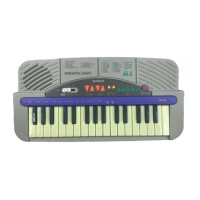
ELECTRONIC KEYBOARD
(with price)
ML-2
ML-2

Questions and Answers

  • T
    tara92Aug 4, 2025
    What to do if my Casio ML-2 has no power?
    • D
      durhamnicoleAug 4, 2025
      If your Casio Musical Instrument isn't powering on, check the power supply circuit. The base of T1 should receive +6V, and the emitter of T1 should provide +5.6V. Also, inspect the power switch and the power jack (J1) for any contact issues.
  • B
    brian42Aug 10, 2025
    Why is there no sound coming from my Casio Musical Instrument?
    • K
      klaneAug 10, 2025
      If your Casio Musical Instrument has no sound, several components could be the cause. Here's what to check: 1. **Power Amp (IC1: AN8053N):** Pin 16 should receive +7.5V when the power is on, and the voltage at pin 14 should drop to 0V. Also, check the output signal of pin 1. 2. **CPU (LSI1: MSM6521-11):** Voltage at pin 27 should rise from 0V to 5.6V when the power is turned on. Pins 39-46 should provide pulses, and pin 29 should have a sound signal when a key is pressed. 3. **Oscillator (XL1):** Pins 20 and 21 of the CPU should receive an oscillation signal.
  • S
    Sally WhiteAug 16, 2025
    What to do if certain keys or switches do not function on my Casio ML-2 Musical Instrument?
    • J
      Jamie ThomasAug 16, 2025
      If certain keys or switches on your Casio Musical Instrument aren't working, the issue might be with the Key and Switch Matrix. Check for an open circuit on the KC or KI line.
  • J
    Jessica RodriguezAug 22, 2025
    What to do if a certain key or switch does not function on my Casio ML-2?
    • S
      Samuel RodriguezAug 22, 2025
      If a specific key or switch on your Casio Musical Instrument isn't working, it could be due to dust on the contact within the Key and Switch Matrix. Clean the contacts to resolve this.
  • W
    Wendy WilliamsAug 28, 2025
    How to fix keyboard LEDs that don't light up on my Casio Musical Instrument?
    • K
      Kevin MartinAug 28, 2025
      If the keyboard LEDs on your Casio Musical Instrument aren't lighting up, there may be an open circuit on the LX or LY line within the Keyboard LED Matrix.

Summary

Specifications

General Specifications

Details on keys, polyphony, rhythms, demo tunes, lesson functions, speaker, terminals, power source, dimensions, and weight.

Electrical Specifications

Electrical characteristics including current drain, output levels, and minimum operating voltage.

Block Diagram

Circuit Description

CPU (LSI1: MSM6521-11)

Description of the CPU's function, sound data ROM, DAC, and pin functions of LSI1.

Filter Block

Explanation of the filter block used to smooth the sound signal waveform.

Troubleshooting

Schematic Diagrams

PCB View and Major Waveforms

Exploded View

IC Lead Identification

Parts List

Main PCB Assembly

List of parts for the main printed circuit board assembly (JCM605-MA1M/MA2M).

LED PCB Assembly

List of parts for the LED printed circuit board assembly (JCM605-LD1M/LD2M).

Mechanical Parts

List of mechanical components such as cases, knobs, buttons, and screws.

Casio ML-2 Specifications

General IconGeneral
BrandCasio
ModelML-2
CategoryMusical Instrument
LanguageEnglish

Related product manuals