EasyManua.ls Logo

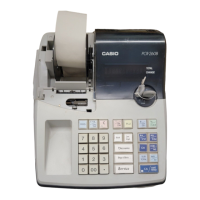
Casio PCR-262 - User Manual

Casio PCR-262
3 pages
Print Icon
To Next Page IconTo Next Page
Loading...
START-UP is QUICK and EASY!
Simple to use!
10 departments and 100 PLUs
Automatic Tax Calculations
Calculator function
User's Manual
CI
Canada
PCR-262/CE-160
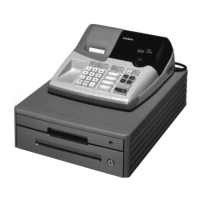
Electronic Cash Register
CASIO COMPUTER CO., LTD.
6-2, Hon-machi 1-chome
Shibuya-ku, Tokyo 151-8543, Japan
Casio PCR-262 and CE160 users and programming ManualCasio PCR-262 and CE160 users and programming Manual

Other manuals for Casio PCR-262

Questions and Answers

  • K
    karajacksonJul 26, 2025
    What to do if E94 appears on Casio PCR-262 Cash Register display?
    • M
      Michael ThompsonJul 26, 2025
      If E94 appears on the display of your Casio Cash Register, it indicates that the printer paper is jammed. Remove the jammed paper. Then, turn the Mode switch to OFF and then to ON. Alternatively, you can turn the power OFF and then turn it back ON.
  • S
    Sean AlvarezJul 30, 2025
    What to do if E01 appears on the Casio Cash Register display?
    • S
      Sydney MillerJul 30, 2025
      If E01 appears on the display of your Casio Cash Register, it means you are changing modes without completing a transaction. Return the mode switch to where it stops buzzing and press CA AMT . = TEND.
  • N
    nicole54Aug 5, 2025
    Why is there no date or time on the receipt and the paper is not advancing enough on my Casio PCR-262?
    • J
      Jessica HintonAug 5, 2025
      If there is no date or time on the receipt and the paper is not advancing enough on your Casio Cash Register, it means the printer is programmed as a journal. Program the printer to print receipts instead.
  • J
    Jason WilsonAug 9, 2025
    Why does my Casio PCR-262 lose programming when unplugged?
    • D
      Daniel WilsonAug 9, 2025
      If your Casio Cash Register loses programming whenever it is unplugged or there is a power outage, the cause is likely bad or missing batteries. To resolve this, put in new batteries.
  • V
    Victoria ParkerAug 14, 2025
    What to do if Casio PCR-262 is inoperative and I can’t get money out of the drawer?
    • B
      Brittany JonesAug 15, 2025
      If your Casio Cash Register is inoperative and you cannot open the drawer, this is due to no power. Pull the lever underneath the register at the rear to manually open it.
  • S
    Stephanie WardAug 19, 2025
    Why does the drawer open after ringing up only one item on my Casio PCR-262?
    • C
      Cynthia WrightAug 19, 2025
      If the drawer opens after ringing up only one item on your Casio Cash Register, it is because the department is programmed as a single item department. Program the department as a normal department to fix this.

Summary

Electronic Cash Register Users Manual

Introduction to the Cash Register

Overview of the PCR-262/CE-160 Electronic Cash Register, highlighting its ease of use and key features like department and PLU management.

Getting Started with Your Cash Register

Unpacking the Cash Register

Instructions and visual guide for unpacking the electronic cash register and identifying its main components.

Casio PCR-262 Specifications

General IconGeneral
BrandCasio
ModelPCR-262
CategoryCash Register
LanguageEnglish

Related product manuals