EasyManua.ls Logo

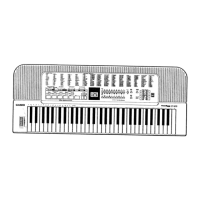
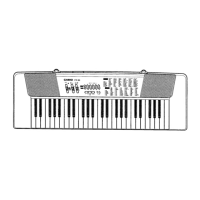
Casio TONEBANK MA-120 - Preset Tones; To Select a Preset Tome; Keyboard Split Tones

Casio TONEBANK MA-120
10 pages
Print Icon
To Next Page IconTo Next Page
To Previous Page IconTo Previous Page
Loading...
4
Preset
Tones
“Refer
to
the
general
guide
found
on
page
4-5
for
exact
locations
of
this
keyboard
controls
and
connections.
MTo
select
a
preset
tone
There
are
100
preset
tones
to
choose
from.
Each
tone
has
a
2-digit
number.
To
select
a
preset
tone,
find
its
preset
tone
number
in
the
100
SOUND
TONE
BANK
list
on
the
keyboard’s
top
panel,
and
enter
the
number
using
the
SELECT
button.
*“BRASS
ENS”
tone
(No.
00)
is
selected
automatically
whenever
you
switch
the
power
of
the
keyboard
ON.
To
select
“ELEC
GUITAR"
(No.
25)
after
selecting
“VIBRAPHONE”
(No.
50).
Selected
tone
@)Set
the
POWER/CHORD
switch
to
the
ON
position.
At
this
time
“BRASS
ENS”
(No.
00)
is
selected
automatically.
aan
POWEA/CHORO
(S33}
FiwGERED-ON
ag
|
@)Press
TONE
BANK
button.
No.
00
BRASS
ENS
(3)
Press
SELECT
button
“5”
and
then
“O"
to
select
“VIBRAPHONE”.
(4)Press
SELECT
button
“2”
and
then
5"
to
select
“ELEC
GUITAR”.
:
'
No.
50
©
*
©
|
vipRAPHONE
No.
25
ELEC
GUITAR
You
can
also
change
the
selected
tone
by
pressing
only
one
SELECT
button.
Note
the
following:
Selected
tone
~
Press
—&>
Newly
selected
tone
No.
50
0
;
No.
00
No.
00
2
No.
02
No.
02
No.
25
4.
Preset
Tones
|
Mi
Keyboard
split
tones
some
Tone
Bank
selection
split
the
keyboard
and
assign
two
or
four
sounds
to
keyboard.
Then,
the
sound
produced
depends
on
what
position
of
the
keyboard
you
play.
For
example,
BASS/PIANO
(No.
91)
puts
BASS
on
the
left
and
PIANO
on
the
right
of
the
keyboard.
poem
Scan
sass
‘‘BASS/PIANO”
(No.
91)
IMPORTANT
Some
of
the
100
tone
available
with
this
keyboard
are
designed
for
play
at
less
than
maximum
volume.
This
means
that
a
“MAX”
volume
setting
may
cause
distortion
of
certain
tones.
Should
this
happen,
use
the
VOLUME
slider
to
make
appropriate
adjustment.

Related product manuals