EasyManua.ls Logo

Casio TONEBANK MA-120 - Auto-Rhythms

Casio TONEBANK MA-120
10 pages
Print Icon
To Next Page IconTo Next Page
To Previous Page IconTo Previous Page
Loading...
;
|
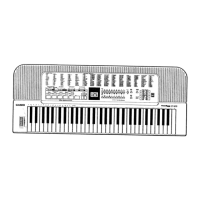
Auto-rhythms
“Refer
to
the
general
guide
found
on
page
4-5
for
exact
locations
of
this
keyboard
controls
and
connections.
|
M
To
select
an
auto-rhythm
There
are
100
auto-rhythms
to
choose
from.
Each
rhythm
has
a
2-digit
number.
To
select
an
auto-rhythm,
find
its
rhythm
number
in
the
100
PATTERN
BEAT
BANK
list
on
the
keyboard’s
top
panel,
and
enter
the
number
using
the
SELECT
button.
"
“ROCK
1”
rhythm
(No.
00)
is
selected
automatically
whenever
you
switch
the
power
of
the
keyboard
ON.
To
select
“HIP
HOP
1”
(No.
25)
after
selecting
“ROCK’N’ROLL
1”
(No.
50).
()
Set
the
POWER/CHORD
switch
to
the
ON
position.
At
this
time
“ROCK
1”
(No.
00)
is
selected
automat-
O
rowerscuoro
ically.
[EAS
Pr
mcenro-on
(Fowtn}-
ov"
-
om
|
(2)Press
BEAT
BANK
button.
(3)
Press
SELECT
button
“5”
and
then
0"
to
select
“ROCK’N'ROLL
1”.
(4)Press
SELECT
button
“2”
and
then
“5”
to
select
“HIP
HOP
1”.
:
No.
50
©
*
©
|ROCK’N'ROLL
1
No.
25
HIP
HOP
1
You
can
also
change
the
selected
rhythm
by
pressing
only
one
SELECT
button.
Note
the
following:
Selected
rhythm=>
Press
©
Newly
selected
rhythm
No.
50
0
.
No.
00
No.
00
2
No.
02
No.
02
5
No.
25
9.
Auto-rhythms
|
MTo
play
an
auto-rhythm
(After
selecting
an
auto-rhythm,
press
START/STOP
button
to
start
the
rhythm.
(2)Adjust
the
tempo
using
the
TEMPO
contro!
buttons.
Each
press
of
A
speeds
up
the
tempo,
while
pressing
WV
slows
it
down.
"
Tempo
of
the
auto-rhythm
can
be
adjusted
between
40
and
256
beats
per
minute.
«2
You
can
adjust
the
relative
volume
of
the
rhythm
by
using
the
ACCOMP
VOLUME
slider.
@)Press
START/STOP
button
again
to
stop
auto-rhythm
play.
‘M
Using
FILL-IN
button
When
FILL-IN
button
is
pressed
during
auto-rhythm
play,
an
appropriate
fill-in
pat-
tern
is
inserted
in
the
rhythm
pattern.
If
the
button
is
held
down,
the
fill-in
pattern
is
repeated
until
the
end
of
the
measure
during
which
the
button
is
released.
NOTE:
¢When
playing
an
auto-rhythm,
the
polyphony
of
each
preset
tone
is
limited
as
listed
below;
Tone
No.
06,
07,
08, 09,
11,
12,
13,
|
15,
16,
22,
24,
26,
40,
42,
44,
46,
50,
91,
94,
98
Other
tones
6-note
polyphonic
3-note
polyphonic

Related product manuals