EasyManua.ls Logo

Casio TV-400 - Page 5

Casio TV-400
16 pages
Print Icon
To Next Page IconTo Next Page
To Previous Page IconTo Previous Page
Loading...
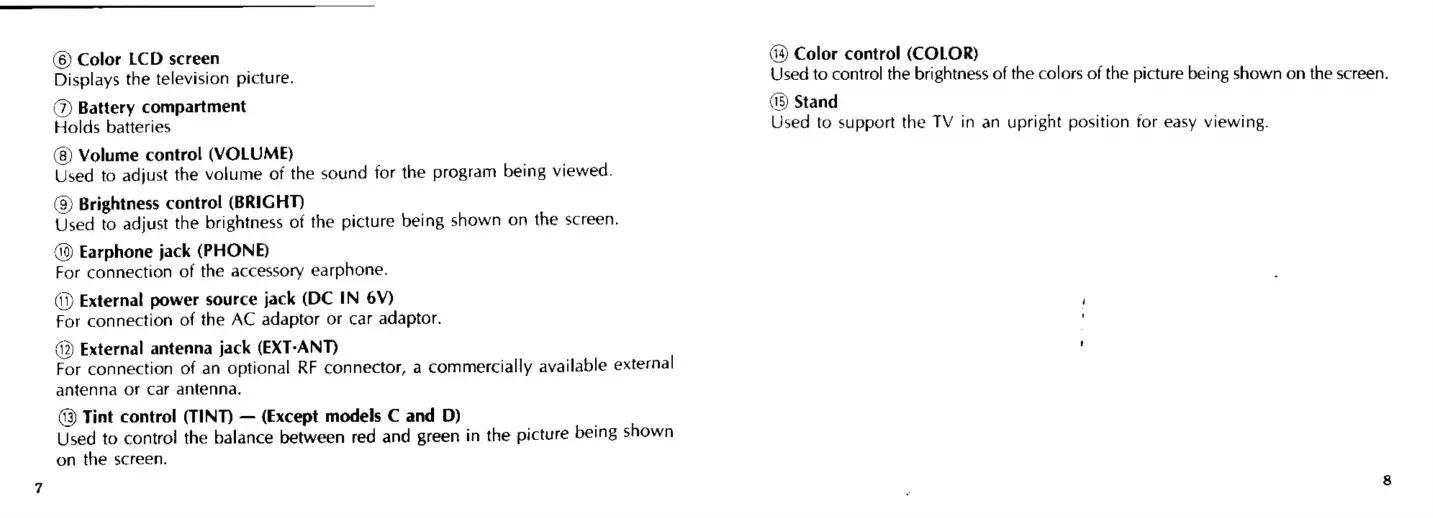
(6)
Color
LCD
screen
Displays
the
television
picture.
(7)
Battery
compartment
Holds
batteries
(8)
Volume
control
(VOLUME)
Used
to
adjust
the
volume
of
the
sound
for
the
program
being
viewed.
(9)
Brightness
control
(BRIGHT)
Used
to
adjust
the
brightness
of
the
picture
being
shown
on
the
screen.
(0)
Earphone
jack
(PHONE)
For
connection
of
the
accessory
earphone.
(i)
External
power
source
jack
(DC
IN
6Y)
For
connection
of
the
AC
adaptor
or
car
adaptor.
42)
External
antenna
jack
(EXT-ANT)
For
connection
of
an
optional
RF
connector,
a
commercially
available
external
antenna
of
Car
antenna.
(3)
Tint
control
(TINT)
(Except
models
C
and
D)
Used
to
control
the
balance
between
red
and
green
in
the
picture
being
shown
on
the
screen.
44)
Color
control
(COLOR)
Used
to
control
the
brightness
of
the
colors
of
the
picture
being
shown
on
the
screen.
(15)
Stand
Used
to
support
the
TV
in
an
upright
position
tor
easy
viewing.

Related product manuals