EasyManua.ls Logo

Casio TV-400 - Optional Power Sources

Casio TV-400
16 pages
Print Icon
To Next Page IconTo Next Page
To Previous Page IconTo Previous Page
Loading...
TUNING
|
Tuning
indicator
4)
Press
either
the’~
Jor!
~
tuning
key
and
the
tuning
indicator
will
begin
to
search
for
a
receivable
channel.
2)
When
a
receivable
channel
is
found,
the
indicator
will
stop.
(3)
Continue
pressing
either
of
the
tuning
keys
until
the
desired
channel
is
found.
——
NOTES
The
tuning
indicator
‘“‘wraps
around”
from
the
bottom
of
the
channel
dis-
play
to
the
top
and
vice
versa.
Example:
If
the
tuning
indicator
is
at
channel
13
in
VHF,
pressing“
~
|will
cause
the
indicator
to
return
to
channel
2.
Under
poor
reception
conditions,
the
tuning
indicator
may
continue
to
move
without
stopping
because
the
auto
tuner
cannot
detect
weak
broadcasts.
In
this
case,
use
a
commercially
available
external
antenna
or
relocate
the
TV
to
a
place
where
reception
is
better.
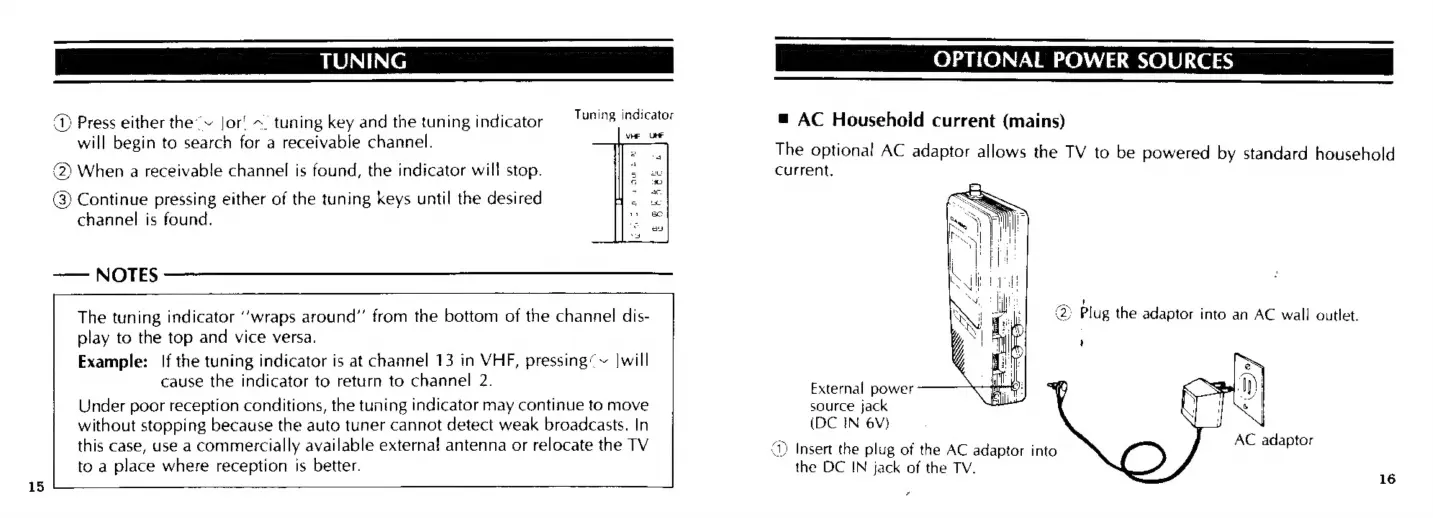
1)
Insert
the
plug
of
the
AC
adaptor
into
OPTIONAL
POWER
SOURCES
@
AC
Household
current
(mains)
The
optional
AC
adaptor
allows
the
TV
to
be
powered
by
standard
household
current,
External
power
source
jack
(DC
IN
6¥V}
AC
adaptor
the
DC
IN
jack
of
the
TV.
oa
16

Related product manuals