EasyManua.ls Logo

Casio VZ-10M - Page 42

Casio VZ-10M
113 pages
Print Icon
To Next Page IconTo Next Page
To Previous Page IconTo Previous Page
Loading...
09
ENVELOPE
(DCA)
Lees
c
=a
—=
(See
STEP
=SI~s8
Graphic
Editing
YES
Seats
nee:
aman
SGSTAIN
STEP
GNTERNAL
ke)
ED=END
(CARD
key)
|
begat
MEN
10)
MENU
FL)
5
——"
%
uy
|
fpr
ss
P—™
|
|
W744]
Pat
2
J
i}
ae
|
{|
This
function
basically
contains
8
“STEPs
is
broken
down
into
RATEs
and
LEVELS
which
you
can
lise
to
create
8-step
(maximum)
amplitude
envelopes
for
‘each
module
(M1
~M&),
determine
how
the
amplitude
(remember,
amplitude
=
loudness)
of
each
module
changes
‘overtime.
In
other
words,
the
sound
attack
and
decay,
and
all
the
changes
in
volume
which
the
sound
goes
through
in
between.
Furthermore,
as
mentioned
in
the
section
on
the
PD
Sound
Source
on
Page
12,
if
the
module
LINE
is
set
to
EXT
PHASE
for
the
next
LINE,
ENVELOPE
DCA
affects
the
timbre
of
the
succeeding
LINE
(For
more
information
on
ENVELOPES,
RATEs,
LEV-
ELs
and
STEPS,
refer
to
the
VZ-10M
Sound
Seminar
on
page
92.)
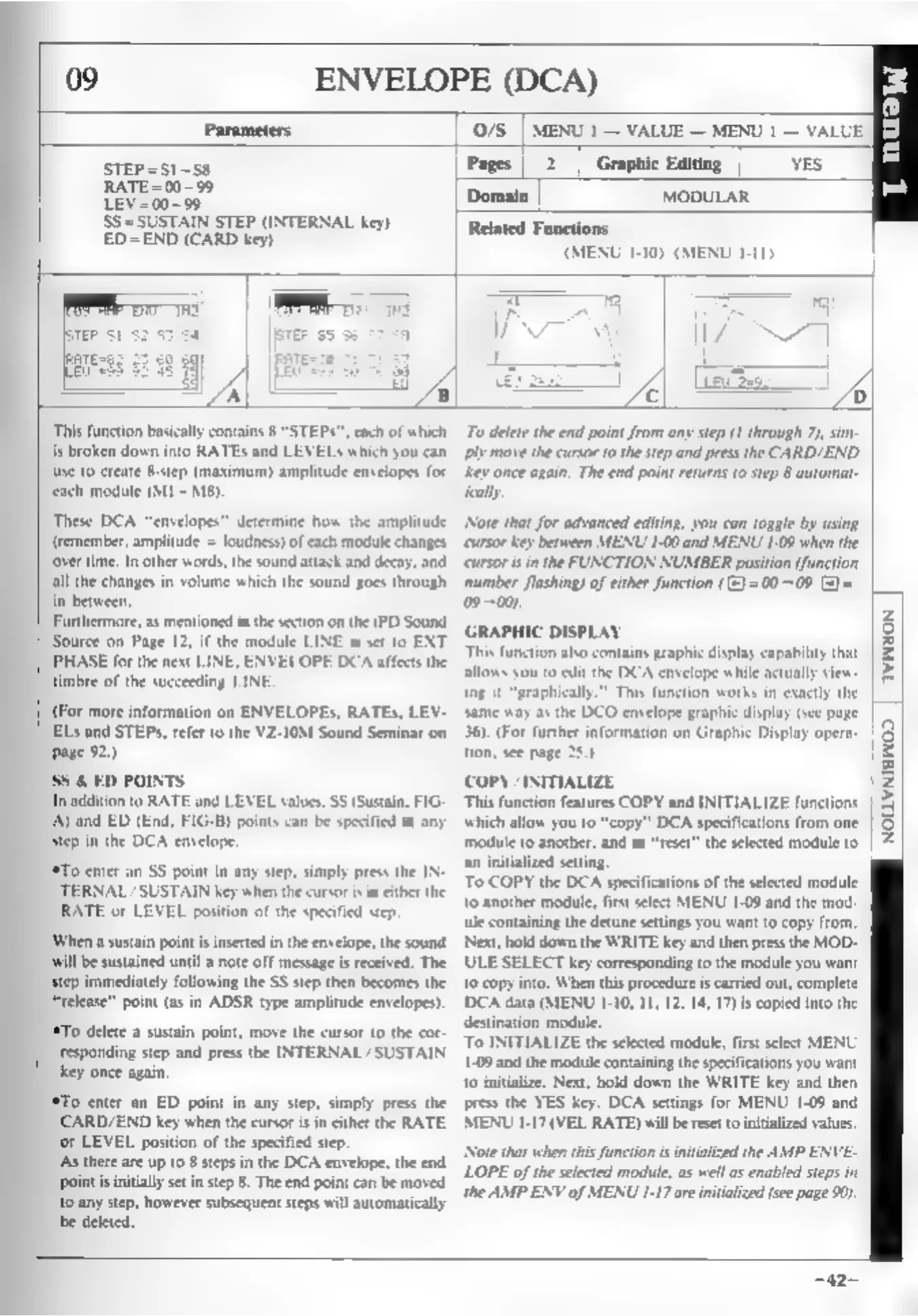
SS
&
ED
POINTS
In
addition
to
RATE
and
LEVEL
values,
SS
(Sustain,
FIG.
A)
and
ED
(End,
F1G-B)
points
can
be
specified
at
any
step
in
the
DCA
envelope.
‘To
enter
an
SS
point
in
any
step,
simply
press
the IN-
TERNAL
/SUSTAIN
key
when
the
cursor
is
in
ether
the
RATE
or
LEVEL
position
of
the
specified
step.
‘When
a
sustain
points
inserted
in
the
envelope,
the
sound
Will
be
sustained
until
a
note
off
message
is
received.
The
step
immediately
following
the
SS
step
then
becomes
the
“release”
point
(as
in
ADSR
type
amplitude
envelopes).
‘*To
delete
a
sustain
point,
move
the
cursor
to
the
cor-
responding
step
and
press
the
INTERNAL
/SUSTAIN
key
once
again.
To
enter
an
ED
point
in
any
step,
simply
press
the
CARD/END
key
when
the
cursor
isin
either
the
RATE,
‘or
LEVEL
position
of
the
specified
step.
As
there
are
up
to
8
steps
in
the
DCA
envelope,
the
end
‘Point
is
intially
set
in
step
8.
The
end
point
can
be
moved
to
any
step,
however
subsequent
steps
will
automatically
bbe
deleted.
To
delete
the
end
point
from
any
step
(1
through
7),
sim
ply
move
the
cursor
to
the
step
and
press
the
CARD/END
‘ey
once
again.
The
end
point
returns
to
step
8
automat-
‘cally.
Note
that
for
advanced
editing,
you
can
toggle
by
using
‘cursor
key
between
MENU
1-00
and
MENU
1-09
when
the
cursor
sin
the
FUNCTION
NUMBER
position
(function
number
flashing)
of
either
function
((=)
=
00-+09
(2)
=
09-00)
GRAPHIC
DISPLAY
This
function
also
contains
graphic
display
capability
that
allows
you
to
eit
the
DCA
envelope
while
actually
view:
ing
it
“graphically.”
This
function
works
in
exactly
the
same
way
as
the
DCO
envelope
graphic
display
(see
page
36).
(For
further
information
on
Graphic
Display
opera-
jon,
see
page
28.)
COPY
/INITIALIZE
This
function
features
COPY
and
INITIALIZE
functions
which
allow
you
to
“copy”
DCA
specifications
from
one
‘module
to
another,
and
to
“reset”
the
selected
module
to
an
initialized
seting.
To
COPY
the
DCA
specifications
of
the
selected
module
to
another
module,
first
select
MENU
1-08
and
the
mod-
ule
containing
the
detune
settings
you
want
to
copy
from.
Next,
hold
down
the
WRITE
key
and
then
pres
the
MOD-
ULE
SELECT
key
corresponding
to
the
module
you
want
to
copy
into.
When
this
procedure
is
carried
out,
complete
DCA
data
(MENU
1-10,
11,12,
14,
17)is
copied
into
the
destination
module.
To
INITIALIZE
the
selected
module,
firs
select
MENU
1-09
and
the
module
containing
the
specifications
you
want
to
initialize.
Next,
hold
down
the
WRITE
key
and
then
press
the
YES
key.
DCA
settings
for
MENU
1-09
and
MENU
1-17
(VEL
RATE)
will
be
reset
to
initialized
values.
[Note
that
when
this
function
is
inialzed
the
AMP
ENVE-
LOPE
of
the
selected
modiule,
as
wel
as
enabled
steps
in
the
AMP
ENV
of
MENU
1-17
are
initialized
(see
page
9)
NOLLWNIGWOD
|
=42-