EasyManua.ls Logo

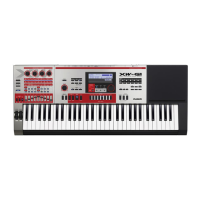
Casio XW-P1 - User Manual

Casio XW-P1
111 pages
Print Icon
To Next Page IconTo Next Page
Loading...
XW-P1/XW-G1
MIDI Implementation
CASIO COMPUTER CO., LTD.
Contents
I MIDI Message Overview 9
1 Product Configuration as a MIDI Device 9
1.1 System Section . . . . . . . . . . . . . . . . . . . . . . . . . . . . . . . . . . . . . . . . . . 9
1.2 Performance Controller Section . . . . . . . . . . . . . . . . . . . . . . . . . . . . . . . . . 9
1.3 Sound Generator Section . . . . . . . . . . . . . . . . . . . . . . . . . . . . . . . . . . . . 9
2 Timbre Type Specific Operation 10
3 Controlling Send/Receive of MIDI Messages in Each Instrument Part 10
4 Conditions that Disable Message Send and Receive 10
II Channel Message 11
5 Note Off 11
6 Note On 11
7 Control Change 12
7.1 Bank Select (00H,20H) . . . . . . . . . . . . . . . . . . . . . . . . . . . . . . . . . . . . . 12
7.2 Modulation (01H) . . . . . . . . . . . . . . . . . . . . . . . . . . . . . . . . . . . . . . . . 13
7.3 Portamento (05H)(Solo Synthesizer tone selected) . . . . . . . . . . . . . . . . . . . . . . 13
7.4 Data Entry (06H,26H) . . . . . . . . . . . . . . . . . . . . . . . . . . . . . . . . . . . . . . 13
7.5 Volume (07H) . . . . . . . . . . . . . . . . . . . . . . . . . . . . . . . . . . . . . . . . . . 13
7.6 Pan (0AH) . . . . . . . . . . . . . . . . . . . . . . . . . . . . . . . . . . . . . . . . . . . . 14
7.7 Expression (0BH) . . . . . . . . . . . . . . . . . . . . . . . . . . . . . . . . . . . . . . . . 14
7.8 General Use Controllers 1 through 8 (10H through 13H, 50H through 53H) . . . . . . . . 14
7.9 Hold1 (40H) . . . . . . . . . . . . . . . . . . . . . . . . . . . . . . . . . . . . . . . . . . . 15
7.10 Portamento On/Off(41H)(Solo Synthesizer tone selected) . . . . . . . . . . . . . . . . . . 15
1

Table of Contents

Other manuals for Casio XW-P1

Questions and Answers

  • T
    Tammy JonesAug 18, 2025
    Why won't my Casio Synthesizer power on?
    • G
      Gloria AustinAug 18, 2025
      If your Casio Synthesizer isn't turning on, ensure the AC adapter is correctly connected or that the batteries are properly installed. If using batteries, try replacing them with new ones or switch to AC adapter power.
  • G
    Gary MarksAug 20, 2025
    What to do if no sound comes out of my Casio Synthesizer?
    • A
      Anthony AllenAug 20, 2025
      If pressing keys on your Casio Synthesizer produces no sound, first adjust the main volume setting. Note that this synthesizer does not have built-in speakers, so it won't produce sound unless you connect an external device for sound output.
  • T
    Timothy YoungAug 23, 2025
    Why does my Casio Synthesizer turn off after a few minutes?
    • C
      Christopher JohnstonAug 23, 2025
      If your Casio Synthesizer powers down after a few minutes, this is likely due to the Auto Power Off feature being triggered.
  • O
    Oscar JuarezAug 26, 2025
    How to adjust the touch sensitivity on Casio Synthesizer?
    • A
      Alexis PorterAug 26, 2025
      If the output volume of your Casio Synthesizer doesn't change with keyboard pressure, adjust the Touch setting.
  • B
    Brian LopezAug 27, 2025
    What to do if my Casio Synthesizer display is flashing?
    • R
      Robert FoxAug 28, 2025
      If the display on your Casio Synthesizer is flashing or turning off, try replacing the batteries with new ones or switch to AC adapter power.
  • M
    Martin NicholsAug 30, 2025
    Why do notes keep playing on my Casio Synthesizer?
    • R
      Richard BeckAug 30, 2025
      If notes on your Casio Synthesizer continue to sound without stopping, try replacing the batteries with new ones or switch to AC adapter power.
  • S
    Samantha JonesSep 1, 2025
    Why did the volume setting change on my Casio Synthesizer?
    • H
      Haley JacobsSep 1, 2025
      If the volume or tone setting on your Casio Synthesizer has changed unexpectedly, try adjusting the main volume. Also, consider replacing the batteries with new ones or switching to AC adapter power.
  • P
    Pamela AcevedoSep 4, 2025
    Why does my Casio Synthesizer make a loud sound then turn off?
    • V
      Valerie SmithSep 4, 2025
      If your Casio Synthesizer emits a loud sound and then powers down, replace the batteries with new ones or switch to AC adapter power.
  • R
    raymond28Sep 6, 2025
    What to do if my Casio Synthesizer only lights up momentarily?
    • V
      vdouglasSep 6, 2025
      If the display of your Casio Synthesizer lights up briefly but the power doesn't stay on when you press the POWER button, make sure to press the POWER button firmly and completely to turn on the power.
  • M
    Megan BennettSep 8, 2025
    Why are notes cut off on my Casio Synthesizer?
    • S
      Steven CalderonSep 8, 2025
      Notes may be cut off on your Casio Synthesizer if the number of notes being played exceeds the maximum polyphony, which is 64 (or 1 to 32 for some tones). This is not a malfunction.

Summary

Part I MIDI Message Overview

1 Product Configuration as a MIDI Device

Explains the Instrument's sections (System, Sound Generator, Performance Controller) and their roles in MIDI communication.

Part II Channel Message

5 Note Off

Details the MIDI Note Off message format, send, and receive functions.

6 Note On

Details the MIDI Note On message format, send, and receive functions.

7 Control Change

Explains the Control Change MIDI message format and drawbar operation.

Part III System Message

15 System Exclusive Message

Introduces System Exclusive messages and their ID numbers.

15.3 Instrument-Specific System Exclusive Message

Describes Instrument-Specific System Exclusive messages.

Part IV Instrument-Specific System Exclusive Messages

16 Format

Explains the format of Instrument-specific System Exclusive Messages.

16.2 Basic Message Structure

Details the basic structure of Instrument-specific system exclusive messages.

16.3 Format of Each Field

Explains the format of individual fields within system exclusive messages.

Part V Parameter List

20.2 System Exclusive Protocol Parameter

Details parameters related to the System Exclusive message protocol.

Part VI Parameter Set List

36 Parameter Set Table

Presents a table of parameter sets for XW-P1 and XW-G1.

Part VII DSP Parameter List

37 DSP Type List

Lists the available DSP types built into the instrument.

38 DSP Parameter Set Type

Describes parameter set types for various DSP effects.

Part VIII Setting Values and Send; Receive Values

39 Setting Value Tables

Provides tables for various setting value translations.

Part IX MIDI Implementation Notation

40 Value Notation

Explains notation conventions used in MIDI implementation data.

Casio XW-P1 Specifications

General IconGeneral
Polyphony64 notes
ArpeggiatorYes, 6 types
Power SupplyD batteries x 6, AC Adapter
Dimensions95.7 x 39.7 x 11.1 cm
Weight13.2 lbs
EffectsReverb, Chorus, Delay, Distortion, Rotary Speaker
DisplayLCD
User Tones100
Inputs/OutputsUSB
User memory100 user tones
ControllersPitch Bend Wheel, Modulation Wheel
InputsLine In
Outputs1/4" L/Mono, R output
Keyboard61 keys
ConnectionsUSB

Related product manuals