-4-
3-2. Cleaning the projector
Before cleaning the projector, make sure it has cooled down sufficiently.
3-2-2. Cleaning the
lenses Gently wipe the lenses with standard lens tissue or optical glass cleaning paper, similar to those used for
spectacles and camera lenses. When wiping the lenses, be careful not to scratch them.
XJ-A240/A245
3-2-1. Cleaning the outside of the
projector Wipe the outside of the projector with a soft cloth dampened with a mild solution of water and a mild neutral
detergent. Wring out the cloth before wiping. Do not use gasoline, alcohol, thinners or other volatile agents for cleaning.
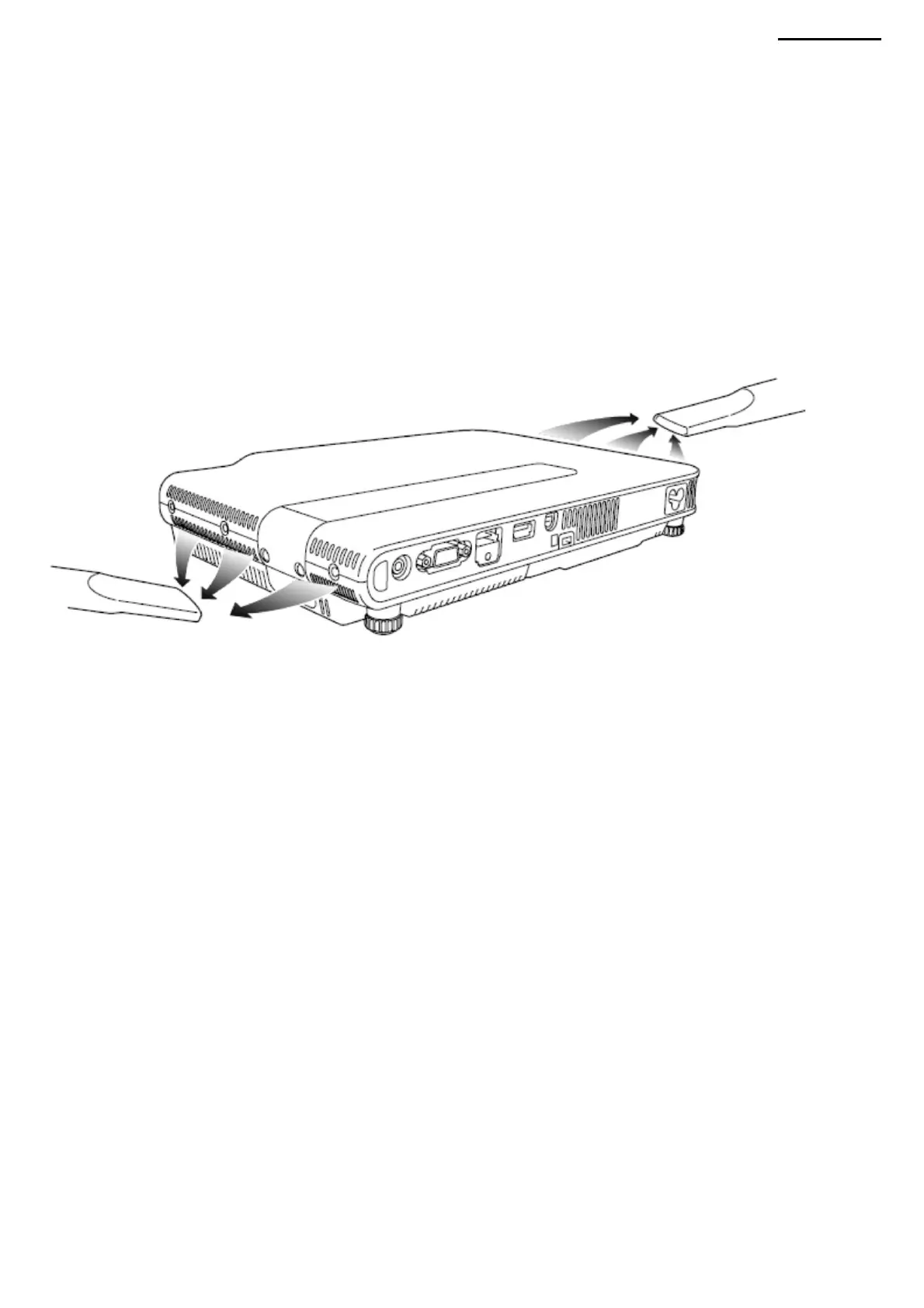
3-2-3. Cleaning the intake and exhaust vents Dust and dirt accumulate
around the intake vents located on the back and sides of the projector. Periodically remove accumulated dust and dirt
with a vacuum cleaner as shown in the figure below.
IMPORTANT! • Continued use of the projector while dust accumulates around the intake vents may cause the internal
components to overheat and result in failure. • Under certain operating conditions, dust and dirt may
also accumulate around the exhaust vents located at the front. In this case, clean the exhaust vents as described above.
Machine Translated by Google



 To Next Page