EasyManua.ls Logo

Casio XJ-A142 - User Manual

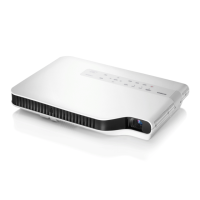
Casio XJ-A142
103 pages
Print Icon
To Next Page IconTo Next Page
Loading...
1
DATA PROJECTOR
XJ-A Series
XJ-A142/XJ-A147*
XJ-A242/XJ-A247*
XJ-A252/XJ-A257*
XJ-M Series
XJ-M141/XJ-M146*
XJ-M151/XJ-M156*
XJ-M241/XJ-M246*
XJ-M251/XJ-M256*
User’s Guide
In this manual, “XJ-A Series” and “XJ-M Series” refer only to the specific models listed above.
Be sure to read the “Safety Precautions” and “Operating Precautions” in the “Setup Guide”
document that comes with the Data Projector, and make sure you use this product correctly.
Keep this manual in a safe place for future reference.
Visit the site below for the latest version of this manual.
https://world.casio.com/manual/projector/
*USB Models
EN
D

Table of Contents

Other manuals for Casio XJ-A142

Questions and Answers

  • N
    Nathan FergusonAug 19, 2025
    How to fix Casio Projector when File Viewer does not appear after connecting USB?
    • V
      Vanessa MartinAug 19, 2025
      If the File Viewer on your Casio Projector doesn't display a connected USB flash drive, the drive might be formatted in a way the projector can't recognize. Use your computer to check if the file system is FAT or FAT32. If it's not, reformat the USB flash drive to FAT or FAT32. Also, check the 'Plug and Play' setting under 'Option Settings 2' and make sure it's set to 'On'.
  • M
    Michael ReedAug 21, 2025
    Why some folders and files are not displayed in the file menu of Casio XJ-A142?
    • J
      Jeffrey DelgadoAug 21, 2025
      If your Casio Projector doesn't display all folders or files in the file menu, it might be because there are too many items in a single folder. If a folder contains more than 999 folders or files, the projector won't display all of them. To fix this, reduce the number of folders and files within that folder.
  • J
    Jennifer BakerAug 23, 2025
    What to do if Casio XJ-A142 Projector doesn't recognize all devices connected via USB hub?
    • A
      Anita PerryAug 23, 2025
      If your Casio Projector isn't recognizing all connected devices via a USB hub or card reader, it's because the projector can only recognize up to four drives. Ensure that you connect no more than four memory devices at a time.
  • T
    timothylynchAug 26, 2025
    Why Casio XJ-A142 Projector doesn't show digital camera memory contents via USB?
    • J
      Joseph KimAug 26, 2025
      If your Casio Projector isn't displaying the contents of your digital camera's memory when connected via USB, consult your digital camera's user documentation for information about the required settings and operations. It's possible the camera's USB mass storage class setting isn't configured correctly or that you need to perform a specific action on the camera. Also, your camera may not support USB mass storage class, and if it doesn't, you won't be able to view the contents.
  • S
    sarahlloydAug 28, 2025
    Why question marks appear instead of thumbnails on Casio XJ-A142?
    • E
      Emily FosterAug 28, 2025
      If you see question marks instead of thumbnails in the Slide Mode file menu of your Casio Projector, it means the images can't be projected by the File Viewer.
  • M
    michaelramosAug 30, 2025
    Why does Casio Projector say folder does not contain any image files?
    • C
      Christina HoldenAug 30, 2025
      If your Casio Projector indicates that a folder doesn't contain any image files, use your computer to check the contents of the folder. The File Viewer may not be able to access the folder or files within it.
  • S
    Sheri Flores DVMSep 1, 2025
    What to do if Casio XJ-A142 says this ECA/PtG file cannot be played back?
    • S
      Sheila PetersonSep 1, 2025
      If your Casio Projector displays an error message indicating that an ECA/PtG file cannot be played back, there may be an error in the ECA file or PtG file itself. Try playing back the ECA file or PtG file using the EZ-Converter FA on your computer to check it.
  • J
    Jonathan Trujillo MDSep 4, 2025
    Why Casio XJ-A142 Projector cannot display an image file?
    • A
      Austin MeyerSep 4, 2025
      If your Casio Projector cannot display an image file, it might be due to an unsupported format or size. Also, there may be an error in the image file itself, so open the image file on your computer and check it.
  • D
    Debra WellsSep 6, 2025
    Why Casio XJ-A142 Projector says this movie file cannot be played back?
    • A
      Alexander JonesSep 6, 2025
      If your Casio Projector cannot play back a movie file, it might be due to the file having an unsupported format or size. Also, there may be an error in the movie file itself, so open the movie file on your computer and check it.
  • M
    Martin Jenkins IVSep 8, 2025
    How to fix Internal Memory Access Error on Casio XJ-A142?
    • C
      Christopher ZimmermanSep 9, 2025
      If your Casio Projector shows an 'Internal Memory Access Error', it could be due to a problem with a specific file or folder in the projector's internal memory. If you experience trouble with any file or folder, delete it. If you cannot open any of the files or folders in projector internal memory with your computer or if you cannot open the “InternalMem” drive itself, it could mean there is a problem with the projector internal memory file system. In this case, perform the procedure under “To format projector internal memory” (page 21).

Casio XJ-A142 Specifications

General IconGeneral
Brightness2500 ANSI Lumens
Resolution1280 x 800 (WXGA)
Display TechnologyDLP
Light SourceLaser & LED Hybrid
Speakers1W Mono
Max ResolutionUXGA (1600 x 1200)
Screen Size30 - 300 inches
Weight2.3 kg
Zoom1.2x
Input TerminalsHDMI, VGA, Composite Video, USB
Output TerminalsVGA
Lamp Life20000 hours (Eco Mode)

Related product manuals